web
You’re offline. This is a read only version of the page.
close
Skip to main content

Announcements

No record found.

News and Announcements icon
Community site session details

Community site session details

Session Id :
Supply chain | Supply Chain Management, Commerce
Answered

Question about the "work items assigned to me" mask

(1) ShareShare
ReportReport
Posted on by 159
Hello,
 
I am working with purchase order workflow and after customizations, now we are searching how to deliver this to the users for the first time. I researched and the mask where the users should approve purchase orders is "work items assigned to me" (or mobile approval which will be configured in the near future). Question:

Why if I go to this mask I see a split screen when consulting purchase requisitions, which makes life easier to consult what is this about


But when I click on a purchase order, then this split is lost? I only can see details if I click over ID, but this is not the best when somebody has a lot of documents to analyze, and in general, I dont understand why we have this difference.
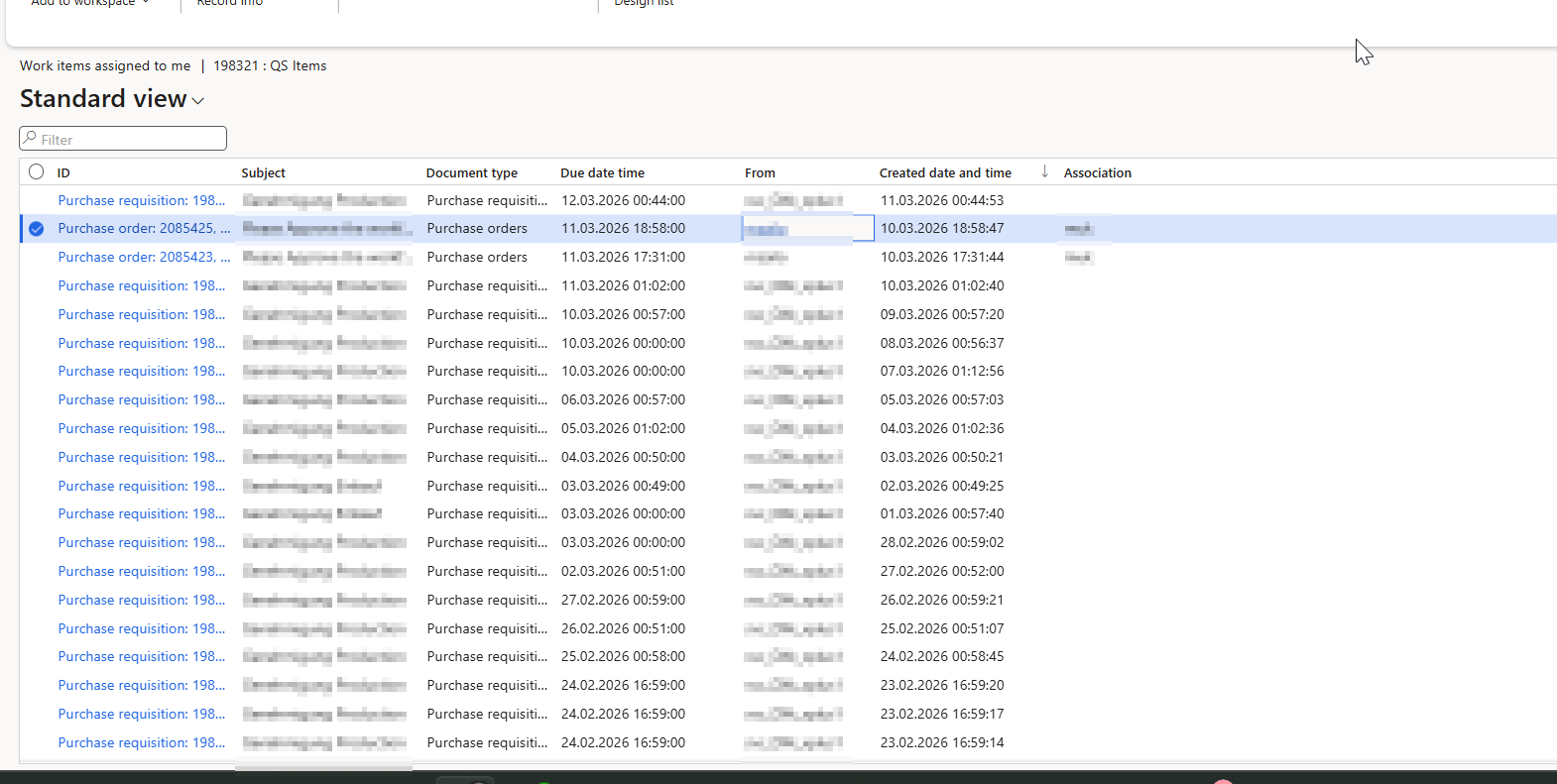
 
 
On the other hand some extra topics:
 
-is there another way to approve purchase orders? (other than this and mobile app)
 
-there seems to be a bug in the saved views in "work items assigned to me", as if I save a view for document type "purchase orders", then it filters, but I cant pin it as default because if I enter to the form again there is an error stating a conflict because of my saved default view. On the other hand, I also have this problem:

Standard view


Then i switch to purchase orders (saved view based on filter: document type=purchase orders), all OK


but if I switch back to standard, all empty


Same if I go to purchase orders view again, it remains empty. I am not sure why this happens, but looks like a bug. I would like to confirm if somebody of you have this problem as well.


Thanks!
 
I have the same question (0)
  • Verified answer
    Mallesh Deshapaga Profile Picture
    1,819 on at

    Hello,

    When I click on either the Purchase Requisition or Purchase Order, I don’t see any split option like in your Purchase Requisition. It seems there may be a customization in your form.

     
    You can navigate directly to the Purchase Order to approve it.
     
    It seems we cannot save the views for different document types. I received the same error message that you encountered.
    Then, if I select the standard view, I don’t see any data.
  • Sirius_A Profile Picture
    159 on at
    Thanks a lor Mallesh, that responds to my doubts. Have a nice weekend!
  • Suggested answer
    salman ahmad Profile Picture
    272 on at
     
    -is there another way to approve purchase orders? (other than this and mobile app)

    Hi there yes other way is you can use Power automate and integrate it to Teams so each user will have the details in teams that is pretty cool they can approve directly from teams.
     
    However you can also configure the workflow emails to send it to users automatically for workflows and in 
     

    Microsoft Dynamics 365 Workflow Details

    For: %for% 
    Message: %message% 
    
    Approvers:   Work Item assigned to me (URL from Browser)
    
    
    Hope it will help you take better action


Under review

Thank you for your reply! To ensure a great experience for everyone, your content is awaiting approval by our Community Managers. Please check back later.

Helpful resources

Quick Links

Introducing the 2026 Season 1 community Super Users

Congratulations to our 2026 Super Stars!

Meet the Microsoft Dynamics 365 Contact Center Champions

We are thrilled to have these Champions in our Community!

Congratulations to the March Top 10 Community Leaders

These are the community rock stars!

Leaderboard > Supply chain | Supply Chain Management, Commerce

#1
Laurens vd Tang Profile Picture

Laurens vd Tang 142 Super User 2026 Season 1

#2
André Arnaud de Calavon Profile Picture

André Arnaud de Cal... 136 Super User 2026 Season 1

#3
Mallesh Deshapaga Profile Picture

Mallesh Deshapaga 135

Last 30 days Overall leaderboard

Product updates

Dynamics 365 release plans
