web
You’re offline. This is a read only version of the page.
close
Skip to main content

Announcements

No record found.

News and Announcements icon
Community site session details

Community site session details

Session Id :
Small and medium business | Business Central, N...
Answered

Connecting On-Prem BC with Dataverse

(0) ShareShare
ReportReport
Posted on by 10

Hi Community,

Hope you guys can help.

Is it possible to connect Onprem installation of Business Central to Dataverse using the available Dataverse connector?

We are running BC 18 (CU12). 
Our partner did all required Azure configuration. 

I've tested the connection with xrm toolbox and got connection:
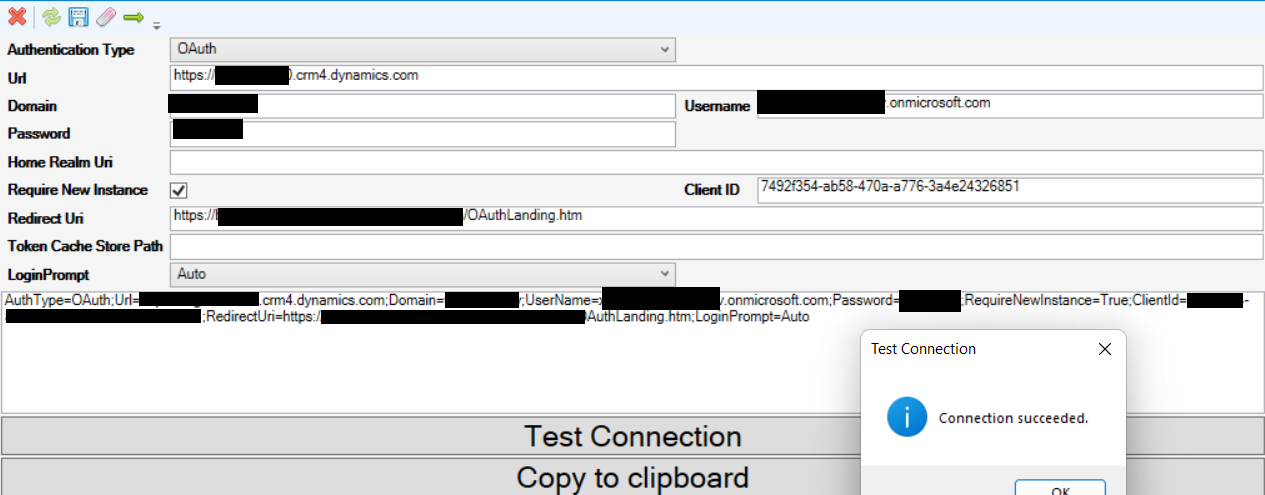
pastedimage1665999423894v1.png
(sorry for not being able to share more).

However when using the generated URL in BC it returns an error saying it is failing to retrieve a token.
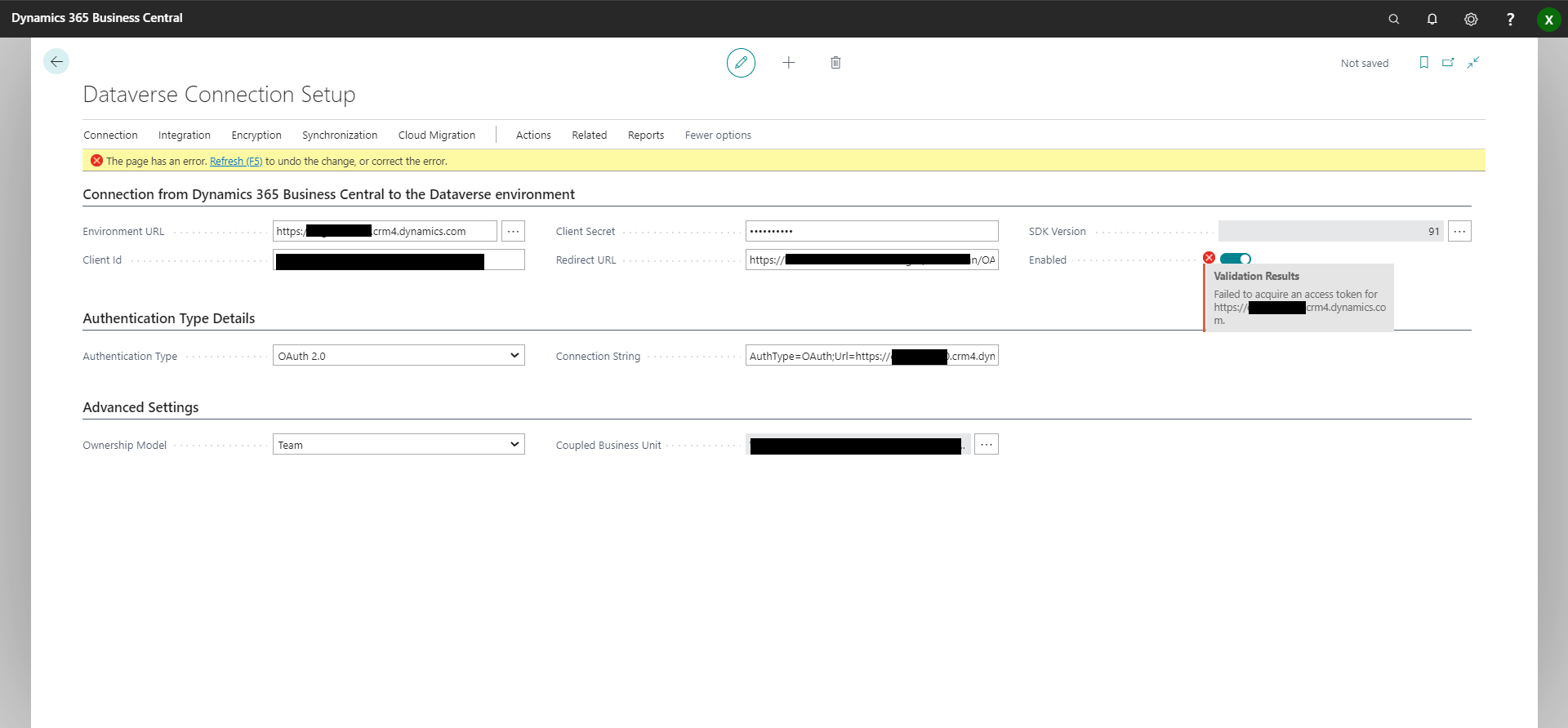
pastedimage1665999590168v2.png

So is there an error in the Azure settings that the app is not returning a token? Or will it never work? Or am I missing important settings?
Please let me know.

Kind Regards,

Koen

I have the same question (0)
  • Suggested answer
    THE Italian Profile Picture
    Microsoft Employee on at

    Yes, It should be possible. 

    There might be differences between BC authentication on-prem and what has been built-in in CRM Toolbox. I suggest you to file a request to support in order to dig this deeper and find out the root cause of it - if you cannot make it -.

    One supportability disclaimer., tough Version 18 is just out of support since few days now. 

  • Suggested answer
    Amit Profile Picture
    2,563 on at

    Hi,

    Refer the below link for above query.

    https://learn.microsoft.com/en-us/dynamics365/business-central/admin-common-data-service

    Regards

    Amit Sharma

    www.erpconsultors.com

  • Verified answer
    YUN ZHU Profile Picture
    99,086 Super User 2026 Season 1 on at
  • Suggested answer
    Greg Enns Profile Picture
    1,122 on at

    THE Italian posted this last year which may be of help:   

    The short answer, is yes, it should work, it can just be a bit tricky.

  • Koense Profile Picture
    10 on at

    Thanks a lot Yun the trick was in signing in with the Azure Admin in BC :)

Under review

Thank you for your reply! To ensure a great experience for everyone, your content is awaiting approval by our Community Managers. Please check back later.

Helpful resources

Quick Links

Introducing the 2026 Season 1 community Super Users

Congratulations to our 2026 Super Stars!

Meet the Microsoft Dynamics 365 Contact Center Champions

We are thrilled to have these Champions in our Community!

Congratulations to the March Top 10 Community Leaders

These are the community rock stars!

Leaderboard > Small and medium business | Business Central, NAV, RMS

#1
OussamaSabbouh Profile Picture

OussamaSabbouh 1,993 Super User 2026 Season 1

#2
YUN ZHU Profile Picture

YUN ZHU 1,116 Super User 2026 Season 1

#3
Khushbu Rajvi. Profile Picture

Khushbu Rajvi. 557 Super User 2026 Season 1

Last 30 days Overall leaderboard

Featured topics

Product updates

Dynamics 365 release plans
