web
You’re offline. This is a read only version of the page.
close
Skip to main content

Announcements

No record found.

News and Announcements icon
Community site session details

Community site session details

Session Id :
Supply chain | Supply Chain Management, Commerce
Suggested Answer

Re-Print Receipt from "Show Transactions" not possible - Missing receipt profile

(0) ShareShare
ReportReport
Posted on by

Hello experts,

i hope you can help me out here with the issue I am facing.

We are trying to use the Show transactions form in the POS to reprint transaction receipts.

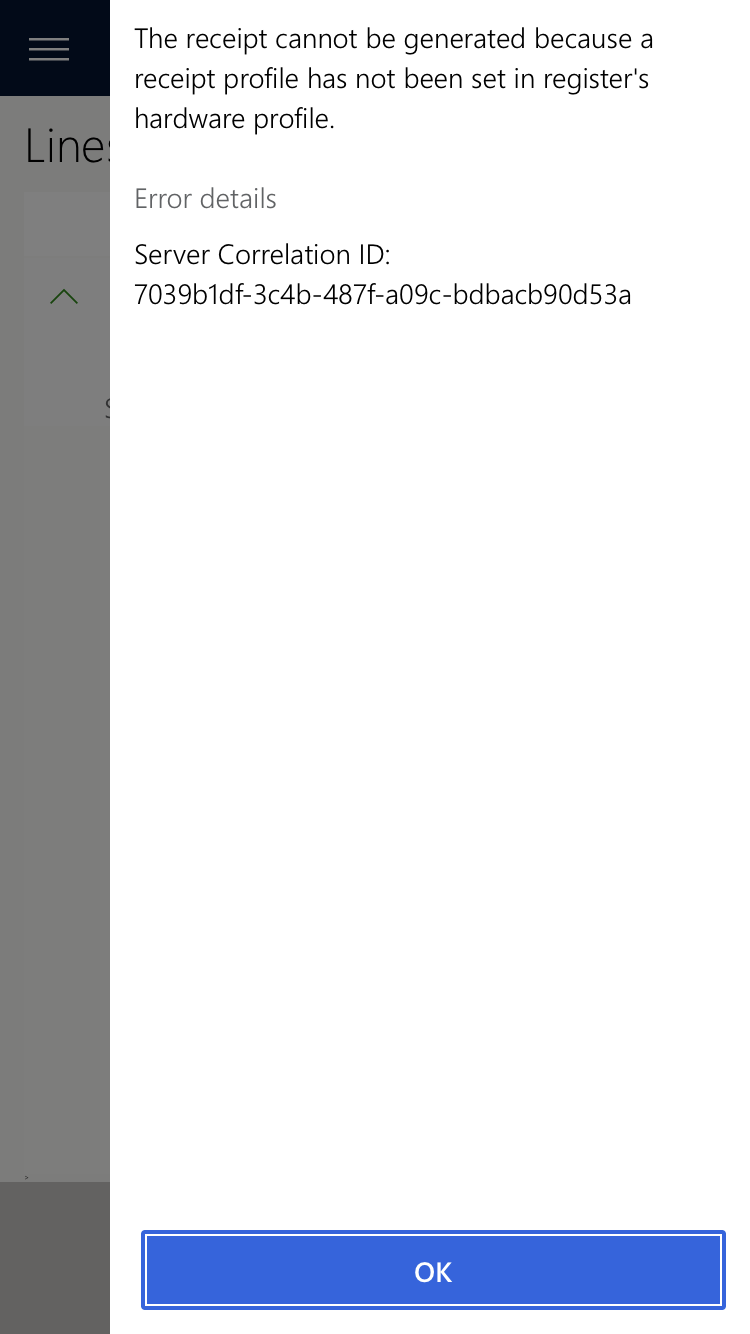
The initial receipt printing works perfectly fine, but when I go to the show transactions journal in the POS and hit "Show receipt", I receive an error message saying that the receipt can not be generated because a receipt profile has not been set on the registers hardware profile.

pastedimage1597235122660v1.png

pastedimage1597235133169v2.png

IMG_5F00_0307.PNG

Even though this error message is surprisingly clear for microsoft standards, I am not able to solve the issue.

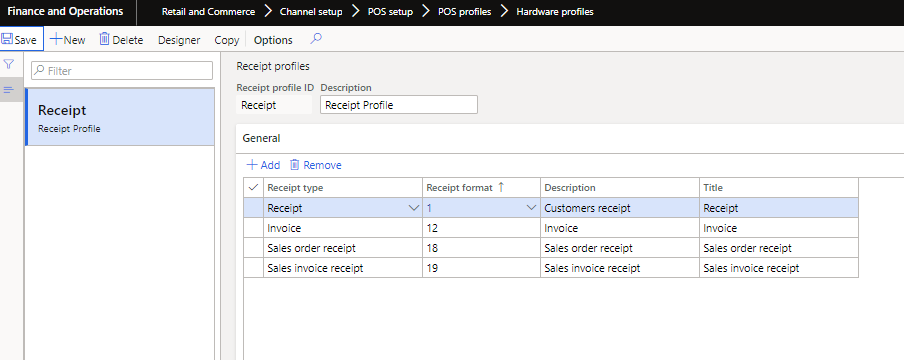
We have a receipt profile, containing many different receipt formats, which is attached to the hardware profile that is used by the register and shared hardware station.

Why am i still not able to print the receipts? Please advise!

I have also attached some screenshots of our configuration..hope this helps...

Thank you very much!

I have the same question (0)
  • Suggested answer
    Xusheng Profile Picture
    Microsoft Employee on at

    Hi Michael,

    You need also setup the up the "Gift receipt" at the receipt profile then run sync job. Like this:

    pastedimage1597283279407v2.png

    This is the API for reprint the receipt at POS. It will print two receipt.

    pastedimage1597283242729v1.png

    Thank you for using Microsoft Dynamics Communities,

    Xusheng Wang

    SUPPORT ENG

    Microsoft Dynamics AX / Dynamics 365 Commerce

    If my information answers your question please click 'Yes' against "Did this answer your question?" to help other community members. 

  • Dennis M Profile Picture
    15 on at

    This solved the issue for me. Thank you for posting this response!

Under review

Thank you for your reply! To ensure a great experience for everyone, your content is awaiting approval by our Community Managers. Please check back later.

Helpful resources

Quick Links

Introducing the 2026 Season 1 community Super Users

Congratulations to our 2026 Super Stars!

Meet the Microsoft Dynamics 365 Contact Center Champions

We are thrilled to have these Champions in our Community!

Congratulations to the March Top 10 Community Leaders

These are the community rock stars!

Leaderboard > Supply chain | Supply Chain Management, Commerce

#1
Mallesh Deshapaga Profile Picture

Mallesh Deshapaga 287

#2
Laurens vd Tang Profile Picture

Laurens vd Tang 212 Super User 2026 Season 1

#3
Syed Haris Shah Profile Picture

Syed Haris Shah 145 Super User 2026 Season 1

Last 30 days Overall leaderboard

Product updates

Dynamics 365 release plans