






Show query values on form
 Shashi s
 1,203
1,203
 Like
Like Share
Share
 Report
To show query values just like a report dialog does there are some internal classes that need to be used.
To simplify this process, I have created a class, which will take in the form group control and the query and use that to generate fields just like a report dialog would do.
The code can be downloaded from codeplex/axug
To show an example of how this looks, here is a form, with an empty group, and a button to select the query values

The button “Select values” is calling queryRun.Prompt for the queryrun variable defined within the form object.
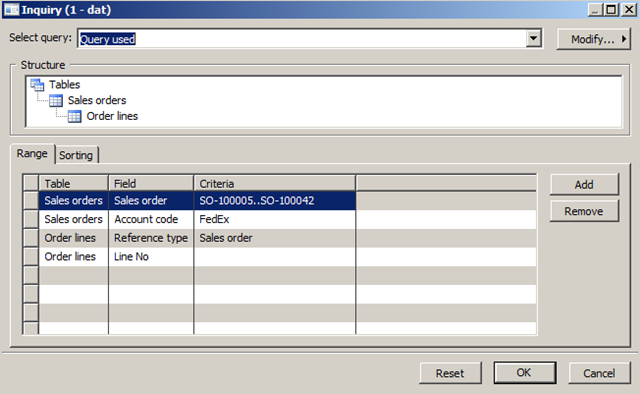
Once the user selects the fields (user can even leave certain ranges empty, and add more range fields) the query is passed to a class along with the forms group control (i.e. “My Query Group”)
The class will then clear existing controls within the group and then add the ranges from the query.

Multiple data sources can be added by the user and they all show up in the group.
A shortcoming of this is that every time the class arranges the fields in the group, it first hides any existing controls. This is because, controls cannot be removed when added. So a lot of selects can cause a large memory footprint for this form
Filed under: Ax 2009, Dynamics Ax, X++ Tagged: Dynamics Ax, Queries


This was originally posted here.
*This post is locked for comments