




 Like
Like Share
Share
 Report
Introduction:
Searching Power Automate connectors for Send Email Step available in Workflow?
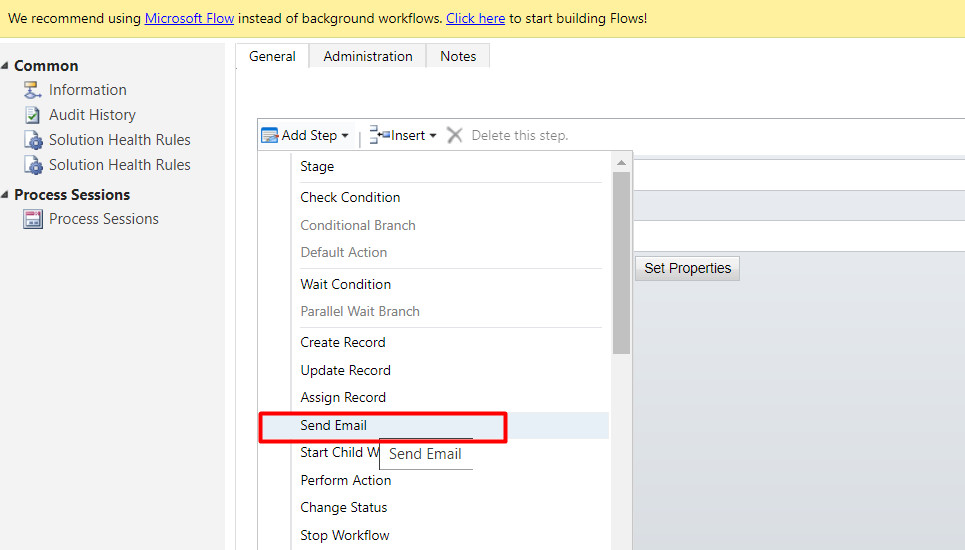
Follow the below steps to send Email from Power Automate .
1)Go to Common Data Service(Current Environment)Connector.
Select Create a new record, Entity: Email Messages
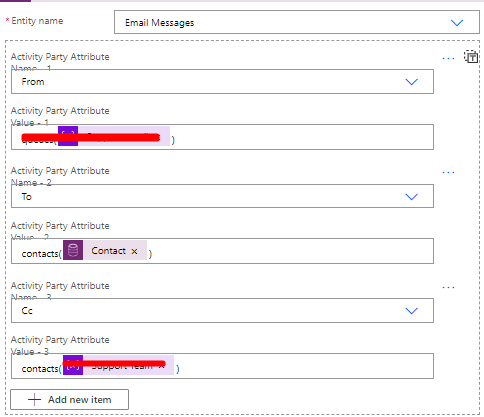
Add Activity Party Attributes, Email Body, Subject and set regarding.
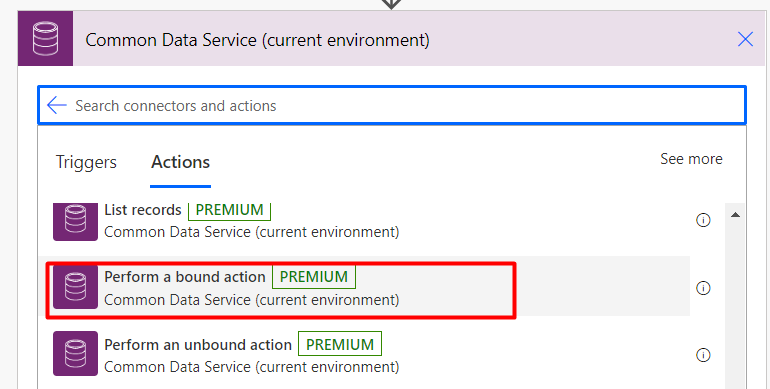
2) Once Draft Email is ready, add Action Perform a bound action from Common Data Service( Current Environment)Connector.
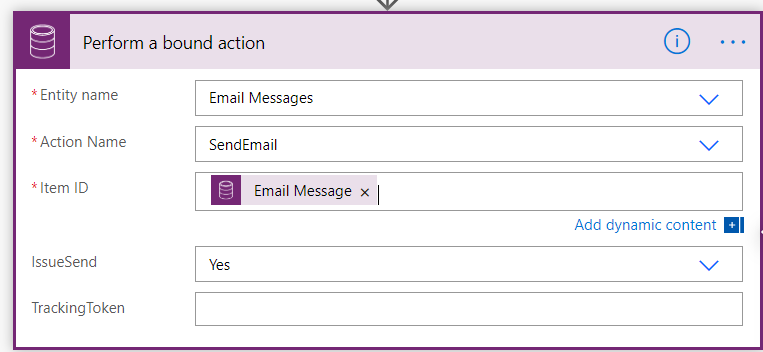
Entity name – Email Message
Action name – Send Email
Item ID – This will be the GUID (unique ID) of the record to send.
(Note: Here, we will provide the Email message ID of the Draft email created in Step 1.
IssueSend – This is a No/Yes option list. Set this to “yes” for the email to send.
Conclusion: We can replicate the Send Email functionality of Workflows in Power Automate easily.
The post Send D365 Email Using Power Automate appeared first on Cloudfronts - Microsoft Dynamics 365 | Power BI | Azure.
*This post is locked for comments