




 707
707 Like
Like Share
Share
 Report
Last post I have shown how to get item default dimension and how useful it can be to create a production order through code.
Today I post how to create it, it’s a very simple and understandable code. As usual I will show how to create it through Job but feel free to use it on a class or even a form.
1. Create a new Job.
2. Paste the following code.
static void _CreateProductionOrder(Args _args)
{
    ProdQty         qty     = 100;
    ItemId          item    = 'D0005';

    ProdTable       prodtable;
    InventTable     inventTable;
    InventDim       inventDim;
    ;

    // Initialize InventTable
    inventTable = inventTable::find(item);

    // Initialize the base values
    prodtable.initValue();
    prodtable.initFromInventTable(inventTable);

    prodtable.ItemId                = inventTable.ItemId;
    prodtable.DlvDate               = today();
    prodtable.QtySched              = qty;
    prodtable.RemainInventPhysical  = qty;

    // Initialize InventDim (Obrigatory)
    inventDim.initValue();

    // Set the active BOM and Route
    prodtable.BOMId = BOMVersion::findActive(prodtable.ItemId,
                                             prodtable.BOMDate,
                                             prodtable.QtySched,
                                             inventDim).BOMId;

    prodtable.RouteId = RouteVersion::findActive(prodtable.ItemId,
                                                 prodtable.BOMDate,
                                                 prodtable.QtySched,
                                                 inventDim).RouteId;

    // Initialize BOMVersion
    prodtable.initBOMVersion();
    // Initialize RouteVersion
    prodtable.initRouteVersion();

    //Use ProdTableType class to create the production order
    prodtable.type().insert();

    // Inform Production Order Id
    setPrefix( 'Production Order');
    setPrefix( 'Production Order Number');
    info(prodtable.ProdId);
}
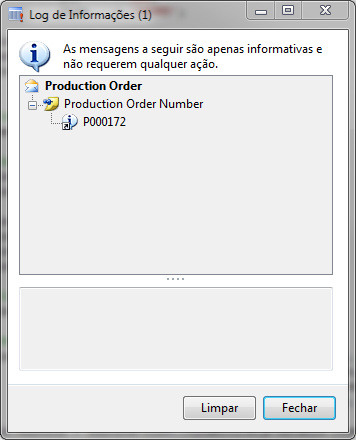
3. Run the job. Check results.


*This post is locked for comments