




 332
332 Like
Like Share
Share
 Report
Hello Everyone,
I was working on one of the requirement form client regarding FTP in Navision 2009 R2 using Automation variables.
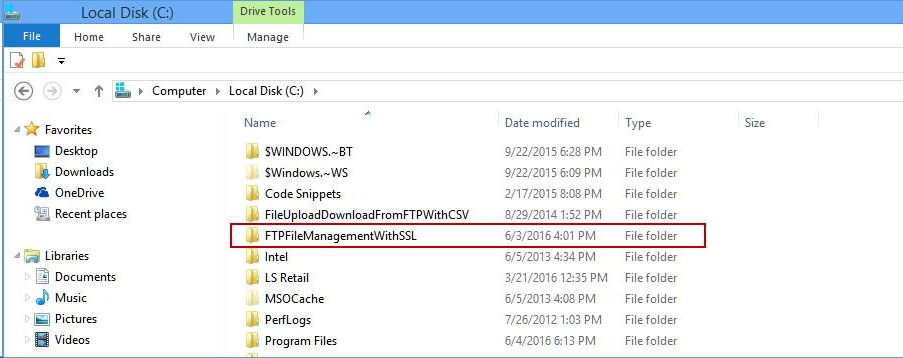
General Approach – To register a dll - Using cmd
1 – Run cmd as administrator
2 – Go to main C: by using command – cd\
3 – Go to Folder FTPFileManagementWithSSL where your dll is located using command - cd FTPFileManagementWithSSL
4 – Execute Command - tlbexp FTPFileManagementWithSSL.dll /out: FTPFileManagementWithSSL.tlb
5 – Execute Command - "C:\Windows\Microsoft.NET\Framework\v2.0.50727\regasm" /tlb: FTPFileManagementWithSSL.tlb FTPFileManagementWithSSL.dll
6 – Execute Command - "C:\Program Files\Microsoft SDKs\Windows\v6.0A\bin\gacutil" /i FTPFileManagementWithSSL.dll
Dll Registered successfully – Only in those cases where Microsoft SDKs are installed.
But even using above approach I was getting error – “Automation Control was not registered Successfully” when I used Automation variable in code.
Error
---------------------------
Microsoft Dynamics NAV Classic
---------------------------
This message is for C/AL programmers:
Could not create an instance of the OLE control or Automation server identified by
GUID={6B57267D-A9B1-4C21-9360-E350B57C71AF} 2.0:{D70659DB-C298-3D6B-98BC-C369261DD352}:'FTPFileManagementWithSSL'.FTPFileManagementWithSSL.
Check that the OLE control or Automation server is correctly installed and registered.
---------------------------
OK
---------------------------
Newer Approach – To register a dll - Using cmd and PowerShell – Windows server 2012
1 – Run cmd as administrator
2 – Go to main C: by using command – cd\
3 – Go to Folder FTPFileManagementWithSSL where your dll is located using command - cd FTPFileManagementWithSSL
4 – Execute Command - tlbexp FTPFileManagementWithSSL.dll /out: FTPFileManagementWithSSL.tlb
5 – Run Windows PowerShell as Administrator
6 – Execute Below Command – For Regasm
."C:\Windows\Microsoft.NET\Framework\v4.0.30319\RegAsm.exe" -codebase -tlb "C:\FTPFileManagementWithSSL\FTPFileManagementWithSSL.dll"
7 – Execute Below Command – For gacutil
Set-location "c:\FTPFileManagementWithSSL"
[System.Reflection.Assembly]::Load("System.EnterpriseServices, Version=4.0.0.0, Culture=neutral, PublicKeyToken=b03f5f7f11d50a3a")
$publish = New-Object System.EnterpriseServices.Internal.Publish
$publish.GacInstall("c:\FTPFileManagementWithSSL\FTPFileManagementWithSSL.dll")
iisreset
Dll Registered successfully. And When I ran my code using Automation Variable my error got resolved.
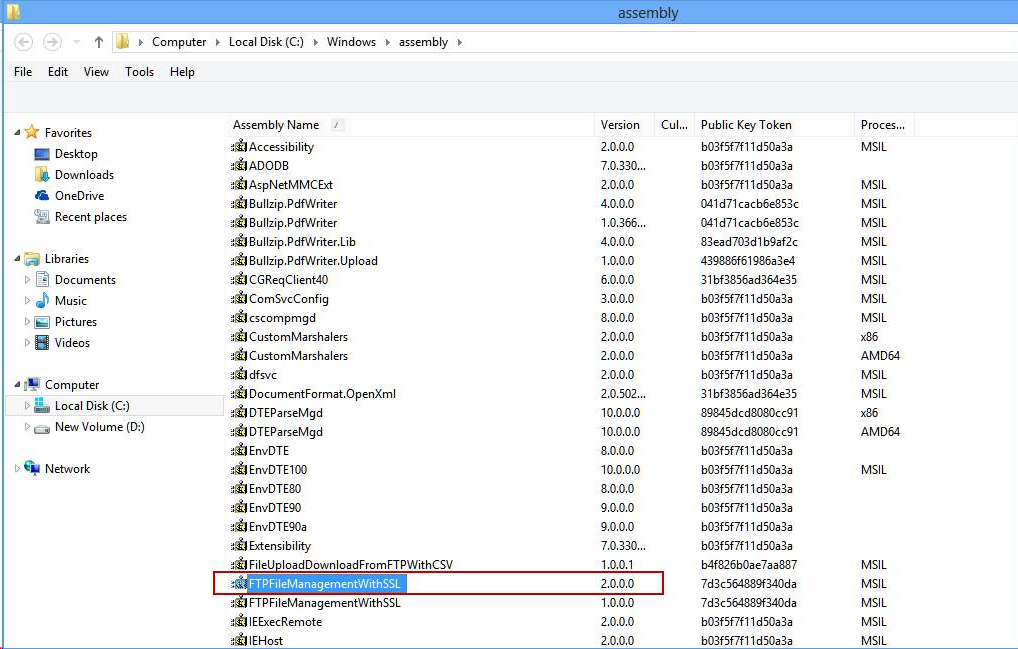
Also if we want to unregister dll from Gac execute below command,
Set-location "c:\FTPFileManagementWithSSL"
[System.Reflection.Assembly]::Load("System.EnterpriseServices, Version=4.0.0.0, Culture=neutral, PublicKeyToken=b03f5f7f11d50a3a")
$publish = New-Object System.EnterpriseServices.Internal.Publish
$publish.GacRemove("c:\FTPFileManagementWithSSL\FTPFileManagementWithSSL.dll")
iisreset
Hope this helps.
*This post is locked for comments