







Readonly = impression, FieldSecurity = impression + access restrictions, Plugins = controlled changes
 ashlega
 34,477
 Like
Like Share
Share
 Report
Why is it not enough to make a field readonly on the form if you want to secure your data from unintended changes?
Because there are at least 2 simple ways to unlock such fields:
1. Level up extension from Natraj
https://chrome.google.com/webstore/detail/level-up-for-dynamics-crm/bjnkkhimoaclnddigpphpgkfgeggokam
Here is how read-only fields look before you apply “God Mode”:

Then I apply the “God Mode”:
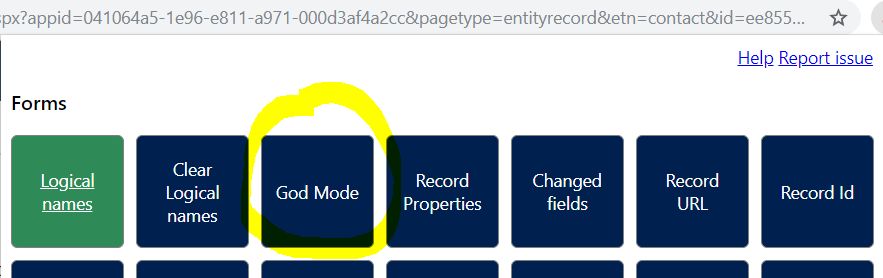
And I can happily update my read-only field:

Which is absolutely awesome when I am a system administrator trying to quickly fix some data in the system, but it can become a nightmare from the data consistency standpoint if I am either not a system administrator or if, even as a system administrator, I am not really supposed to do those things.
2. When in the grid view, you can use “Open in Excel Online” option
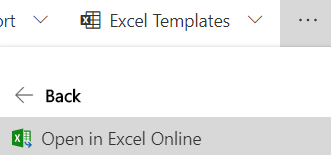
“Read-only” is how you mark fields on the forms, not what really applies to the server side/excel/etc. So, once you’ve updated the records in excel, you can just save the changes:
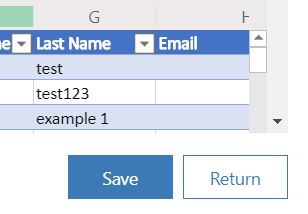
Of course you can also export/import, but “online” is the quickest in that sense.
What about the field-level security, though?
It does help when the user in question is not a system admin:
https://docs.microsoft.com/en-us/power-platform/admin/field-level-security
“Record-level permissions are granted at the entity level, but you may have certain fields associated with an entity that contain data that is more sensitive than the other fields. For these situations, you use field level security to control access to specific fields.”
Is that good enough? This is certainly better, but it does not help with the opportunist system admins who just want to deal with the immediate data entry problem. They will still have access to all the fields.
Is there a way to actually control those changes?
Well, strictly speaking you can’t beat a system admin in this game. However, you might create a synchronous plugin, or, possibly, a real0time workflow to run on update of some entities and to raise errors whenever a user is not supposed to modify certain data.
Would it help all the time? To some extent – a system admin can just go into the environment and disable a plugin. Of course that’s a little more involved, and that’s the kind of intervention not every system admin would be willing to do, but still. However, for the most critical data you could, at least, use this method to notify the system administrator why updating such fields would not be desirable. Which is, often, part of the problem – if there is a read-only field and no explanations of why it is read-only, then… why not to unlock it, right? But, if a plugin throws an error after that with some extra details, even the system admin might decide not to proceed.
Anyway, those are the options, and, of course, in terms of complexity, making a field read-only would be the easiest but it would also be the least restrictive. Using field level security would be more involved but would restrict data access for anyone but for the system administrators. Plugins might give even more control, but that will be development.
This was originally posted here.
*This post is locked for comments