







Adding custom html button for attachment
 Mahendar Pal
 45,095
 Like
Like Share
Share
 Report
Did you ever get a requirement to add html button on entity form?? If yes this post will help you to implement this requirement. Let’s say we are building a registration form in CRM and we need to provide buttons to add attachment for ID proofs. Let’s see how we can do this 
We mainly have two high level requirements:
1. Add a button on entity form
2. Adding attachment to record
Add a button on entity form
There is no direct way of adding button to entity form but we have options like converting text field to button using Java Script or creating html web resource. In this post we are going to create button through html web resource. We can use following code to add attachment button:
<html><head>

<style>
.button {
    background-color: 00bfff;
    border: none;
    color: white;
    text-align: center;
    text-decoration: none;
    display: inline-block;
    font-size: 10px;
    cursor: pointer;
    border-radius: 6px;}
</style>
<meta charset="utf-8"></head>
<body>
<button class="button">Attach</button>
</body></html>
We can create a html web resource and can use above code under source tab, so we should be able to see button created like following:
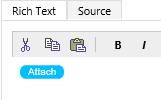
Adding attachment to record
Now we need to add a method to add attachment using our button. We are going to add attachment to notes so we have two options for this, either we can a custom dialog and write a service call to add attachment to notes or we can use a system method to do the same for quick implementation. CRM has a following system method to show attachment dialog (And this is unsupported to use this method as this is not documented in CRM SDK)
Mscrm.RibbonActions.addFileToRecord(entityETC, entityID)
Where entityETC is target entity code in CRM and entityID is target entity record GUID. But if we are using above code in updated forms we need to prefix parent to call this method like following:
parent.Mscrm.RibbonActions.addFileToRecord(entityETC, entityID)
so here is our final html web resource code:
<html><head>

<style>
.button {
    background-color: 00bfff;
    border: none;
    color: white;
    text-align: center;
    text-decoration: none;
    display: inline-block;
    font-size: 10px;
    cursor: pointer;
    border-radius: 6px;
}
</style>
<script>
function Addattachment()
{
var entityETC=10007; //entity code
var entityID =window.parent.Xrm.Page.data.entity.getId();//to read parent record ID
parent.Mscrm.RibbonActions.addFileToRecord(1, entityID)
}
</script>
<meta charset="utf-8"></head>
<body>
<button class="button" onclick="Addattachment()">Attach</button>
</body></html>
We can update our existing html web resource with above updated code. Finally we need to add this web resource to our entity form using Web Resource button under Insert menu.We have created a custom entity for registration and added required fields. We have added a two column section under default two column tab, and now we are going to place web resources next to ID proof text boxes.
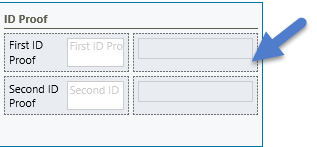
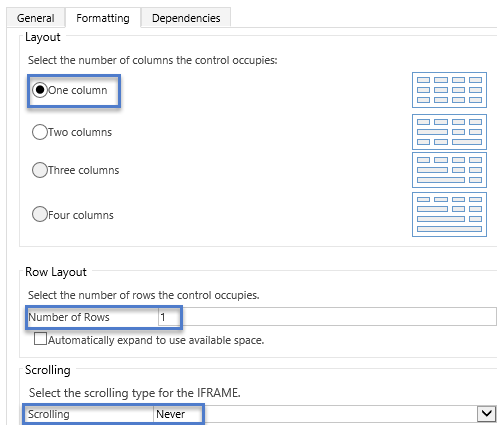
While adding web resource make sure to set formatting option like below:
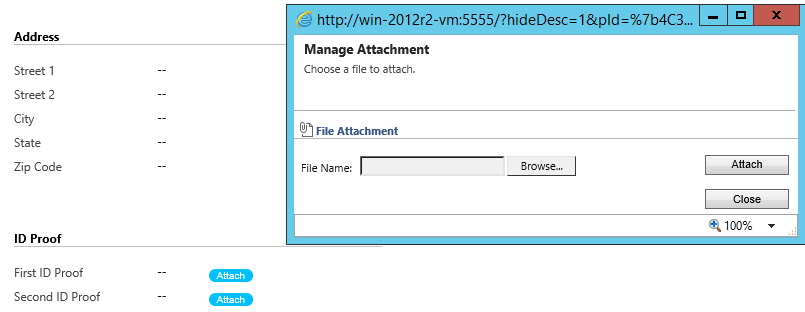
Now after saving and publishing our changes, it will allow us to add attachment on click on attachment button after saving record, like following:
HIMBAP | Need any help in Microsoft CRM Contact US
*This post is locked for comments