







Error 1001: During install of Dynamics AX components
Views (55)
 Ajit kumar G
 534
534
 Like
Like Share
Share
 Report
Hello everyone..
Very rarely you might encounter an issue during installation of an AX component/AOS, where you typically get just an error message: "Error 1001" and nothing else.
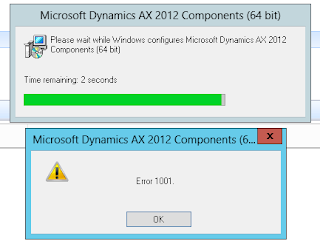
Reason: This is a generic issue, which seems to be caused with an improper uninstall. And the reason behind the scenes is that the corresponding registry entries are still present in the "CurrentControlSet" in Registry, even after you have uninstalled the components.
Solution: There could be many ways to clean the Registry entries (regedit). However, my suggestion is to use the tool provided by Microsoft for resolving such issues.
Link - https://support.microsoft.com/en-us/help/17588/fix-problems-that-block-programs-from-being-installed-or-removed
You can download and follow the steps provided by Microsoft to fix the wrong entries in registry and should be able to continue in your next install attempt.
Very rarely you might encounter an issue during installation of an AX component/AOS, where you typically get just an error message: "Error 1001" and nothing else.
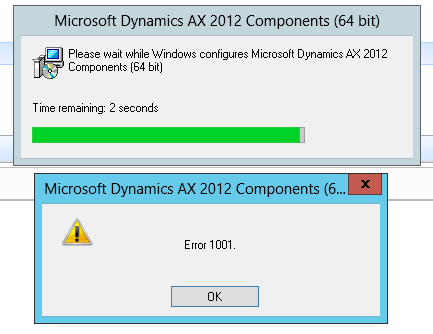
Reason: This is a generic issue, which seems to be caused with an improper uninstall. And the reason behind the scenes is that the corresponding registry entries are still present in the "CurrentControlSet" in Registry, even after you have uninstalled the components.
Solution: There could be many ways to clean the Registry entries (regedit). However, my suggestion is to use the tool provided by Microsoft for resolving such issues.
Link - https://support.microsoft.com/en-us/help/17588/fix-problems-that-block-programs-from-being-installed-or-removed
You can download and follow the steps provided by Microsoft to fix the wrong entries in registry and should be able to continue in your next install attempt.
This was originally posted here.
*This post is locked for comments