







Report printed to e-mail
Views (8319)
 Martin Dráb
 238,086
Most Valuable Professional
238,086
Most Valuable Professional
 Like
Like Share
Share
 Report
You can easily send a D365FO report in email just by configuring print destination to Email and setting a few properties.
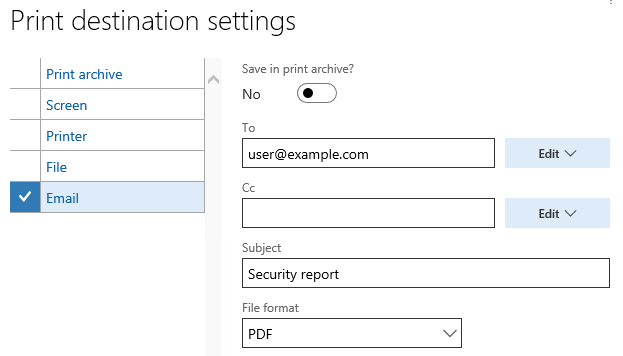
You can do the same from code, where you can also set the body. You must create an instance of SrsReportEMailDataContract class, fill it values and pass it to SRSPrintDestinationSettings.parmEMailContract(). Here is an example:
SrsReportRunController controller = new SrsReportRunController();

controller.parmReportName(ssrsReportStr(SysUserRoleInfo, Report));
controller.parmShowDialog(false);

SRSPrintDestinationSettings settings = controller.parmReportContract().parmPrintSettings();

settings.printMediumType(SRSPrintMediumType::Email);
settings.fileFormat(SRSReportFileFormat::PDF);
settings.fileName('SysUserRoleInfo.xlsx');

// Here we configure the email
SrsReportEMailDataContract emailContract = new SrsReportEMailDataContract();

emailContract.parmTo("user@example.com");
emailContract.parmSubject("Security report");
emailContract.parmBody("Hi there! Here is your report.");

settings.parmEMailContract(emailContract);

controller.startOperation();
This was originally posted here.
*This post is locked for comments