




 32,738
 Like
Like Share
Share
 Report
With the release of Dynamics GP 2018, web client is getting richer as Microsoft is enhancing the user experience. There is no wonder that any enhancement introduced for the web client would absolutely represents an essential value.
One of the most important features is the "Auto Complete" , as illustrated below, end-users using the desktop client are empowered with auto-complete feature which helps accelerate the data entry process, as shown below, this is a screen shot of the desktop version and how auto-complete works
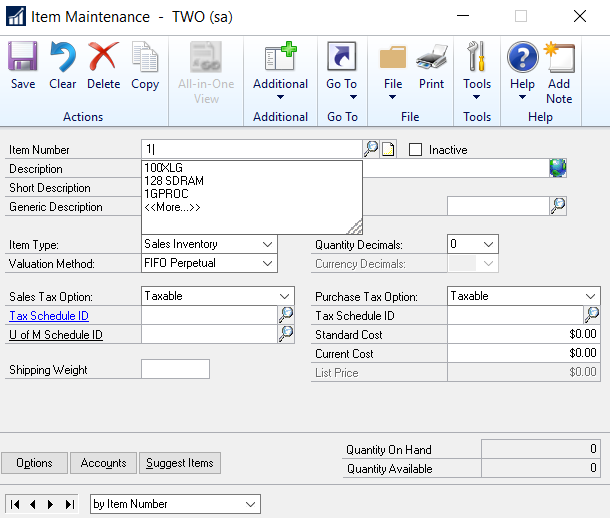 |
| Auto Complete - Desktop Client |
Now with the release of Dynamics GP 2018, this feature has been made available in the web client as well, end-users will have the same experience when using both; desktop and web client.
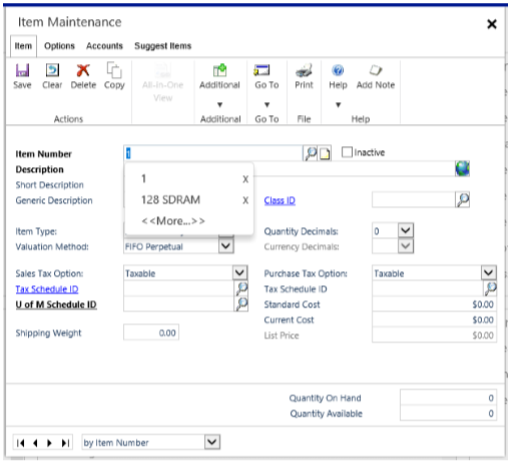 |
| Auto Complete - Web Client |
One additional feature which is highly important in the web client is that Smart list can now be easily accessed with one click, there is no need for going through several steps in order just to open a report.
 |
| Smart list - Web Client |
Lastly, end users were complaining about the ability to reconcile bank statements and the difficulty encountered when working on this window with all the associated details. Now, it is applicable to maximize the size of the window and process bank reconciliation easily and smoothly.
 |
| Bank Reconciliation - Web Client |
Best Regards,
Mahmoud M. AlSaadi
*This post is locked for comments