




 4,657
4,657 Like
Like Share
Share
 Report
After completing VAT patch in Dynamics Ax 2012 R3, We got error in Retail Process job.
Process upload jobs encountered ProcessSourceRequestHeaderException. Error Details: Microsoft.Dynamics.Retail.StoreConnect.Request.SQLHandler.ProcessSourceRequestHeaderException: ProcessSourceRequestHeader failed to execute all delete requests —> Microsoft.Dynamics.Retail.StoreConnect.Request.SQLHandler.ProcessReadRequestsException: Read request num: 1 on table:[ax].[RETAILFISCALDOCUMENT_BR] failed to execute. —> Microsoft.Dynamics.Retail.StoreConnect.Request.SQLHandler.RunException: Query: SELECT [ACCESSKEY],[AUTHORITYCODE],[CHANNEL],[CONSUMEREFDOCINQUIRYURL],[CONTINGENCYDATETIME],[CONTING FROM [ax].[RETAILFISCALDOCUMENT_BR] WHERE [ReplicationCounterFromOrigin]>@__scSqlFilterParam0 AND [ReplicationCounterFromOrigin]<=@__scSqlFilterParam1;;
ParamNameList: ;
ParamValueList: —> System.Data.SqlClient.SqlException: Invalid column name ‘EFRREGISTERNUMBER’.
Invalid column name ‘FISCALESTABLISHMENTTRADENAME’.
Invalid column name ‘ORIGINALDISCOUNTAMOUNT’.
Invalid column name ‘SENDBYEMAIL’.
Invalid column name ‘SOFTWAREHOUSECNPJ’.
Invalid column name ‘TAXAUTHORITYINFO’.
Invalid column name ‘THIRDPARTYFORMATTEDADDRESS’.
Invalid column name ‘THIRDPARTYICMSCONTRIBUTOR’.
Invalid column name ‘THIRDPARTYIE’
Yes one thing is clear that some fields in missing In Retail store database. On opening in AX, The same table has more fields then retail store db, these fields came with Patch. Some Sync problem. So I have to follow these steps to complete the sync
Retails==> setup ==> Scheduler subjobs.

Scheduler Sub jobs select the required table and click on Transfer folder list

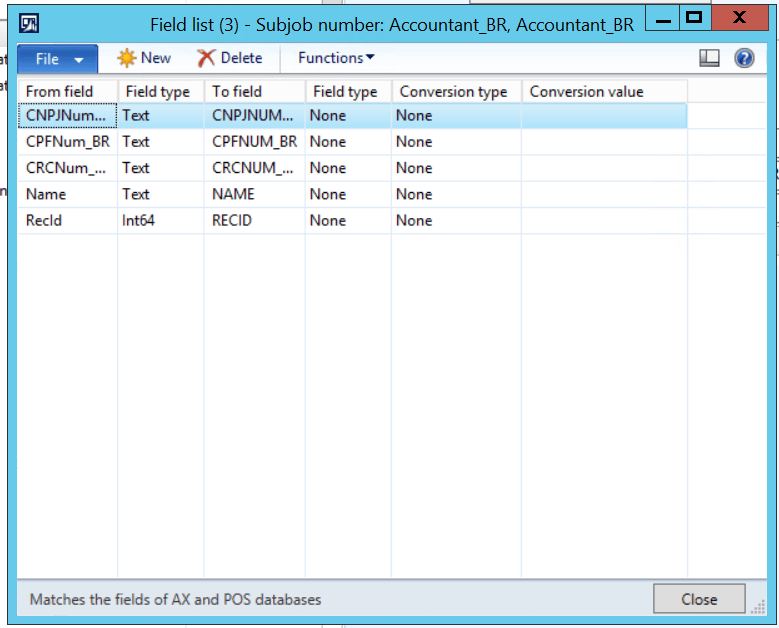
Functions => mapping.

Click on Yes

Run the process job, error is gone.
*This post is locked for comments