







D365 for Ops System Email Template Setup - HTML vs. XSLT
Views (31)
 Frank Hamelly | MVP...
 46,625
Super User 2025 Season 2
46,625
Super User 2025 Season 2
 Like
Like Share
Share
 Report
We were getting an error in a workflow (Root element is missing) that leverages the System email template found in System administration>>Workflow>>Workflow parameters>>Email message. Note the references to HTML in the 'Upload email template' form below. This would lead one to believe that the template uploaded must be in HTML format.
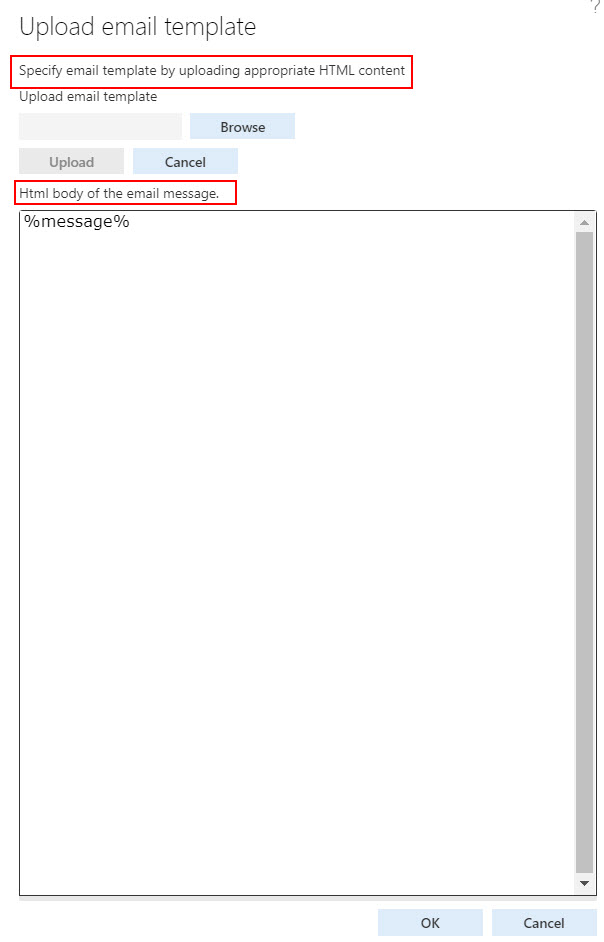
However, what we found was that during setup of this email template, XSLT was defaulted into the Layout field below. The problem is, the Layout field is not exposed in this form by default. We had to personalize the form to add the field.
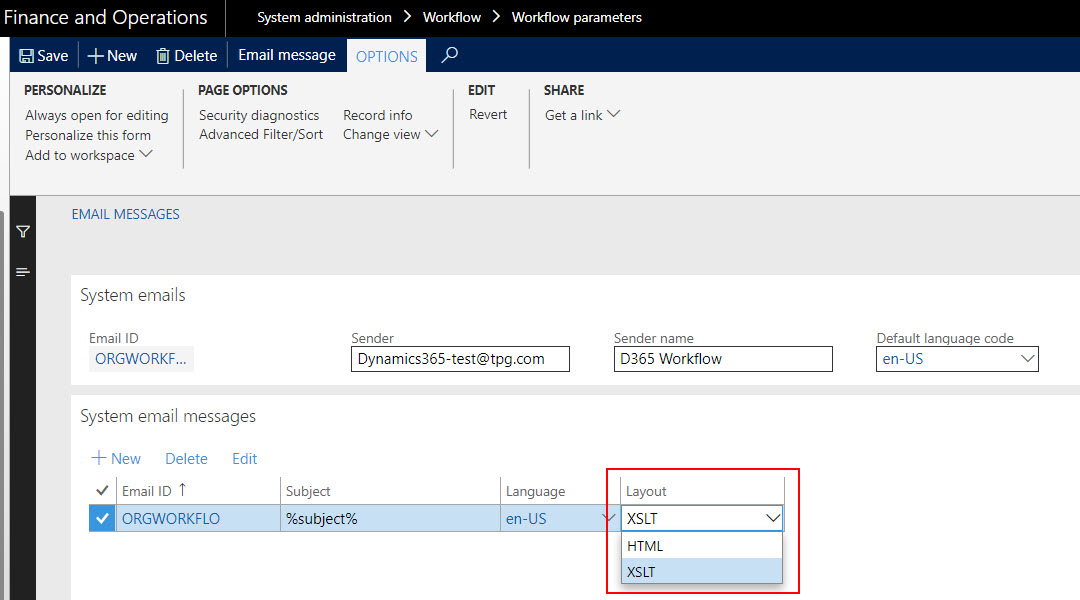
The cause of the error was the mismatch between the Layout type (XSLT) and the HTML template that had been uploaded. Once we discovered the mismatch and changed the Layout value to HTML, the email error was resolved.
This was originally posted here.
*This post is locked for comments