




 Like
Like Share
Share
 Report
Introduction
In this article, the selected record details by the user are exported to excel using Excel Buffer.
The requirement was such that Purchase Request is sent to the Vendors to enter the Unit cost of each Purchase Items. These details are sent to the vendors in an excel sheet. After the Unit cost is entered the excel sheet is imported again in the Dynamics NAV.
Pre-requisites:
Microsoft Dynamics NAV 2017
Steps:
1.Create a report and Data link between the records.
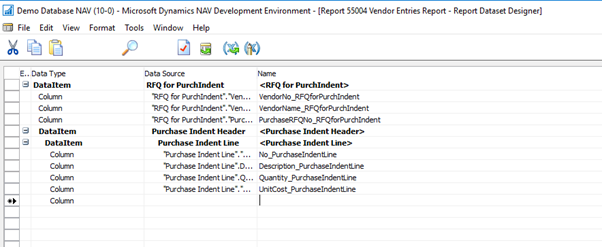
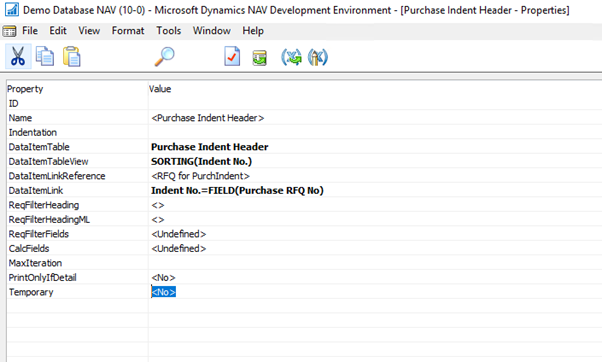
2. Below is the screenshot of the Data Item Link
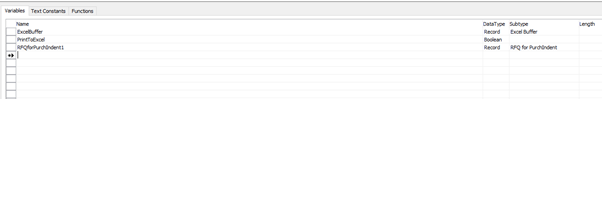
3. In the globals (Ctrl+G), define the excel buffer table (no 370) to create excel sheet
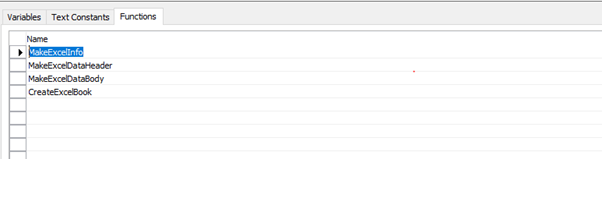
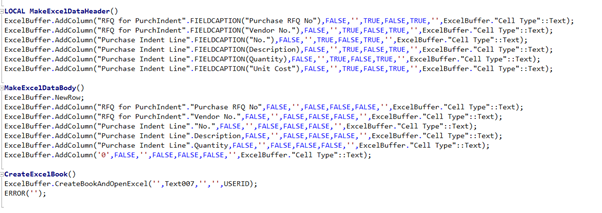
4. Define the function MakeExcelDataHeader to create the header of the excel sheet and MakeExcelDataBody for the Body Lines.
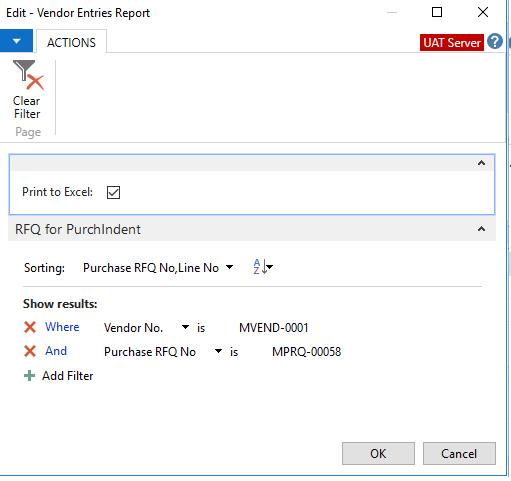
 5. Create a Boolean variable Print to Excel and insert it in the request page. If true then call the function CreateExcelBook.
6. On the PreDataItem Call the function MakeDataExcelHeader and OnAfterGetRecords call the function MakeDataBody
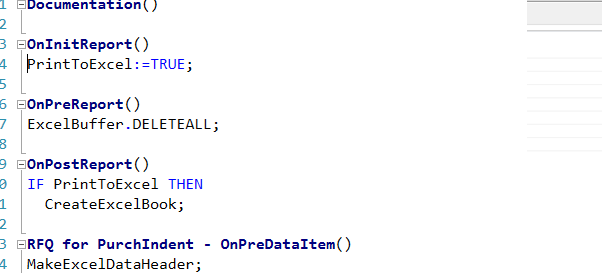
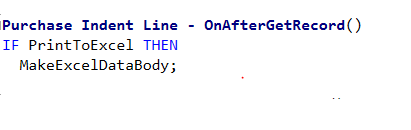 7. Using Excel Buffer table code as below in the functions
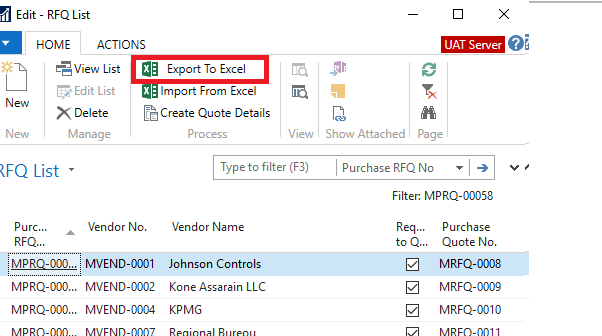
8. In the Page, create an action button to run the report.
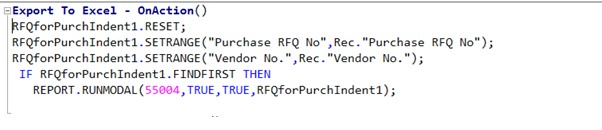
9. In the page, select the record and click on the Export to Excel button
10. Click on OK
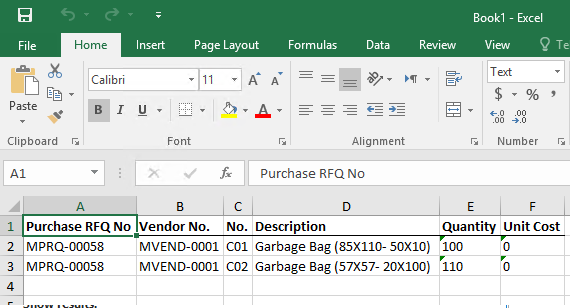
 11. This call the report and fetches the data records in an excel sheet. This sheet is then sent to the vendor to enter the unit cost of the respective item.
Conclusion:
Thus using excel buffer record we can export records from Microsoft Dynamics NAV to Excel sheets.
The post Exporting record details to excel using Excel Buffer in Microsoft Dynamics NAV 2017 appeared first on CloudFronts - Microsoft Dynamics 365 | Power BI | Azure.
*This post is locked for comments