







Using Derived Test Cases in RSAT
 Henrik Larsen
 646
646
 Like
Like Share
Share
 Report
To provide the best possible test coverage and to test breaking scenarios, we need to test the same process with multiple variations on data – also data that will deliberately break the test case.
Luckily, in RSAT we do not need to record a new test case every time we would like to add a new test data scenario.
Instead, we can leverage the derived test case feature.
A derived test case in RSAT is essentially a copy of an existing test case with a separate parameters file holding the test data variation.
The following screenshot shows a test plan with three test cases loaded into RSAT. As you can see, test case #4027 has the Derived flag ticked since it is a derived test case from test case #4018.

Creating a Derived Test Case
To create a new derived test case, you select the original test case and click on New / Create derived test case in the menu at the top of the screen.

As the above screenshots shows, a new test case has been created from the original test case (#4018) named #4028.
Clicking on Parameters in the menu opens the Excel file holding the test case parameters as shown below.

The warehouse used in the original test is “11”. Instead, we would like to test how the system reacts, if we select an illegal value (“33”) in the warehouse field as shown in the new scenario below.

In this scenario we are providing the system with an invalid warehouse (“33”) for site (“1”) and therefore the test case should fail.
The derived test case can now be executed by clicking on Run in the menu.

As you can see in the above screenshot, the test did indeed fail.
To investigate further, click on Open / Open recent test runs the menu. This brings up the details of the test case run as shown below.

As you can see, the error message clearly indicates that the test case attempted to use an illegal value in the warehouse field.
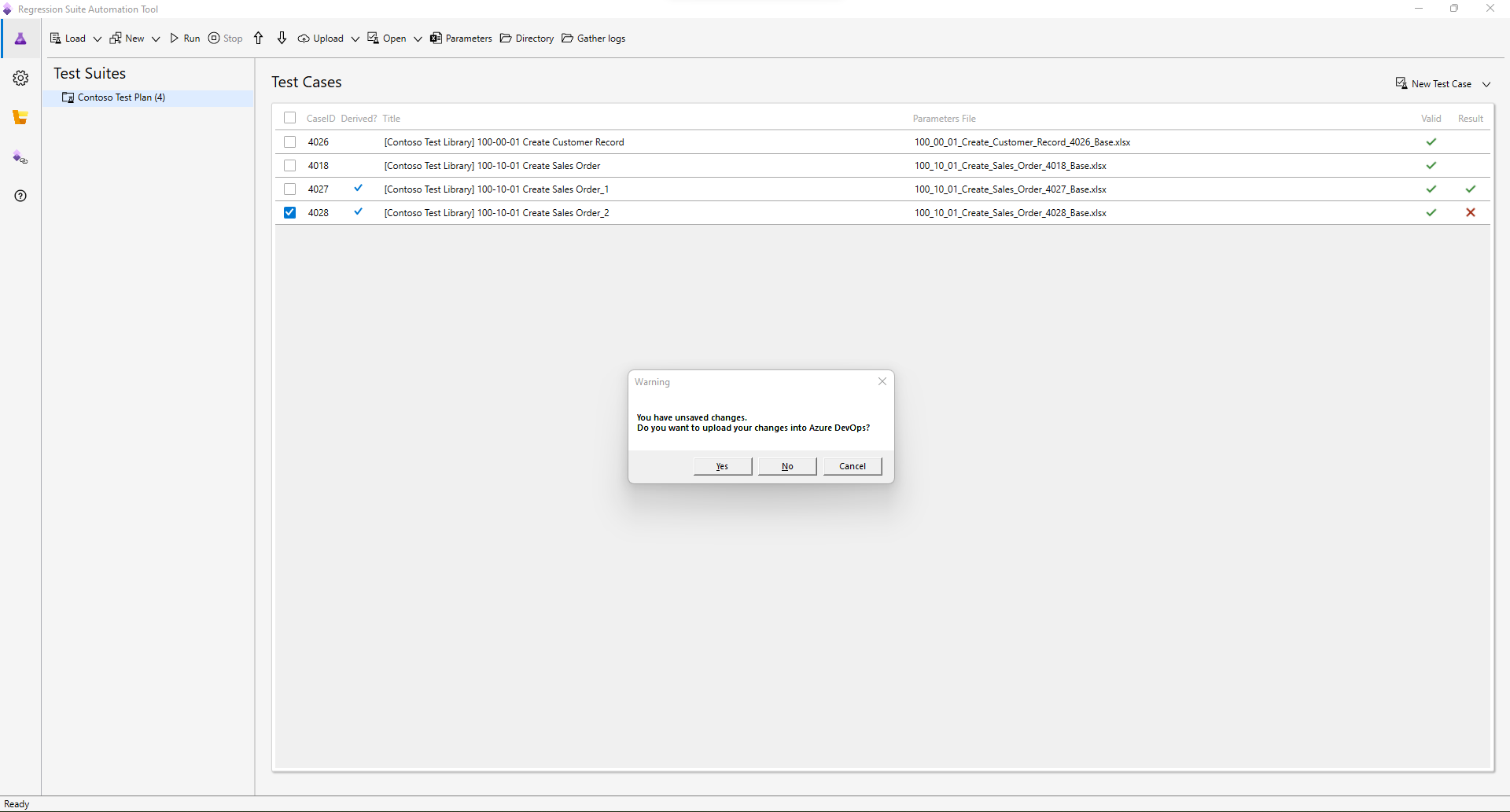
As you close the RSAT tool it will warn you that not all data is saved to Azure DevOps. This is because a derived test case is created in RSAT locally and not Azure DevOps and therefore you need to upload the artefacts to Azure DevOps.
Conclusion
Derived test cases is an efficient and powerful way to expand the test coverage for a given process across multiple data scenarios and will help ensure that the system is able to cope with intended as well as unintended use cases.
This was originally posted here.
*This post is locked for comments