







Reconfigure Voice of the Customer
Views (112)

 Like
Like Share
Share
 Report
Introduction:
If the Voice of Customer solution is accidentally deleted or misconfigured, it might not be able to receive survey response. You can repair or restore the Voice of the Customer configuration. Steps for restoring configurations are listed below for Web client and Voice of Customer app.
Web client:
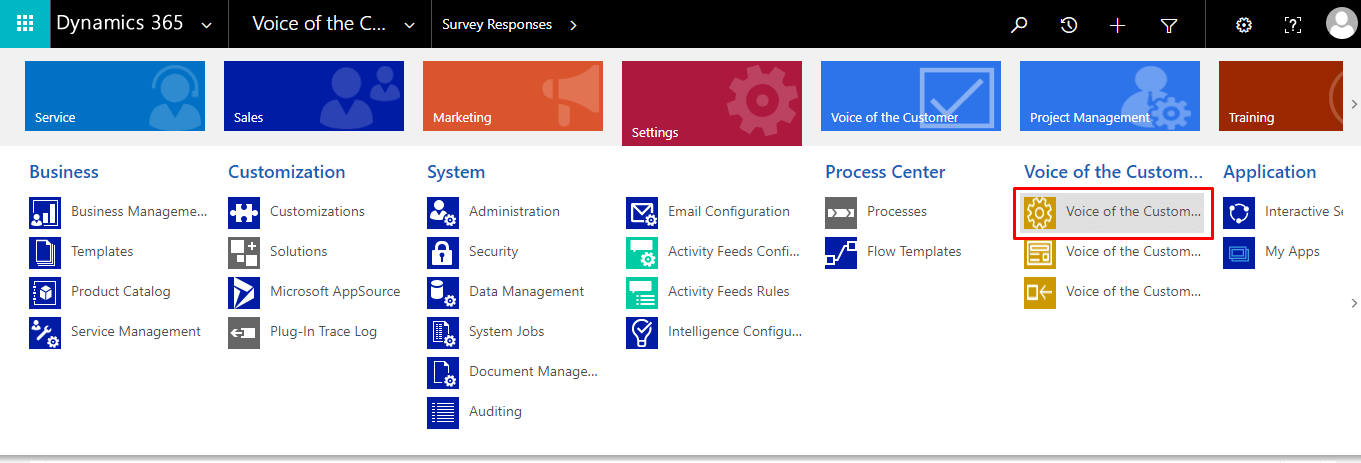
- Sign in to Dynamics 365.
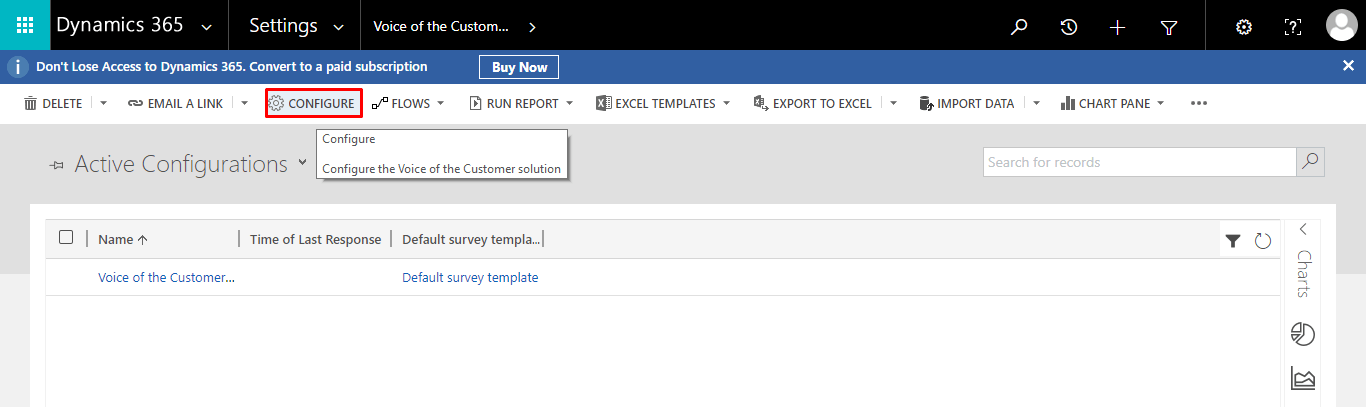
- Go to Settings > Voice of the Customer Configurations.
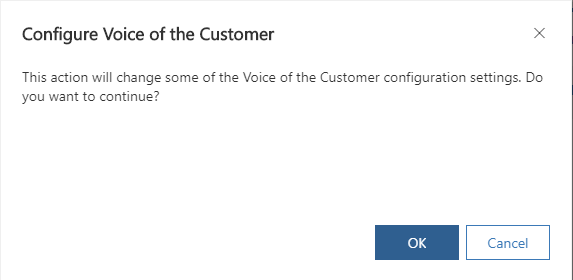
- Select Configure from the toolbar at the top of the screen.
Voice of the Customer app
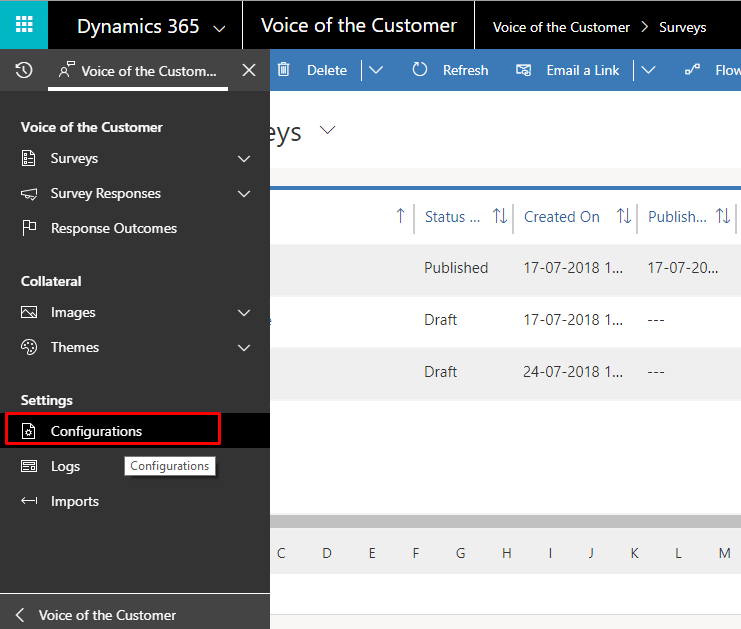
- Open Voice of Customer app.
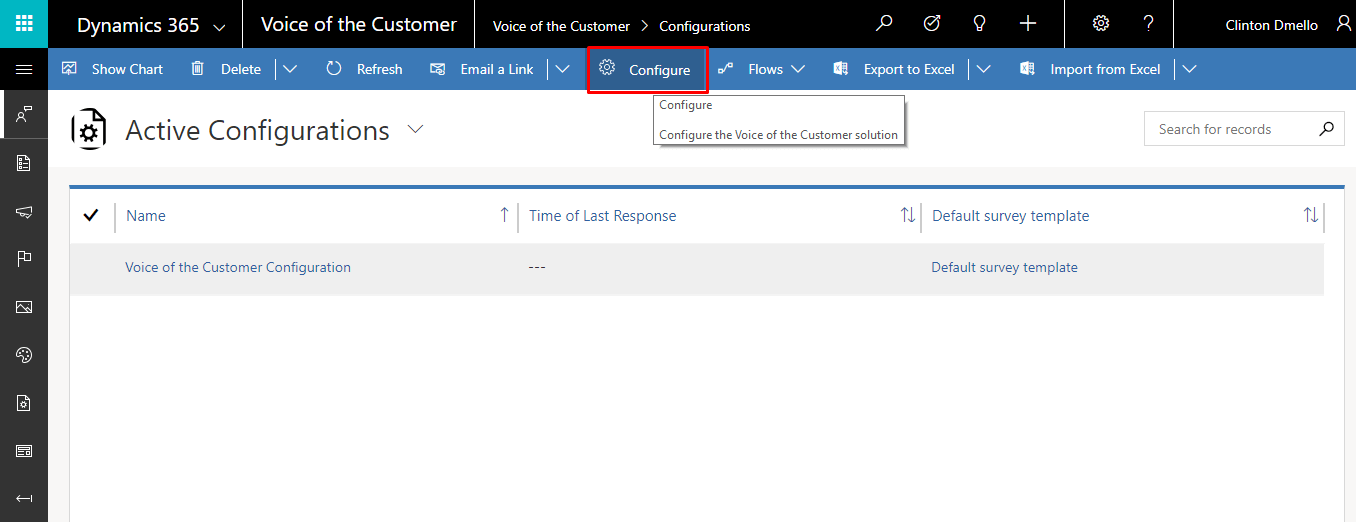
- Go to Settings > Configurations.
- Select Configure from the toolbar at the top of the screen.
Hope you find this helpful!
The post Reconfigure Voice of the Customer appeared first on CloudFronts - Microsoft Dynamics 365 | Power BI | Azure.
*This post is locked for comments