




 817
817 Like
Like Share
Share
 Report
In Dynamics 365 the offline story on the MPOS has been significantly improved since AX 2012. Now it’s more or less a click on the register in Dyn365, install the POS and distribute data. A bit simplified approach to life but anyways.
Here’s something I’ve seen a couple of times now. There’s just no jobs and nothing to process …
The event log gives it away a bit:
Failed to get offline sync data in offline database due to Exception. Error Details: Data Source=localhost\SQLEXPRESS;Initial Catalog=RetailOfflineDatabase;Integrated Security=True;Persist Security Info=False;Pooling=True;Encrypt=True;TrustServerCertificate=True

And in the details it’s clear that we’re facing a rights issue here. But in SQL Express with no management tools on the POS machine we don’t have many configuration options and even less when we’re in a setup with a large number of registers.
All you need to do is add the user logged in to Windows to these two groups on the local machine:
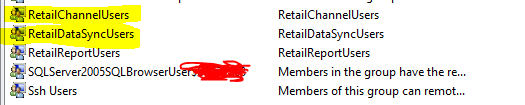
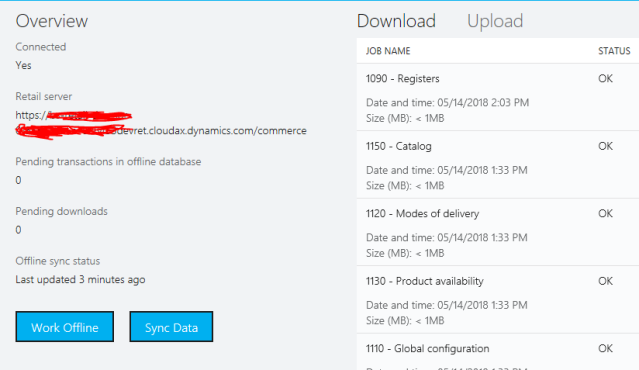
Log off and on again to activate the changes. Start your POS and check the database connection status. Hopefully, you should see a lot of jobs now:
*This post is locked for comments