




 34,477
 Like
Like Share
Share
 Report
I was looking into adding FetchXml parameter to the N:N lookup PCF component earlier today, and something interesting came up.
But first things first. I needed a way to define a filter for the list of records my control will be showing in the dropdown list. Imagine the following scenario, for instance:
- There is a long list of tags
- However, for every N:N lookup I want to be able to choose from a subset of tags rather than from the whole list
“No problem – let’s just use FetchXml”. Or, at least, so I thought.
It seems we should be able to create multiline properties for our PCF controls – if you look at the manifest schema reference, you’ll see “Multiple” and “SingleLine.Text” types there:
I tried both, but, somehow, for either of them I could only use a certain number of characters (not sure how many exactly, but it was way less than even a 200) into the property value. On the screenshot below, it’s been cut off at around 160th character:

Well, maybe it just does not work, or, maybe, I don’t know how to use it.
In either case, I figured if it’s limited that way then I need something else, so, in the end, here is how it worked out:
- Instead of accepting FetchXml as a parameter, N:N lookup will be accepting a web resource name
- FetchXml will have to be stored in that web resource
Here is an example of the control property:
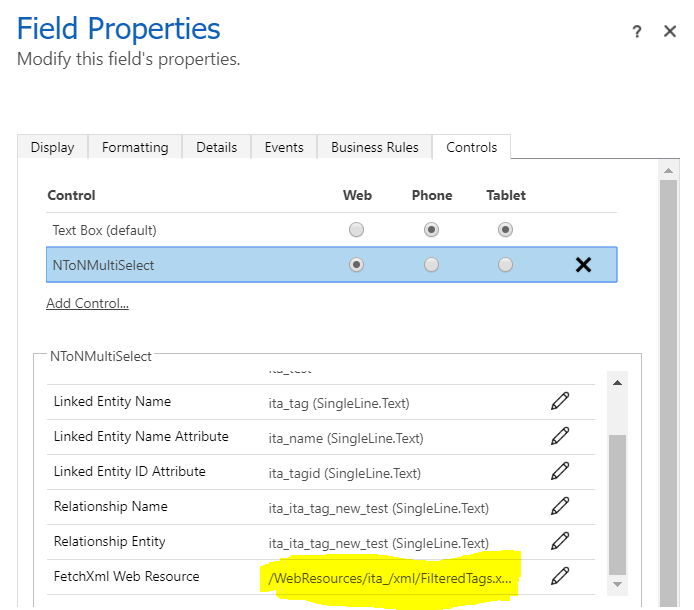
Here is an example of the web resource:
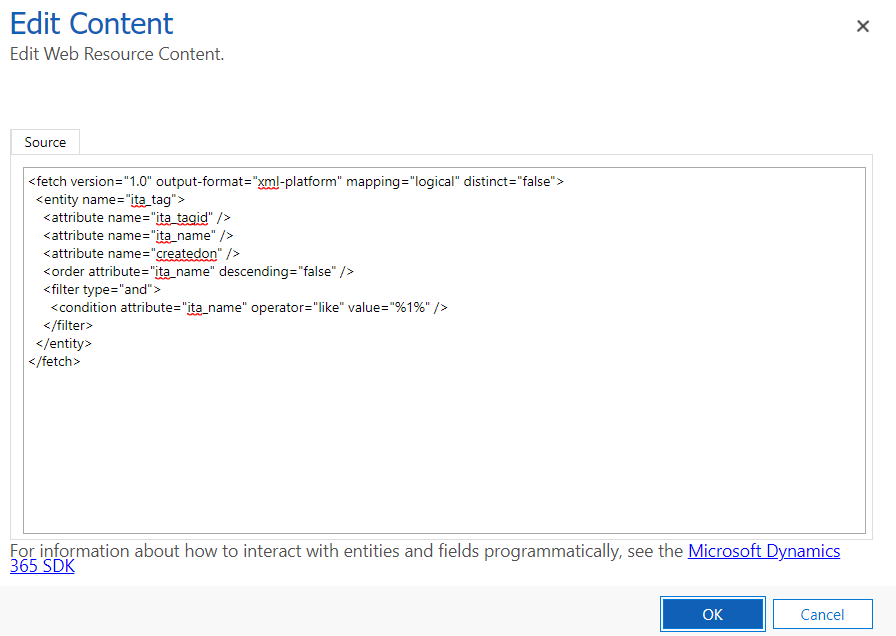
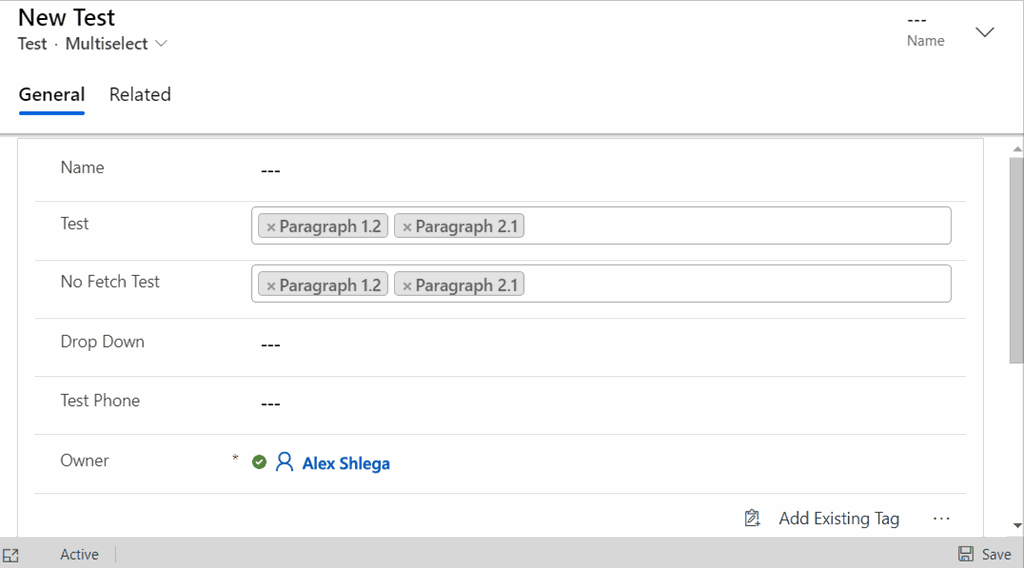
And you will see below how the values are getting filtered (only those having “1” in the name are displayed in one of the controls) when there is FetchXml filter:
If you know of a better way to create multiline parameters, please drop me a note – would be much appreciated. In either case, those changes are in the github repo now, so feel free to try it out!
*This post is locked for comments