




 393
393 Like
Like Share
Share
 Report
Hello Folks
I know many of you would have worked customizing AddIns in AX2009/2012... Yes! I’m talking about the context addIns and writing your own classes/functions to trigger and very useful for a developer to save their time during development like Creations of labels, Simple form creation when right-clicking the table(with the data source and design), privileges etc..
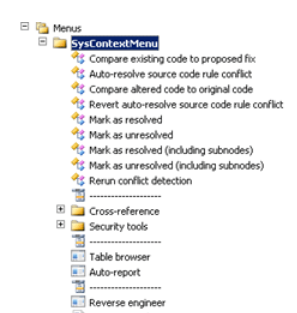
Great so far!! Now, Did you ever think how you can customize AddIns in D365 F&O Visual Studio;
Today, I would like to focus on the context menu (Or) Addins development.
A lot of great tools have been added to Microsoft Visual Studio to support development. To make it easier to create your own add-ins, you can select the Dynamics Developer Tools Add-in project type when you create a new project in Visual Studio. This project type has the infrastructure that is required to implement an add-in.
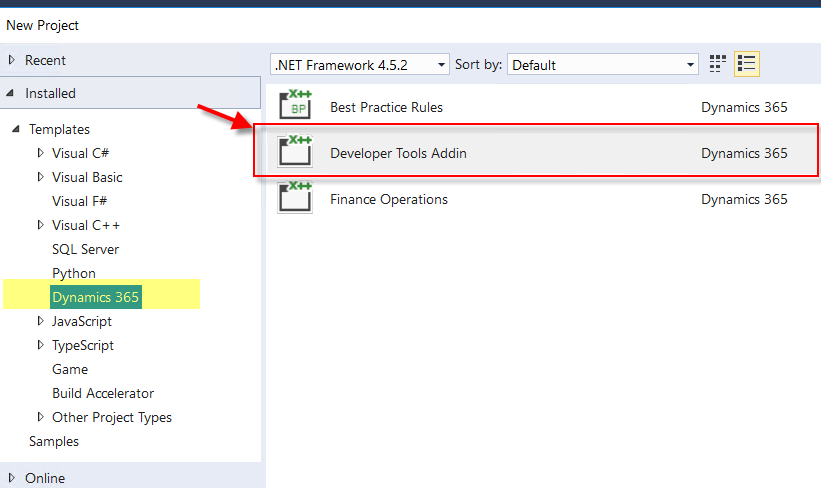
One of a good example provided by MS - Visual Studio add-ins that support form patterns
You can visit GitHub to explore more on AddIns development and artifacts to be customized.
However, I would love to showcase an example wherein you can connect with labels reflection classes/metadata DLL's to trigger the label creation with your own context/addIns tools for tables, forms, etc. – and that’s all in Part I
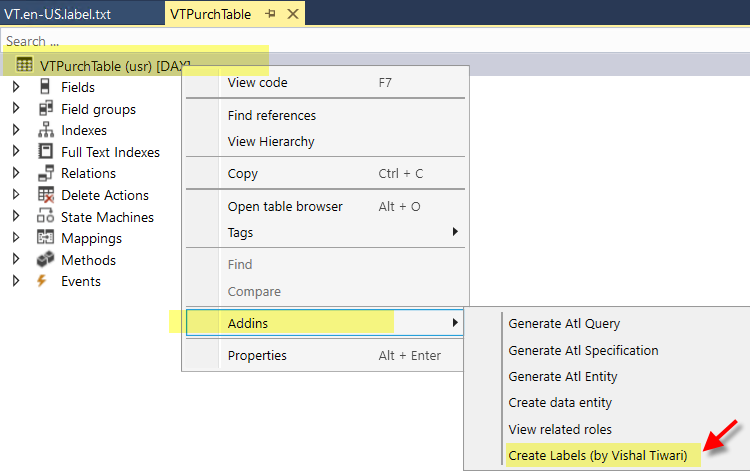
Keep in touch for Part II
Happy Daxing!
*This post is locked for comments