







How to Save Calendar View in Entity Calendar
 AppJetty
 1,019
1,019
 Like
Like Share
Share
 Report
Our last blog explained how to configure desktop notifications in Dynamics 365 Calendar. This article will explain how to save the calendar views for later use.
With the saved calendar view feature, users can create custom views as per their requirements and save them for later purposes. They can even make it default by ‘default plot’ on the load time. Follow the below-mentioned steps to configure this feature in your Dynamics Calendar.
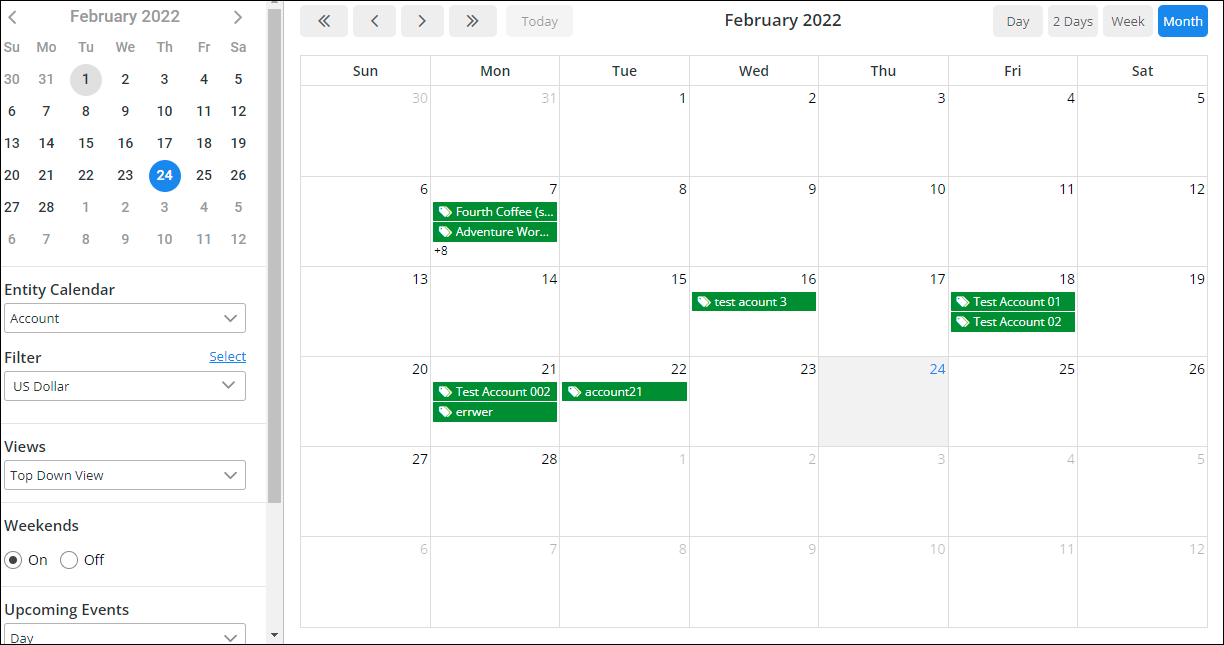
1. To save the calendar, first, go to the Entity Calendar. Next, select the entity and its filter. Plot the events as shown in the image below.
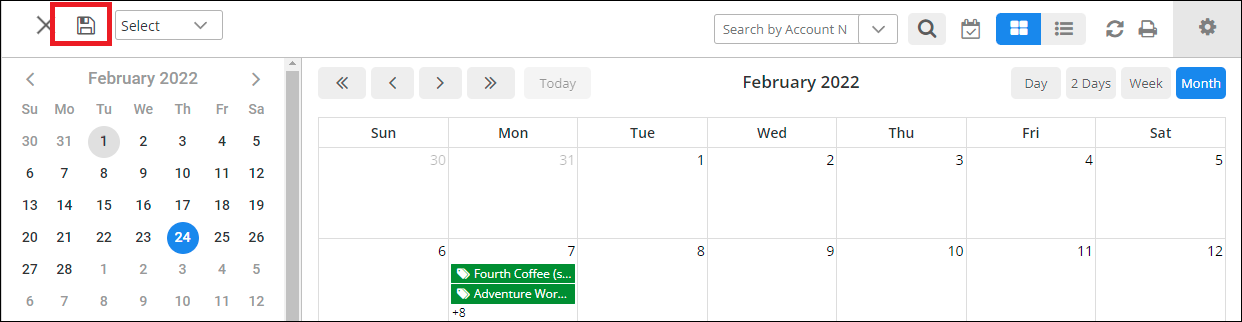
2. Click on the Save icon to save this view.
3. A ‘Save Entity Calendar View’ popup will open after clicking on the save icon.
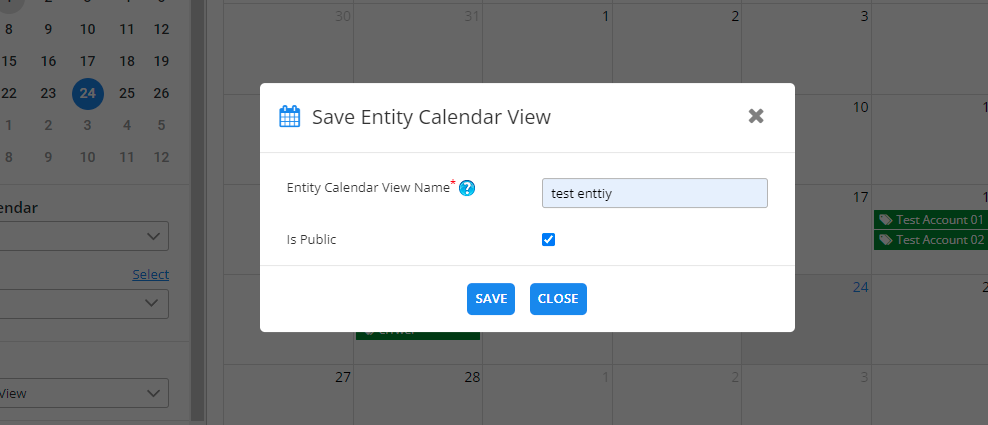
4. Enter the Calendar View name and check the ‘is public’ checkbox if you want to make it public. Lastly, click on the Save button.
5. You can see all the saved calendar views from the icon highlighted in red in the below screenshot.
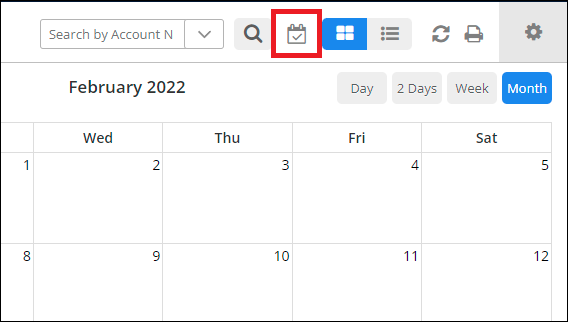
6. On clicking the icon, the Calendar View popup will show up.
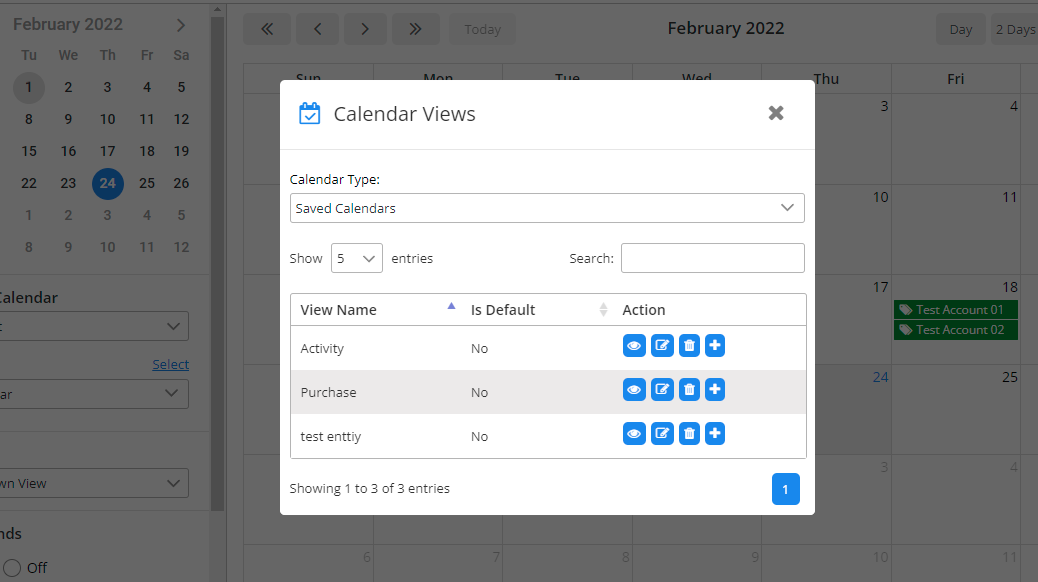
7. Users can perform view, edit, delete actions on the saved views by clicking on the respective action icon.
Note: If a user sets the view as default, this view plots on load time by default when the user refreshes the calendar.
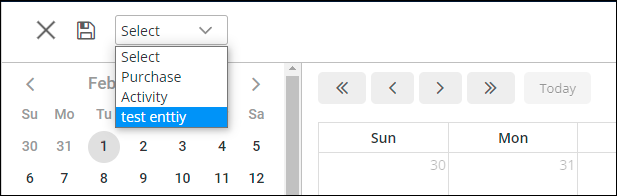
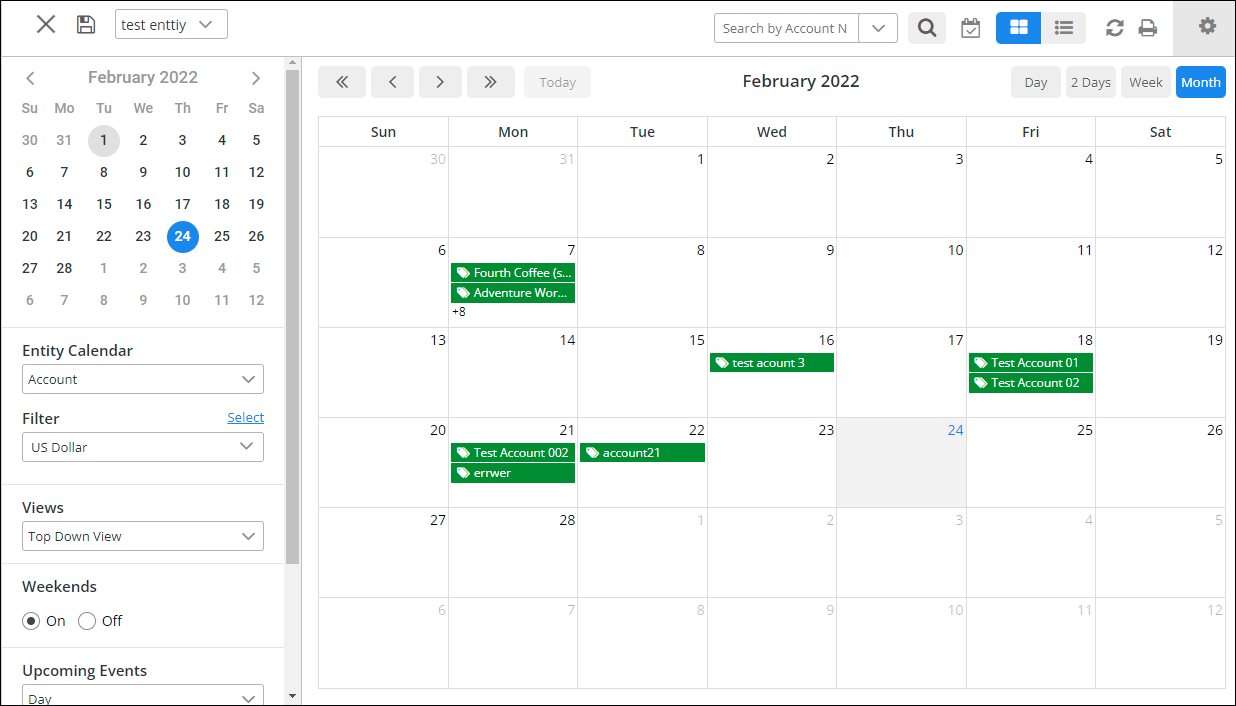
8. Users can also see the saved calendar view list from the drop-down menu as shown in the image below.
I hope this article is helpful. If you have any questions, reach us at support@appjetty.com
All product and company names are trademarks , registered or copyright trademarks of their respective holders. Use of them does not imply any affiliation with or endorsement by them.
The post How to Save Calendar View in Entity Calendar first appeared on AppJetty Blog.
This was originally posted here.
*This post is locked for comments