







A manager is required for non-project time entries, absence, and vacation error in D365 PSA v3
Views (323)
 Priyesh
 7,396
User Group Leader
7,396
User Group Leader
 Like
Like Share
Share
 Report
Syndicated from - https://d365demystified.com/2019/11/05/a-manager-is-required-for-non-project-time-entries-absence-and-vacation-error-in-d365-psa-v3/
In PSA v3, there occurs a scenario where Resources (Users) have to enter about their absenteeism and they’re not able to submit the request successfully on the Time Entry grid.
Error while Submitting Absence/Vacation & Non-Project Time Entries
- Typically, when a Resource has to make an entry for Absence but doing the below
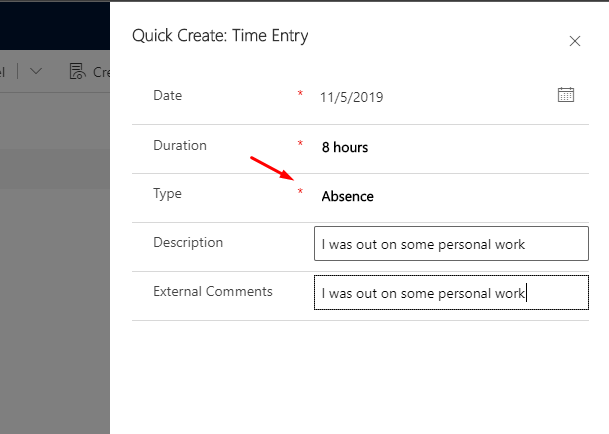
- And then clicking on Submit.

- But, doing so gives an error!

Let’s look at what was missing in readying the system for using PSA for the Resources –
Adding Manager for a Resource
Evidently from the error message itself, a Manager is required to approve the non-project time entries. Here’s how you can set it up!
- In PSA, it is required that ‘Manager’ is set for a Bookable Resource to be able to submit an absence/vacation/non-project time entry. Quite logical.
So, In User record (associated with the Bookable Resource record of the actual user), the Manager should be assigned.

- Like below, if there’s a manager present, the Resource should have no trouble submitted non-project/absence Time Entries.

- And once this is set, the entries should be submitted without an issue like below –

What can the Manager do?
- Once this type of Time Entry has been submitted, the Manager can see it under Approval entity in their PSA under Absences/Vacations for Approval

Hope this was helpful!
This was originally posted here.
*This post is locked for comments