




 Like
Like Share
Share
 Report
Loan items
 Loan items
Before you can register loaned equipment to workers you have to set up loan types and loan items.
First you set up loan types, which is how you can classify the items. Types can be cell phone, access card, PC.
 Loan types
Then you set up loan items, which are the specific items you are loaning out. Here you set the status and connect it to a loan type and register the serial number.

Now you can start loaning out items to employees, you have several ways to do that:
You can go through the Personnel management and loaned equipment which is the page where you register new loans.
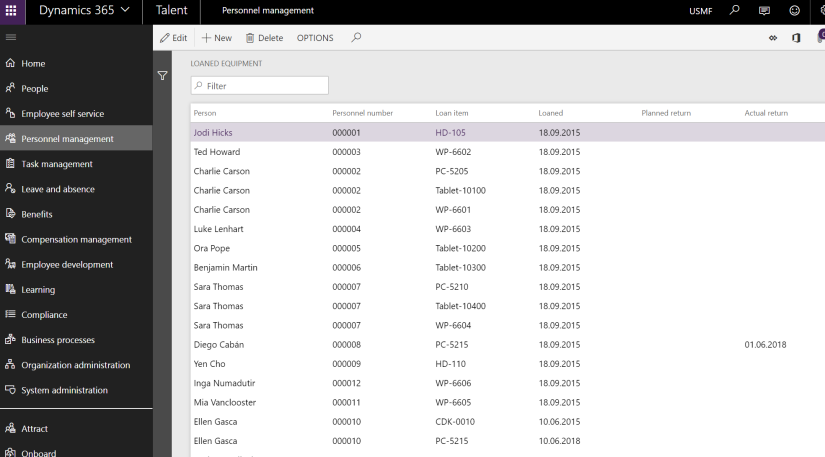 Loaned equipment
Through Personnel management and finding the employee and connecting them to the equipment.
 Loaned equipment from worker
Or you can fint it on your employee self service page to the far right and see your loaned equipment.
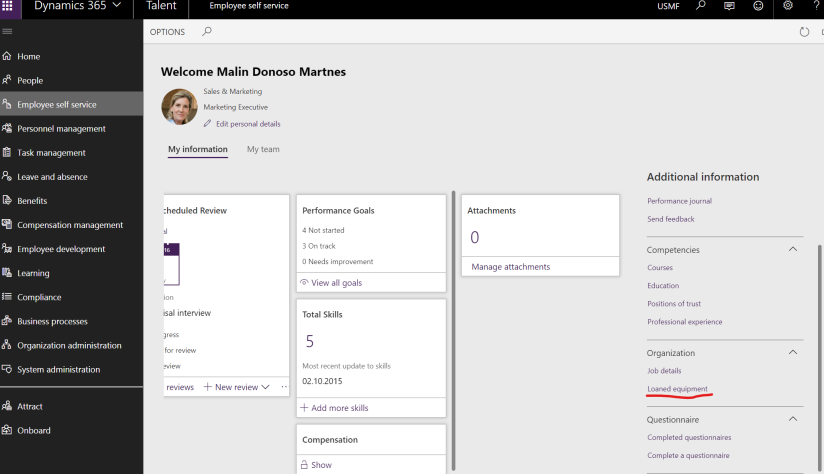 Employee self service loaned equipment
*This post is locked for comments