







How to Upload License in Microsoft Dynamics AX 2012
Views (3341)
 SANTOSH KUMAR SINGH
 1,224
1,224
 Like
Like Share
Share
 Report
To Upload License in Microsoft Dynamics AX 2012 you need to follow below steps.
Go To System administration > Setup > Licensing > License information.
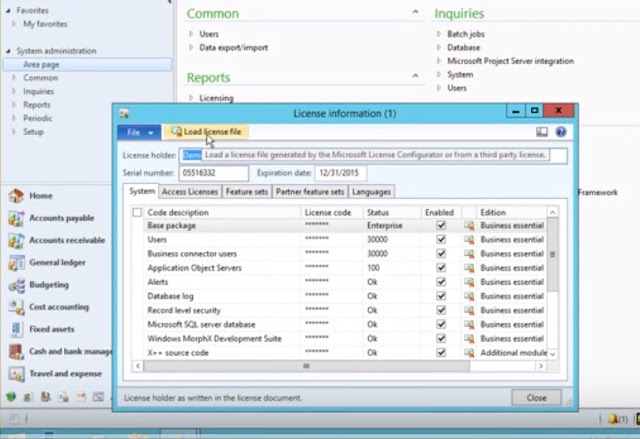
Then Click Load license file to import the license codes from a file and select license file.
Then Click on OK button.
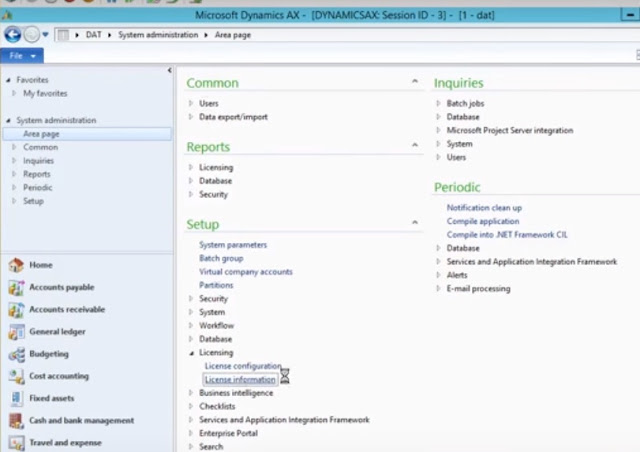 Then message will appear and asks whether you want to synchronize the database.
Click Yes and complete the process.
Go To System administration > Setup > Licensing > License information.
Then Click Load license file to import the license codes from a file and select license file.
Then Click on OK button.
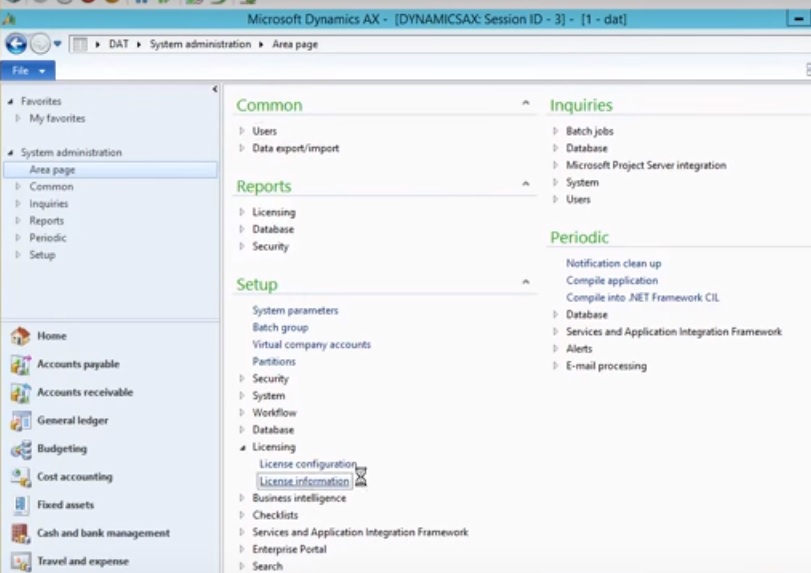
Click Yes and complete the process.

This was originally posted here.
*This post is locked for comments