




 Like
Like Share
Share
 Report
Introduction:
We have an integration of CRM with 3 party system which sends sales data. We used Azure service bus to send data from CRM to 3 party system in real time. It was working fine until CRM 2016 But after upgradation of dynamics CRM to Dynamics 365 our integration stopped.
Description:
We decided to check why our integration has stopped so, we checked the system log and we found there is some issue with service connection.
After diagnosis of error we try to update the Azure service bus but we were not able to update the service end point. We continuously receiving the same error “Invalid Namespace” So we tried another approach and decided to create new service end point.
I have followed the below steps for registration.
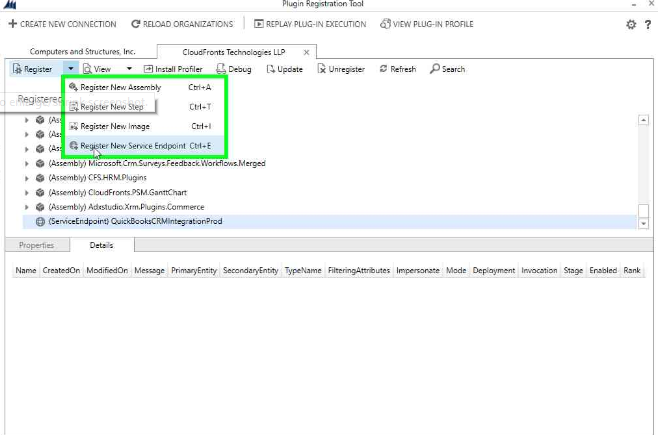
- Register a new Service Endpoint
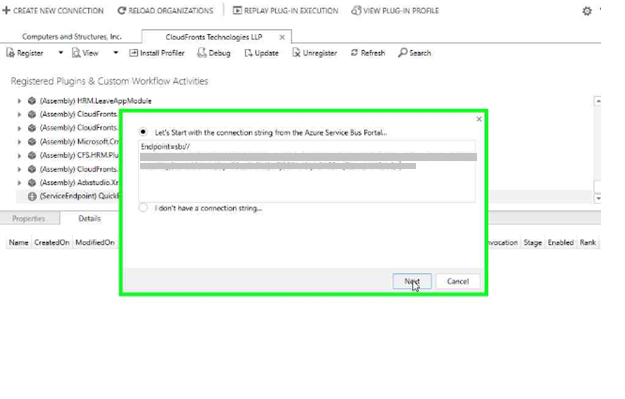
- Add the connection string from Service Bus portal.
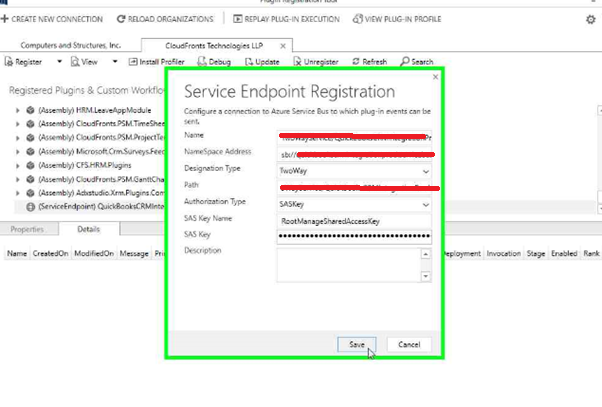
- Select the Designation Type as “Two way”
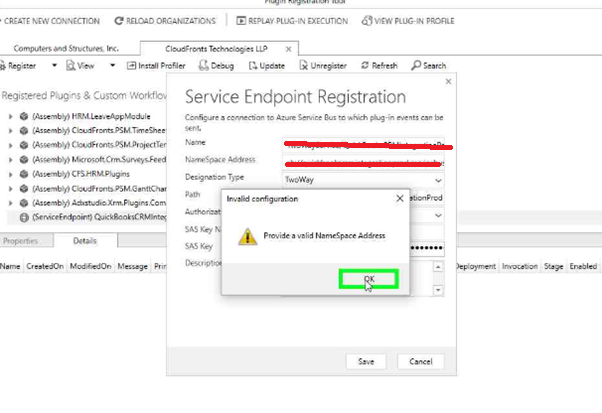
- Error occurs “Provide a valid Namespace Address” while saving it.
Solution:
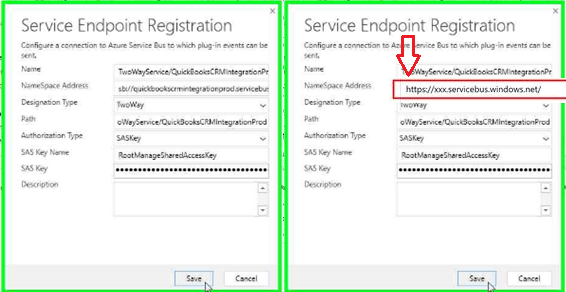
We connected with Microsoft and they suggested that there is slight modification in the Namespace Address. To resolve this issue you need to change Namespace Address from sb:// to https://
Example:
sb://xxx.servicebus.windows.net/abc/xyz -> https://xxx.servicebus.windows.net/abc/xyz
Conclusion:
Sometime unknown minor issues will stop your whole integration process and it will be not known to you.
Hope this blog help you resolve your service bus integration issue.
The post Invalid Namespace Error appeared first on Cloudfronts - Microsoft Dynamics 365 | Power Bi | Azure.
*This post is locked for comments