




 Like
Like Share
Share
 Report
Introduction:
This blog details steps for displaying Company Insights V 4.2 for Custom Form in D365 Customer Engagement.
Pre-requisites:
1. Company Insights solution installed with version 4.2

2. Custom Form for Entity
Steps:
Below are steps to configure Company Insights on custom form “FSA Account” for Account Entity
1. Open custom form “FSA Account”
2. Insert new section and label as Insights
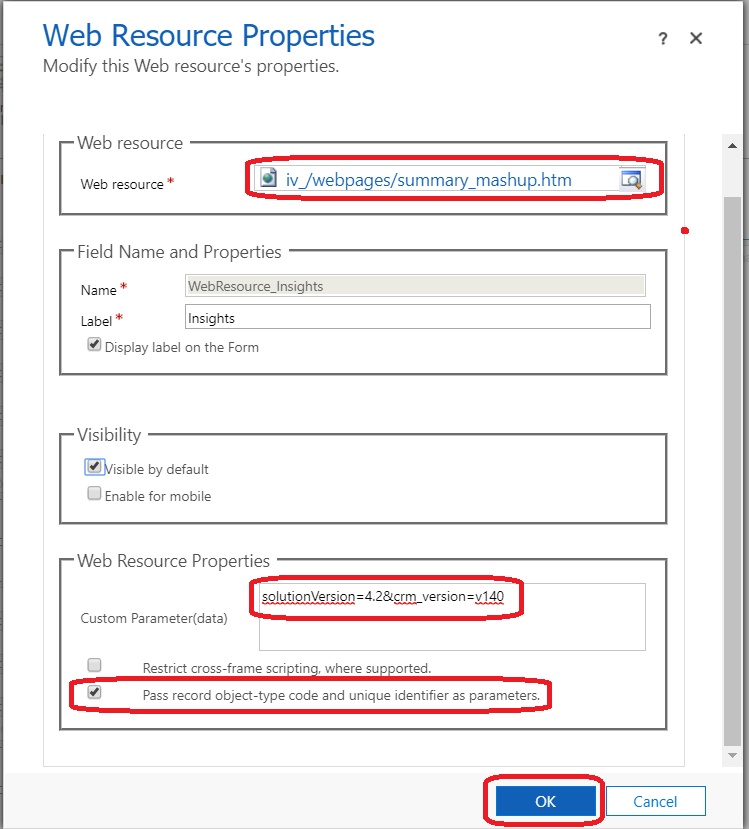
3. Insert new web resource as detailed below
- Select Webresource – “iv_/webpages/summary_mashup.htm”.
- Insert details in Custom Parameter(data) – “solutionVersion=4.2&crm_version=v140”.
- Check setting – Pass record object Type code.
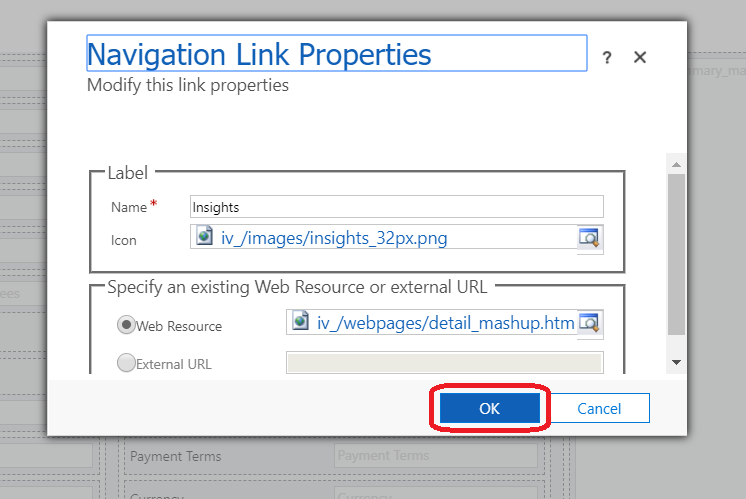
4. Insert new Navigation Link for Insights in Common area as detailed below.
- Set Name as “Insights”.
- Select Icon – “iv_/images/insights_32px.png”.
- Select WebResource – “iv_/webpages/detail_mashup.htm”.
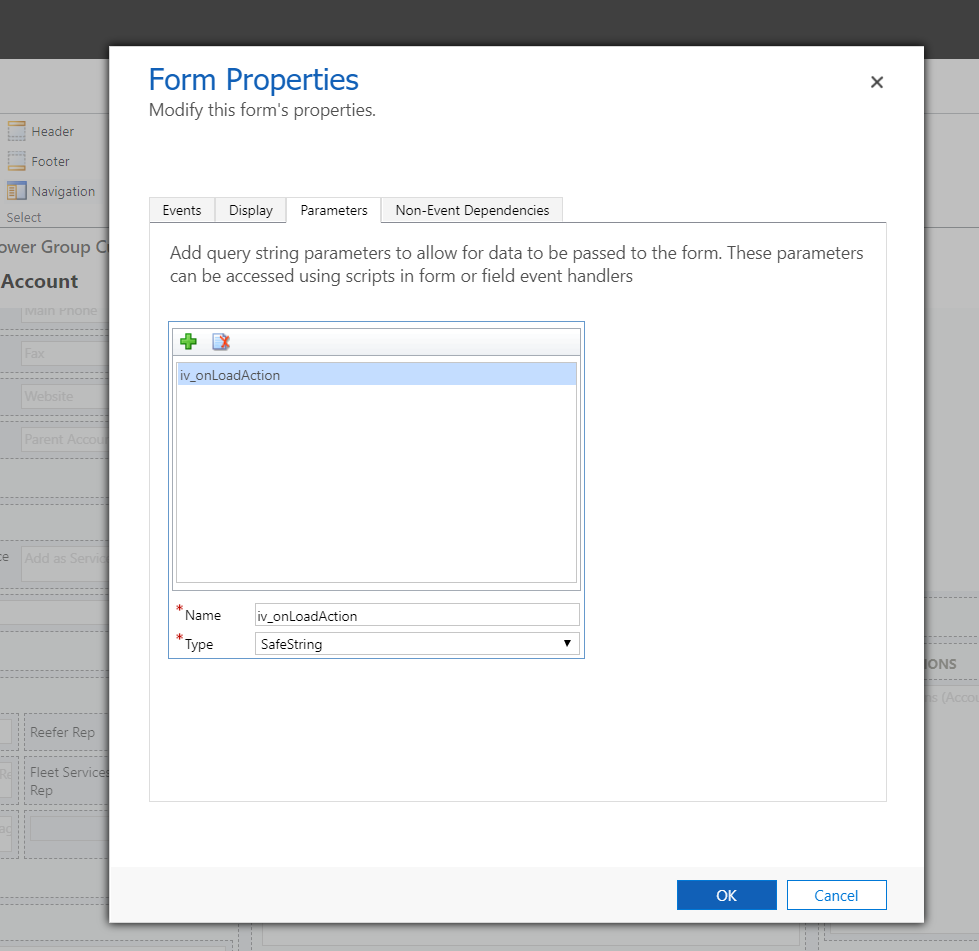
5. Add new Parameter in Form Properties with below details.
- Set Name as “iv_onLoadAction”.
- Set Type as “SafeString”.
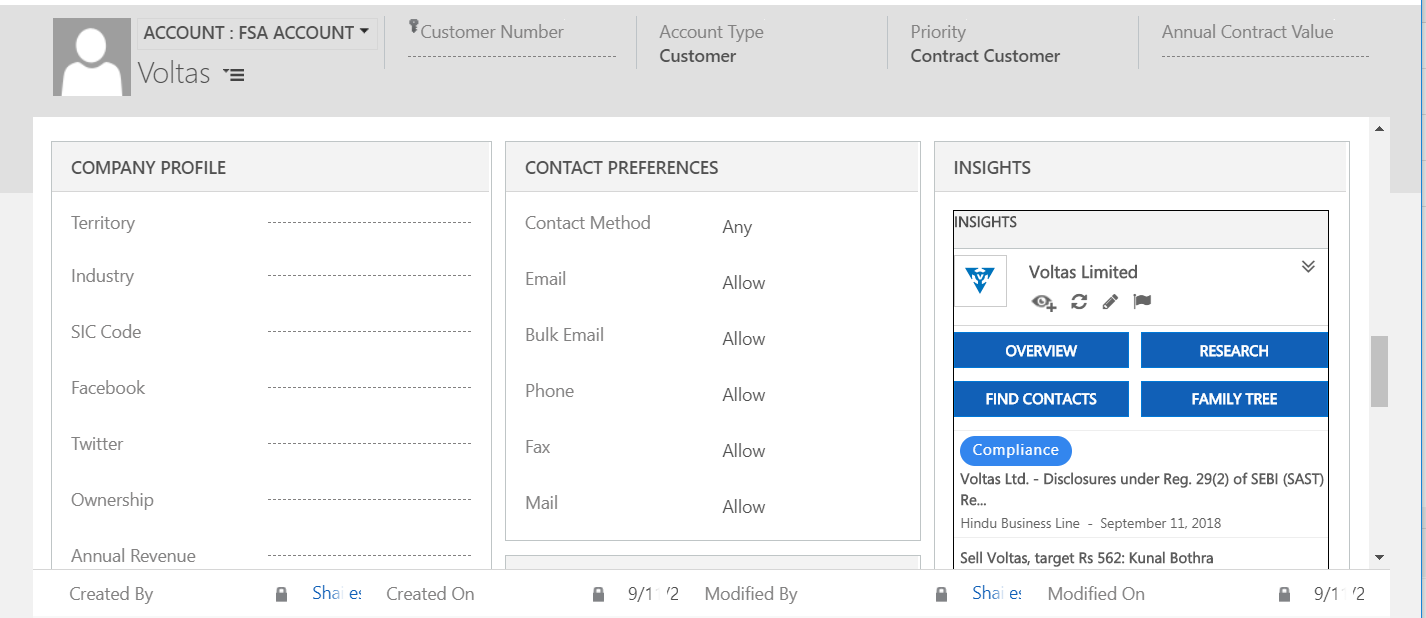
6. Publish Custom Form and Company Insights is rendered as below.
Note : If User skips step 4 will get error – “You do not have the ‘ISV Extensions’ privilege assigned to your security role”.
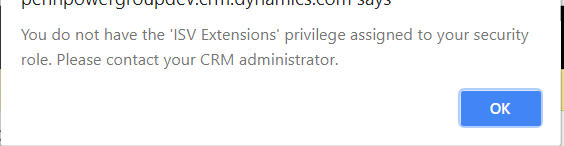 Error for missing Insights Navigation Link
Conclusion:
Hope this blogs helps CRM Administrators to enable Company Insights V 4.2 on Custom Form in D365 Customer Engagement with no errors.
The post Show Company Insights V 4.2 for Custom Form in D365 Customer Engagement appeared first on CloudFronts - Microsoft Dynamics 365 | Power BI | Azure.
*This post is locked for comments