







Social Posting with the December 2020 update of Dynamics 365 Marketing

 Like
Like Share
Share
 Report
Dynamics 365 Marketing keeps taking strides into social posting . You can schedule and post messages directly to your organization’s accounts on social media sites.

Dynamics 365 Marketing’s powerful social post designer allows you to create rich content to engage your audience. Use the Social posts settings to author and schedule your posts.
Previews and Insights
On the Preview tab of a live post you’ll be able to see the comments received, as well as a preview of and link to the post

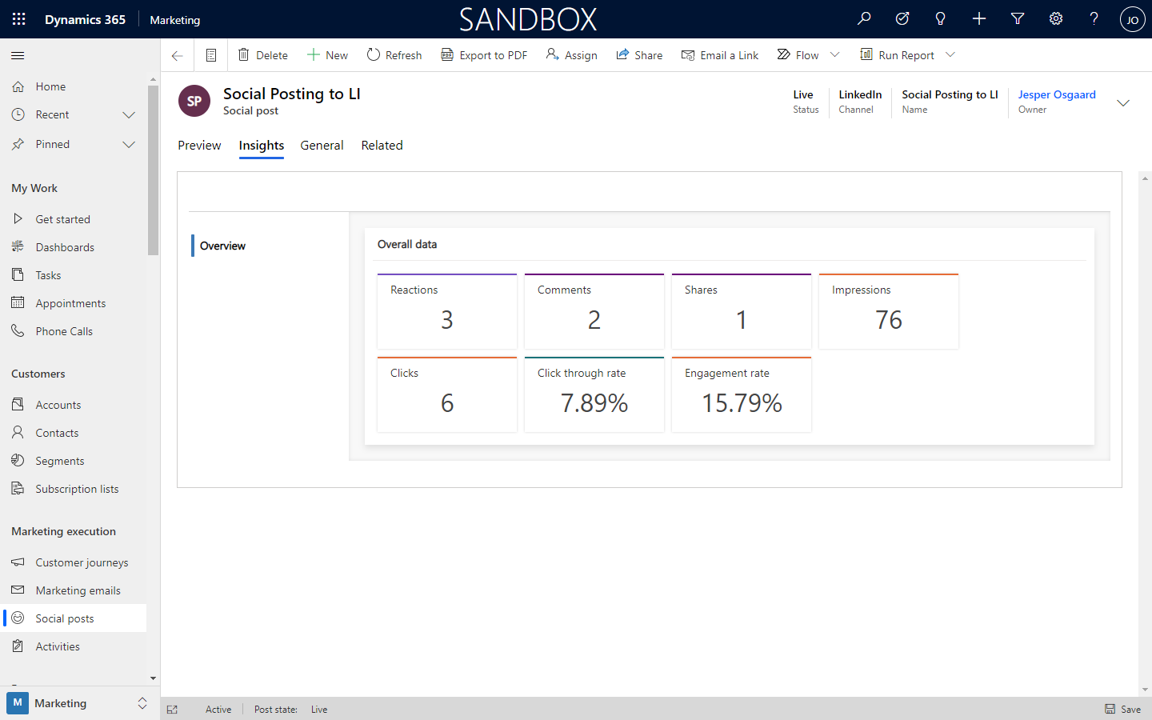
On the Insights tab of a live post you’ll be able to see count of reactions, comments, shares, impressions, clicks, as well as click through rate and engagement rate (currently this level of insights is only available for LinkedIn and Facebook posts)
New dashboard
With the December 2020 update comes a new dashboard “Marketing: Social Posting Dashboard”, with a stream for social posts, and widgets for
- by posted time and social channel
- likes, comments, impressions by posted time
- likes, comments, impressions by social channel
- post by status and channel

Creating Posts
As mentioned above, you can use the Social posts entity to author and schedule your posts. You can post from any social media account that you have set up and authenticated in Dynamics 365 Marketing (see “Social Configurations” at the end of the post).
For LinkedIn you can post as user, as well as a company (if you have a company page).
If you’d like to include images with your post, select the Add media button

Posts can be view in a nice Calendar view

Social configurations
Social Configurations enables you to author, schedule, and publish posts to a variety of social media channels and accounts.
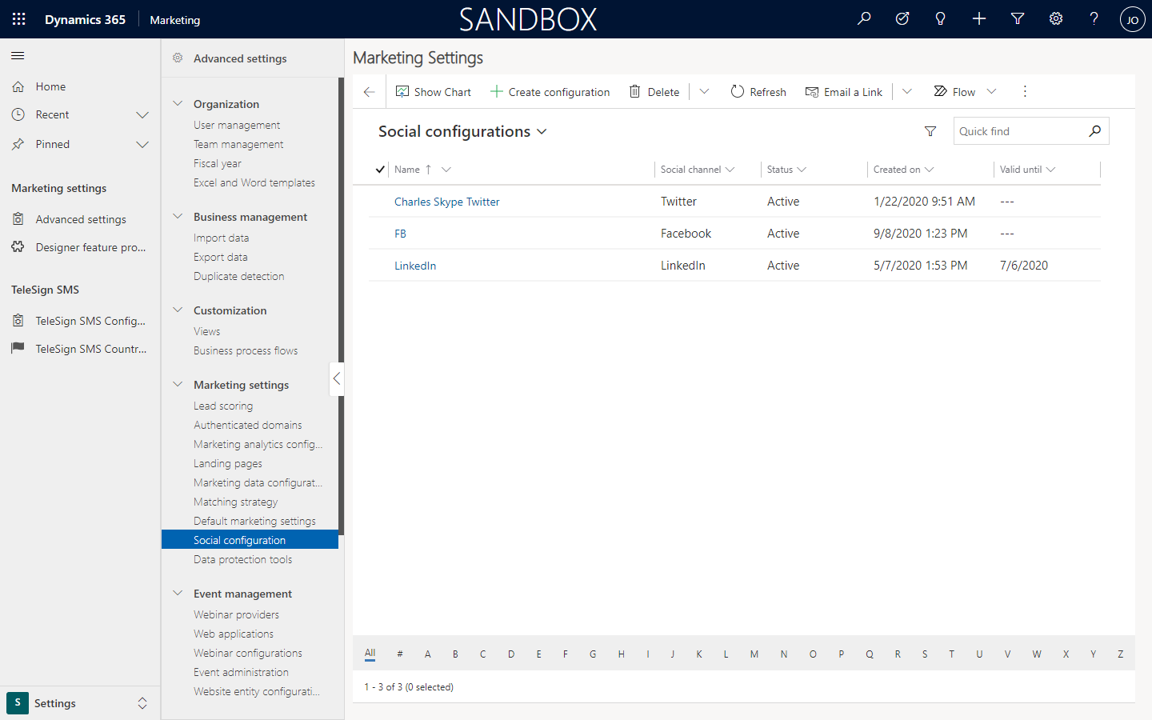
You must configure and authenticate each channel and account that you’d like to make available for use with this feature. In the current version, you can configure accounts for Twitter, LinkedIn, and Facebook.
Navigate to Settings > Advanced Settings > Marketing Settings > Social configuration to create your configurations.
Use Dynamics 365 Marketing to design, schedule and post to your preferred social channels, and leverage the new capabilities for insights to understand the effects of your social posts.
Enjoy!
See also
This was originally posted here.
*This post is locked for comments