




 22,784
 Like
Like Share
Share
 Report
 This post is part of the New Functionality In Microsoft Dynamics 365 Business Central 2023 Wave 1 series in which I am taking a look at the new functionality introduced in Microsoft Dynamics 365 Business Central 2023 Wave 1.
The fourteenth of the new functionality in the Application section is Add more columns to pages for better insight.
Different businesses and users need different information to complete business processes. Personalization is a powerful tool that lets people tailor the information that pages contain by dragging fields or columns from a list to the page. Based on feedback from our community, we’ve added more fields and columns to choose from on several pages..
Enabled for: Users, automatically
Public Preview: Mar 2023
General Availability: Apr 2023
Feature Details
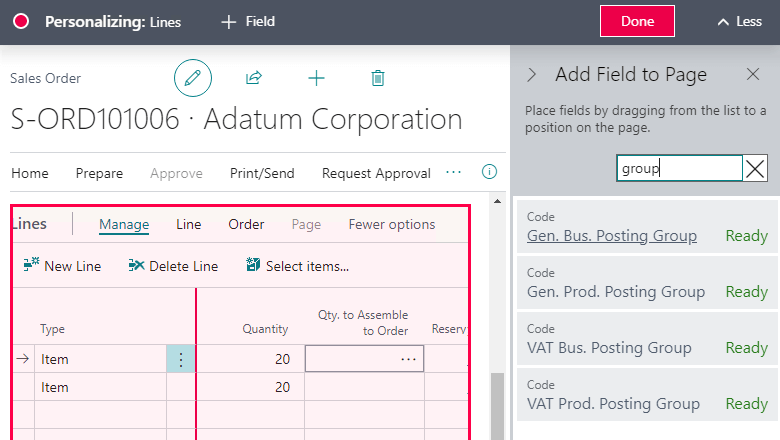
The Gen. Bus. Posting Group, Gen. Prod. Posting Group, VAT Bus. Posting Group, and VAT Prod. Posting Group fields can be added by personalizing the Lines FastTab on the following sales and purchase documents:
- Purchase orders
- Purchase invoices
- Purchase quotes
- Blanket purchase orders
- Purchase return orders
- Posted purchase credit memos
- Posted purchase invoices
- Purchase order archive
- Purchase quote archive
- Purchase return order archive
- Sales orders
- Sales invoices
- Sales quotes
- Sales credit memos
- Blanket sales orders
- Sales return orders
- Posted sales credit memos
- Posted sales invoices
- Sales order archive
- Sales quote archive
- Sales return order archive
- Service invoice lines
- Service invoices
- Service credit memos
- Service credit memo lines
- Posted service credit memos
- Posted service invoices
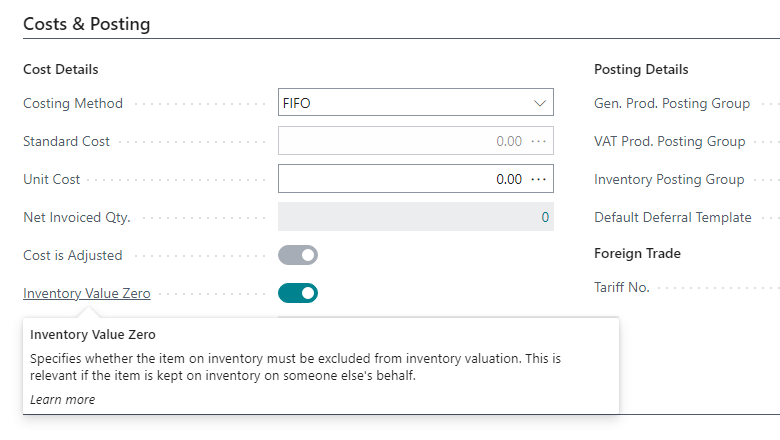
The Inventory Value Zero field is available through personalization on the Item Template and Item Card pages.
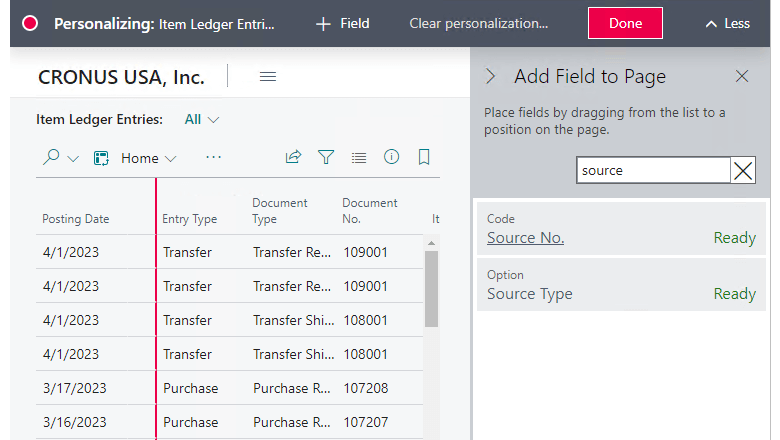
The Source No. and Source Type fields are available through personalization on the Item Ledger Entries page.
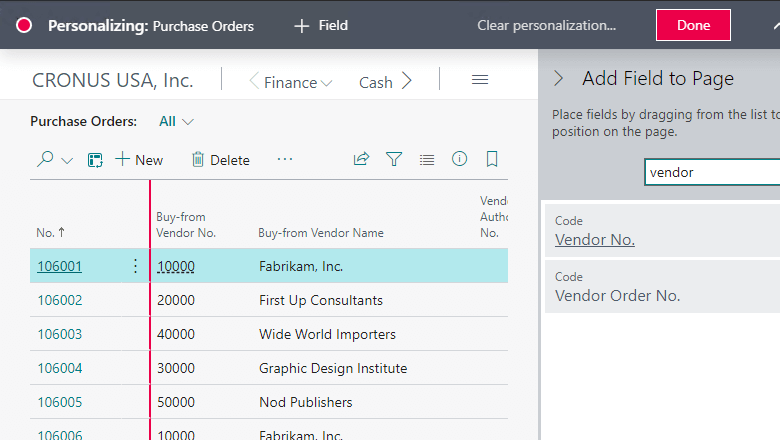
The Vendor Order No. field is available through personalization on the Purchase Orders page.
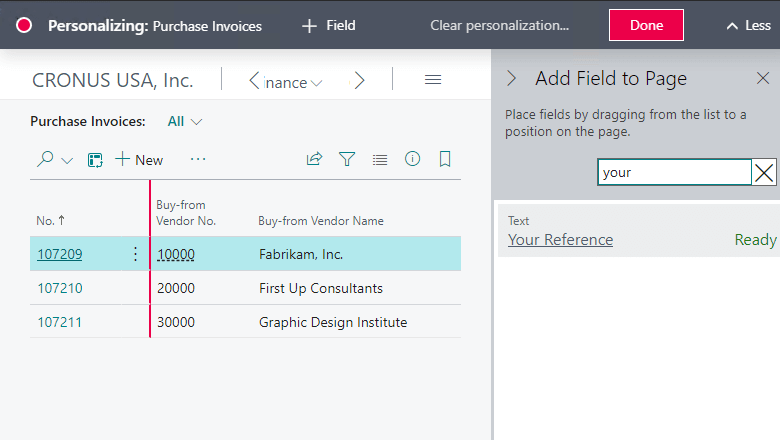
The Your Reference field is available through personalization on the following sales and purchase documents:
- Sales orders
- Sales invoices
- Sales quotes
- Purchase order
- Purchase orders
- Purchase invoices
- Purchase quotes
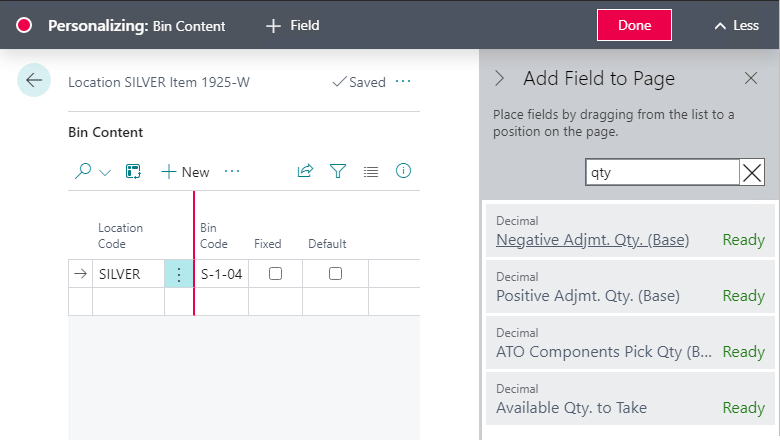
The following fields are available through personalization on the Bin Content page:
- Pick Quantity (Base)
- ATO Components Pick Qty (Base)
- Negative Adjmt. Qty. (Base)
- Put-away Quantity (Base)
- Positive Adjmt. Qty. (Base)
- Available Qty. to Take
- Cross-Dock Bin
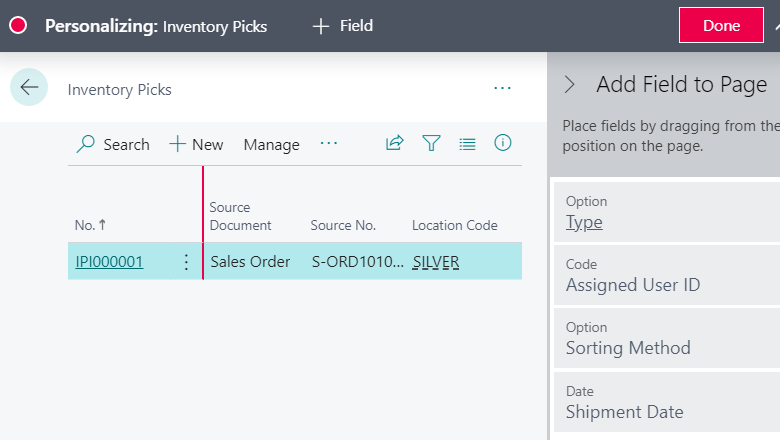
The Shipment Date field is available through personalization on the Inventory Picks page.
The Expected Receipt Date is available through personalization on the Inventory Put-aways page.
The Assigned User ID is available through personalization on the Inventory Picks, Inventory Put-away, Inventory Movement pages.
My Opinion
It’s good to see additional fields being made available for inclusion on pages without a customisation being required. It always seemed slightly odd that all fields from a table weren’t available as standard.
New Functionality In Microsoft Dynamics 365 Business Central 2023 Wave 1
Read original post New Functionality In Microsoft Dynamics 365 Business Central 2023 Wave 1: Add More Columns to Pages for Better Insight at azurecurve|Ramblings of an IT Professional
*This post is locked for comments