




 34,477
 Like
Like Share
Share
 Report
When using EasyRepro for automated testing on your Dynamics projects, you will almost inevitably run into the ElementNotVisibleException:
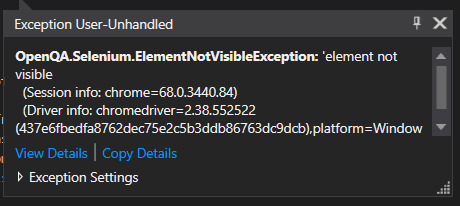
This exception may happen in different places, and, if you wanted to understand why, this thread at StackOverflow will provide a very good explanation:
https://stackoverflow.com/questions/22110282/how-to-click-on-hidden-element-in-selenium-webdriver
Basically, as mentioned there, Selenium has been specifically written to NOT allow interaction with hidden elements.
Unfortunately, Dynamics is using a lot of hidden elements, so, if you just try utilizing Selenium web driver as is, you’ll keep running into this kind of issues even more often. EasyRepro seems to be taking a really good care about a lot of those situations, but, every now and then, you’ll still be running into them.
If you look at that StackOverflow thread above, there is, also, a workaround. Instead of trying to work with the hidden element through the web driver, you can ask the web driver to execute a javascript:
IJavaScriptExecutor js = (IJavaScriptExecutor)driver;
js.ExecuteScript(“arguments[0].click();”, element);
This won’t be a complete emulation of the user actions, but it can be good enough as long as we are getting better test coverage that way.
For example, one scenario where you may run into this problem is when you have a subarea which is not immediately visible, so you have to navigate to the second page of the corresponding area:
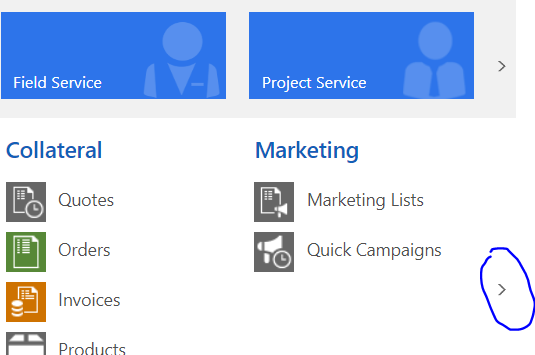
In which case if you try opening that subarea with a call to xrmBrowser.Navigation.OpenSubArea, you will, most likely, see an error.
So, if that happens, just apply that javascript workaround to the OpenSubArea method which is located in the Navigation.cs file:
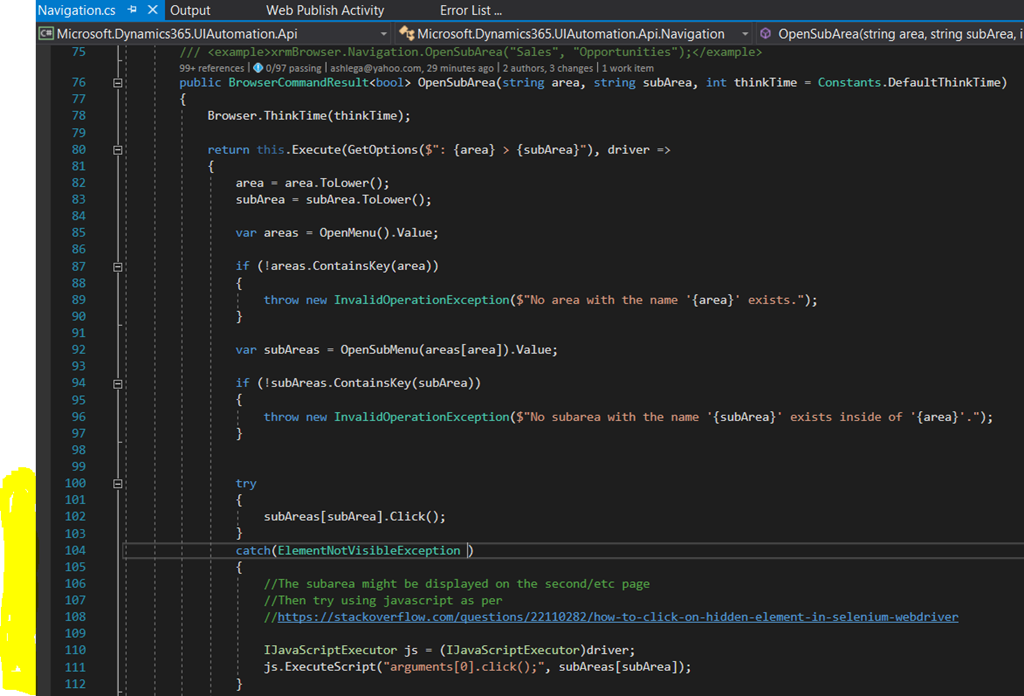
That should take care of the problem.
*This post is locked for comments