




 487
487 Like
Like Share
Share
 Report
Scenario : Let' s say whenever we place a order for any item we need to generate a unique and sequential order id for it. So for this purpose I will be using number sequence framework.
Below are the steps which are required to be followed for creating number sequence.
1. Created a new project with name Order Management Number Sequence
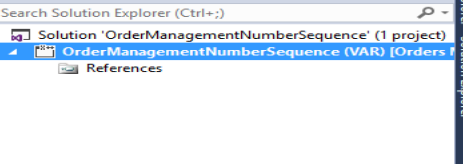
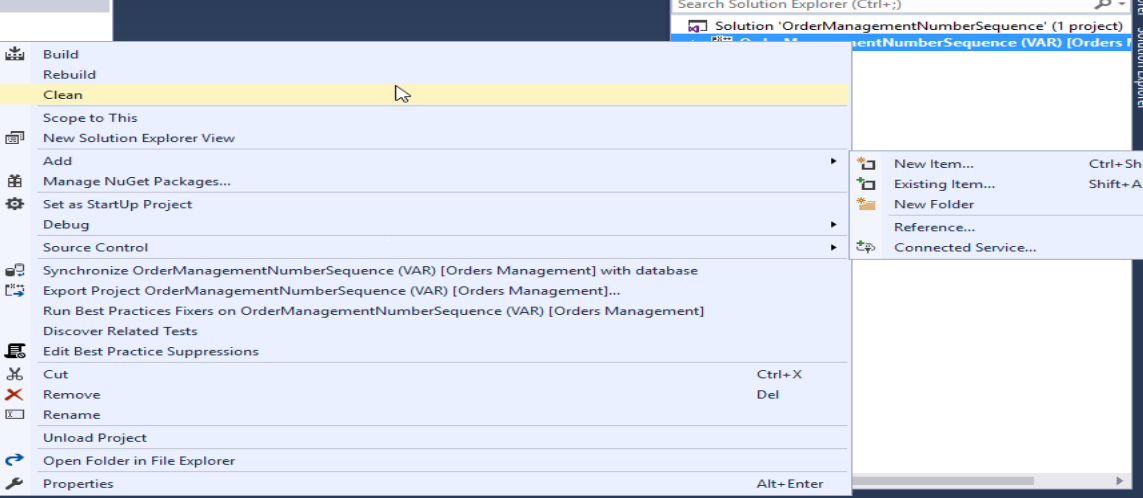
2. Create a new EDT. Right click on your project, add new item, Select EDT String and give it name as “OrderNumberId”.

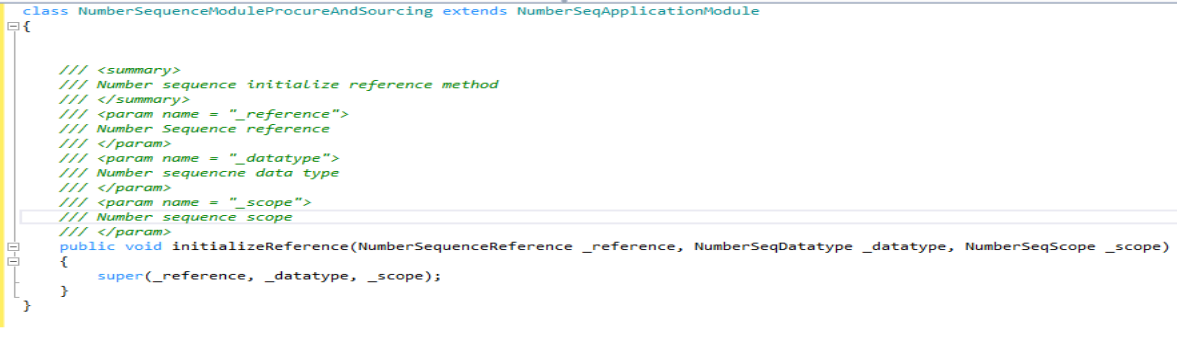
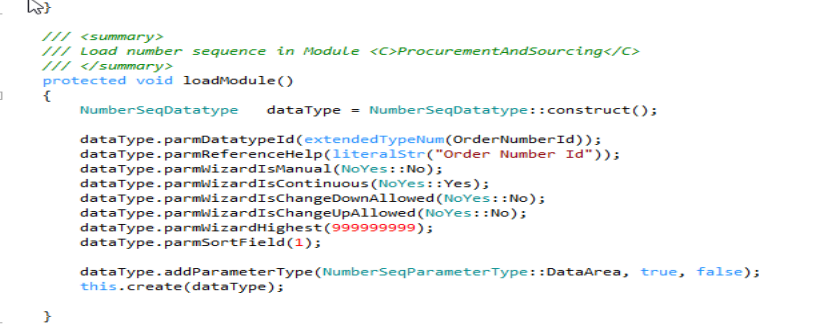
3. Create a new class NumberSequenceModuleProcureAndSourcing and extend it with NumberSeqApplicationModule. Override/Add following methods in it.
a) initializeReference
b) loadModule
c) numberSeqModule

d) buildModulesMapSubscriber

e) numRefOrderNumberId

4. Create a new job and add below mentioned code in it. I have created a new class namely OrderIdNumberSequence and executed it by setting as startup object.
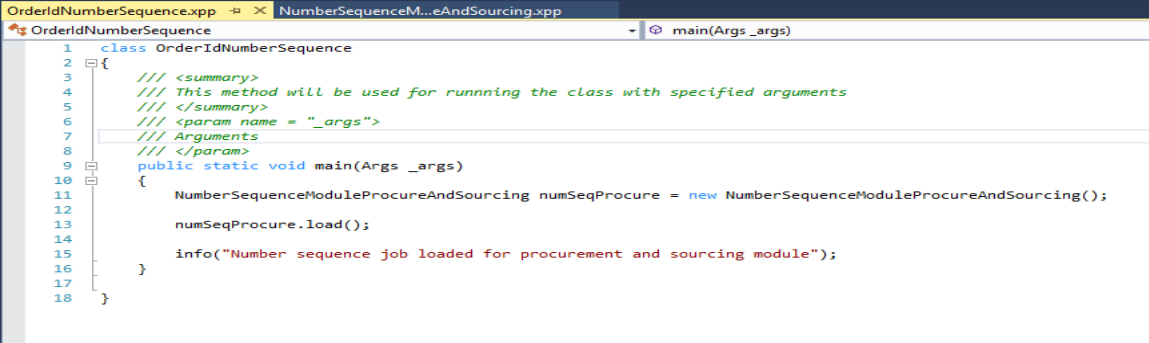
After running job below is its output

5. Run the wizard by using following navigation – Organizational administration -> Common Forms -> Number Sequences-> Number Sequences-> Generate -> Run the wizard
6. Create a job and add below mentioned code in it. It will generate a new number sequence.
Note: I have used previously created job.
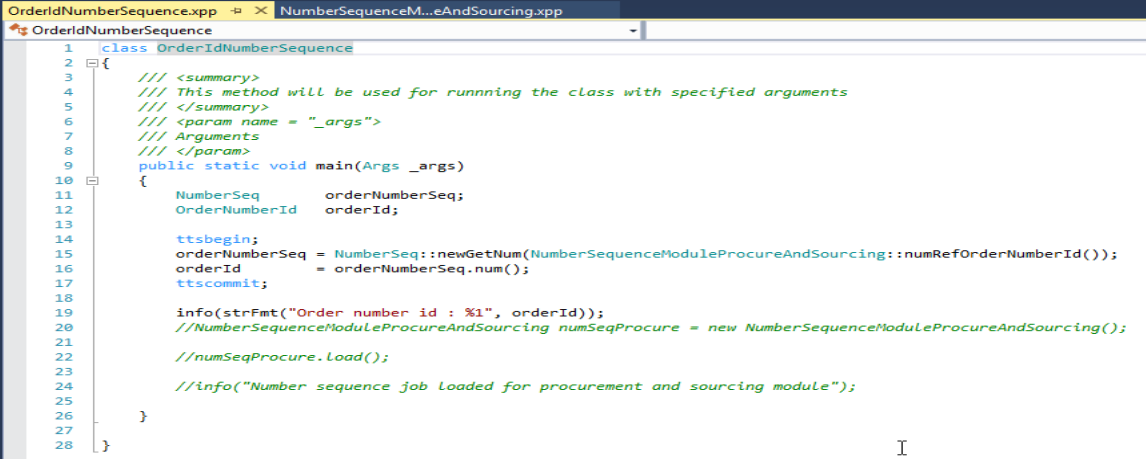
7. Build project and execute the job.
Final output : New number sequence for order id created successfully

*This post is locked for comments