







Remove Commas from whole number field in CRM D365
Views (279)

 Like
Like Share
Share
 Report
Introduction: In this blog we will see how to remove commas from whole number field.
Use case : we were using the whole number field but after creation we noticed that there is comma in numbers.
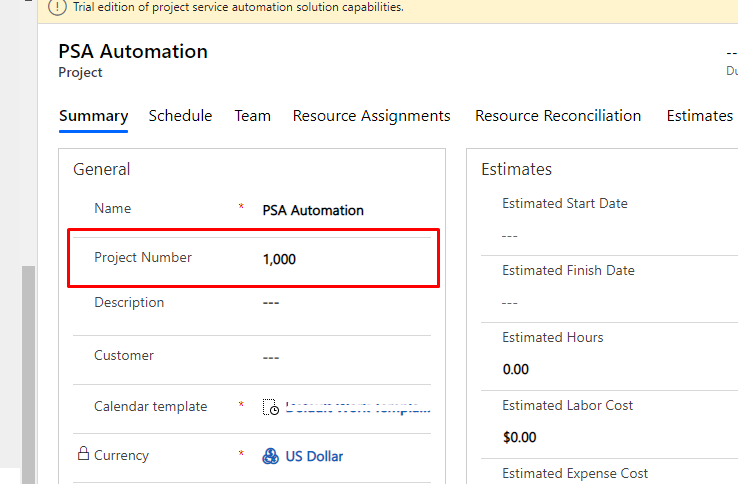
Solution:
Step 1 : go to settings -> click on settings icon -> Options
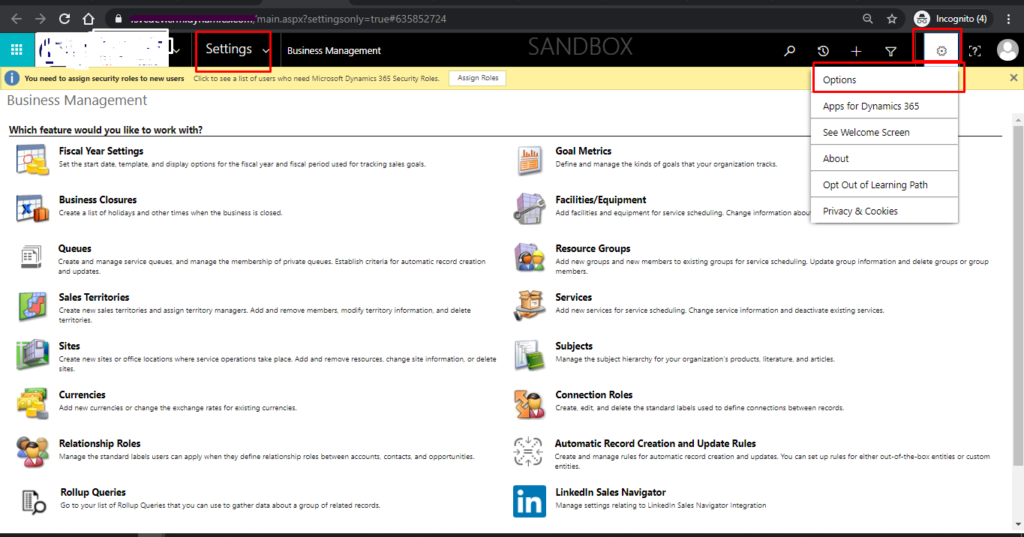
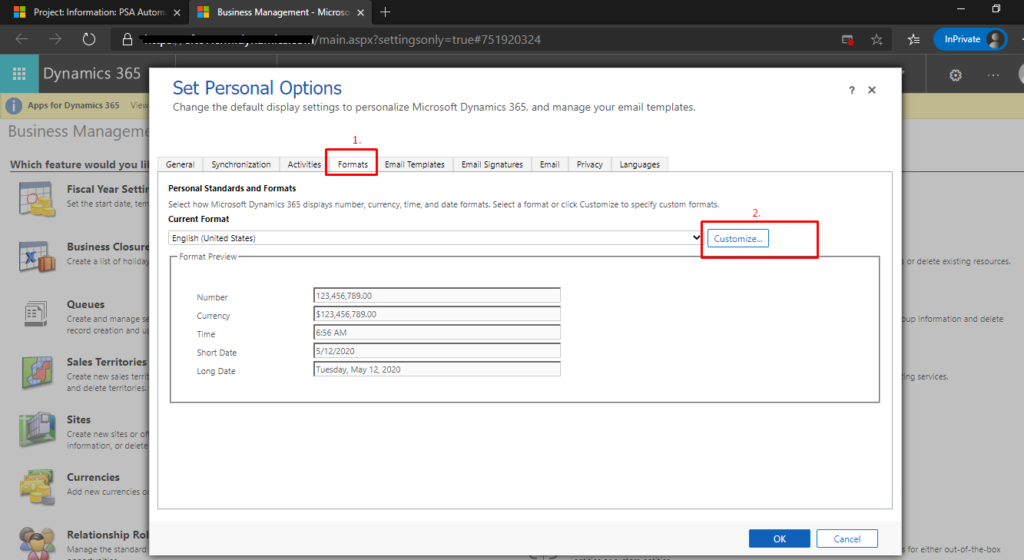
Step 2: After clicking on Options, below screen will be displayed.
Click on Formats -> Customizations
After clicking on Customizations, in Digit group , select Options and click OK.
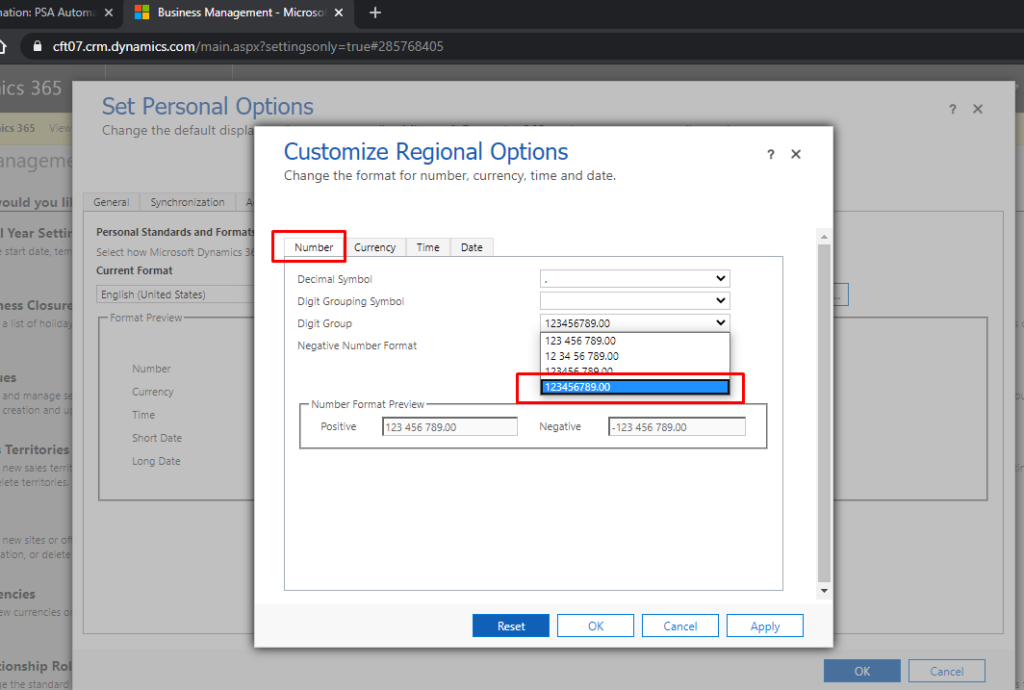
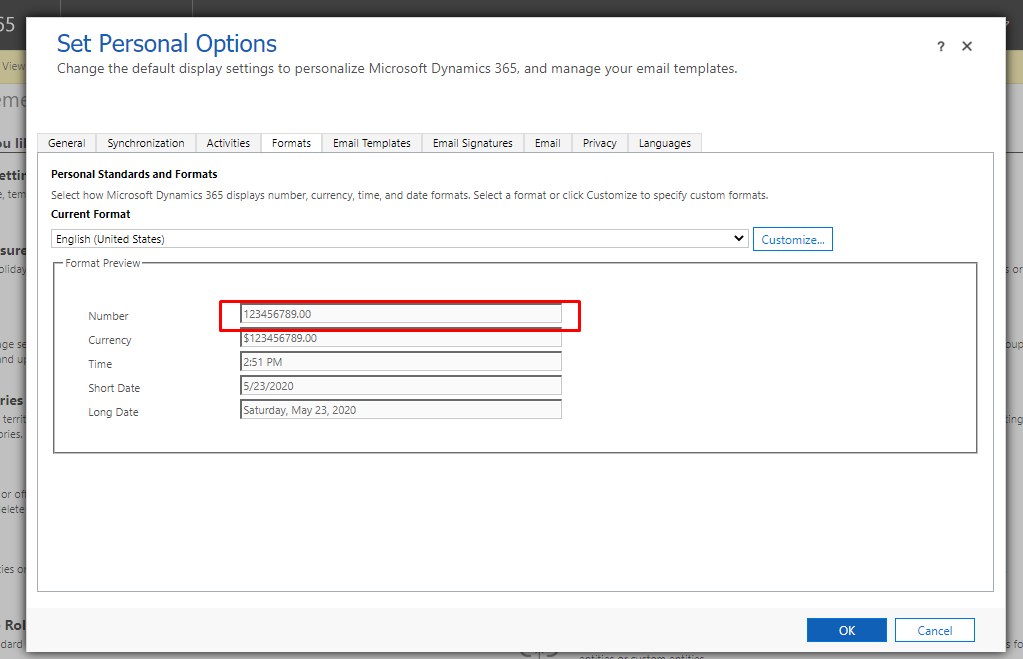
click OK.
Output:
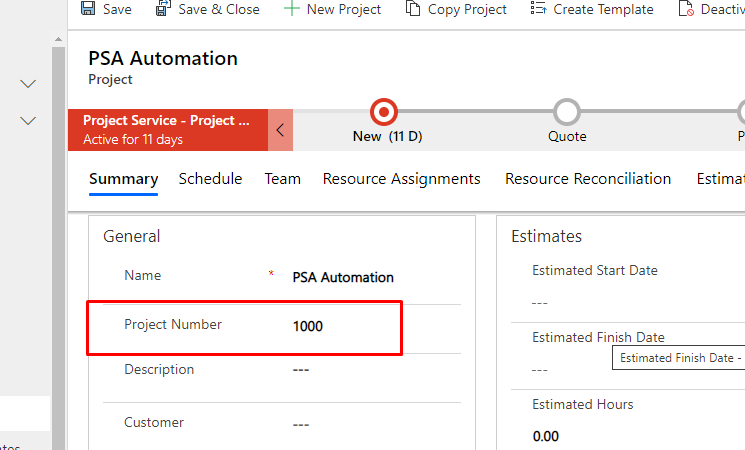
The post Remove Commas from whole number field in CRM D365 appeared first on Cloudfronts - Microsoft Dynamics 365 | Power BI | Azure.
*This post is locked for comments