






Override Enum Captions via Extensions
 Jeremy Vyska
 727
727
 Like
Like Share
Share
 Report
I saw a Twitter thread asking how to do this:
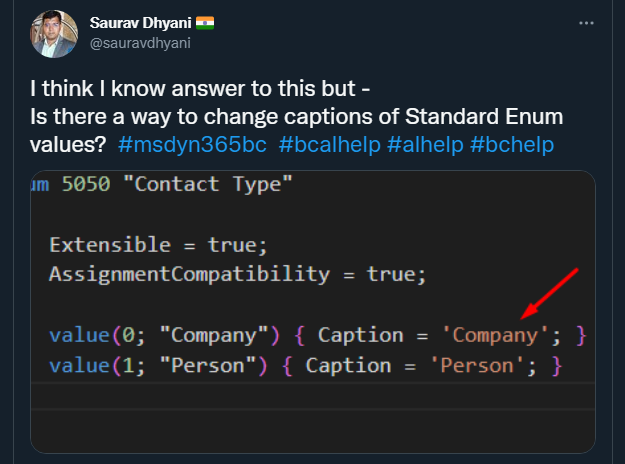
Since I saw a few knowledgeable people answer with less-than-certain replies, me included, I wanted to do a quick clarification.
You can change Enum Captions from Base App using the same strategies as Localization. You make an extension, and in your Translation file, you copy the Translation you need from the Base App translations, then adjust.
For “How do I get the Base App Translations”, see here: https://navinsights.net/2020/11/13/how-to-get-translation-files-from-base-app/
From the Base App, I had to locate the “Enum Contact Type”, which in my en-US.xlf example, has this:

In my extension, I needed to make an xlf in my target language, which was also “en-US”, and then the key change is here in the file tag:
<file datatype=”xml” source-language=”en-US” target-language=”en-US” original=”Base Application“>
Change the “original” to “Base Application”.
Now you can copy/paste the trans-units for the two captions, make them anything you want (“Dragon” / “Whelpling”) just to be super obvious. Publish, and:

Tada!
Source code, what very little of it I needed, available here:
This was originally posted here.
*This post is locked for comments