







Error logging for Microsoft Dynamics Portals
 ashlega
 34,477
 Like
Like Share
Share
 Report
Just got some time over the weekend to look into the error logging feature for the portals – it was introduced a while ago, so, if you have not seen the documentation yet, have a look:
https://docs.microsoft.com/en-us/dynamics365/customer-engagement/portals/view-portal-error-log
This turned out to be a mixed experience, although, it’s certainly better to have logging than not to have it.
Basically, there are two different features:
- There is server-side error logging
- And there is this new ability to display plugin/workflow errors right on the portal
As of this moment, here is what you may expect when using that functionality:
1. Server side error logging
One thing to keep in mind when setting up the connection is that you need to copy connection string from the blob settings in your Azure portal:
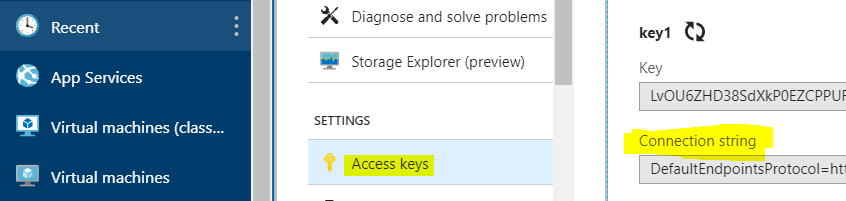
If you make a mistake there, portal configuration screen will be asking you for the valid URL. Which is a bit misleading – it really needs the connection string from the screen above:

- BTW, just in case it matters, you can use any Azure tenant for the blob.
Once it’s all been setup, you can see error logs in the Storage Explorer right in the Azure Portal:
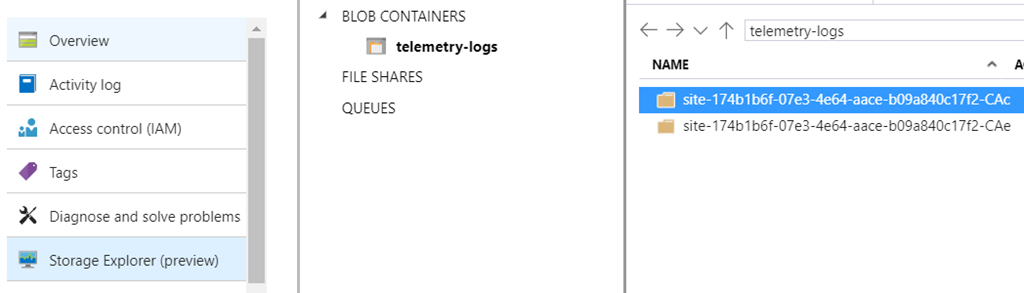
I am not sure why there are two folders, so try both.. There are subfolders organized by month/day, but, in the end, you’ll find a CSV file:

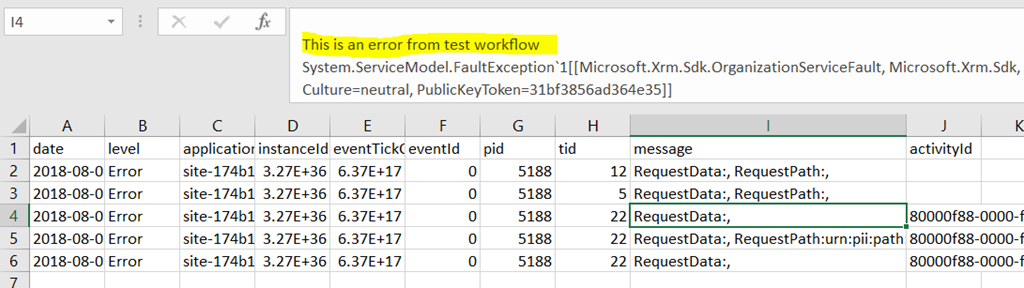
Download the CSV, and you’ll the errors. For some reason, there will be other errors in the logs (for the lack of better word, I’ll call them “system errors” for now.. most of them seem to be some kind of file system “access denied”), but, among those errors, you’ll see the one produced by your real-time worklfows/plugins, for example:
2. Client-side error notifications
This is where we should be able to create a new site setting ( Site/EnableCustomPluginError ) to see a friendly error message when an error happens in a plugin:
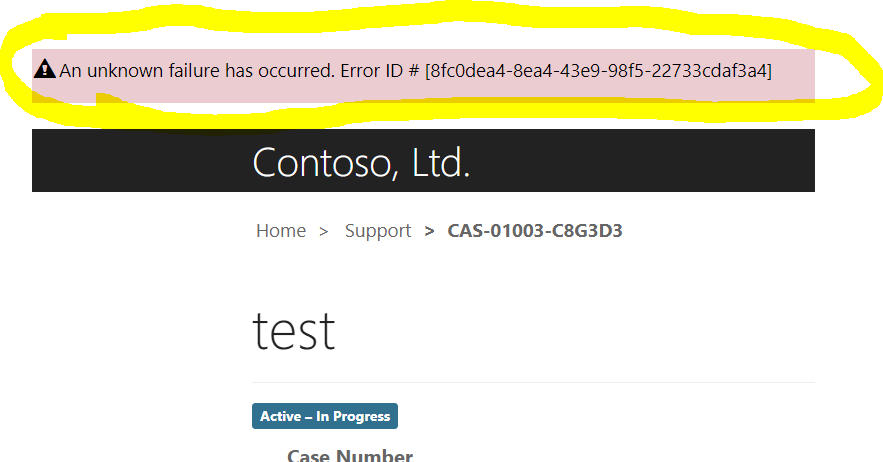
This has not worked out for me, yet, even with the site settings added/configured, so it might not be working in my version of the portals (9.0.6.1). Still, it’s probably going to be even more useful than server side logging since, out of a sudden, we are getting a simple solution for communicating server-side business logic validation errors to the portal users.
This was originally posted here.
*This post is locked for comments