




 841
841 Like
Like Share
Share
 Report
Prerequisites for viewing the environment details is it must be deployed and started. From the LCS Project, select the “Full details” link for an environment.
The environment Management and Diagnostics form will open, providing information which are as follows:
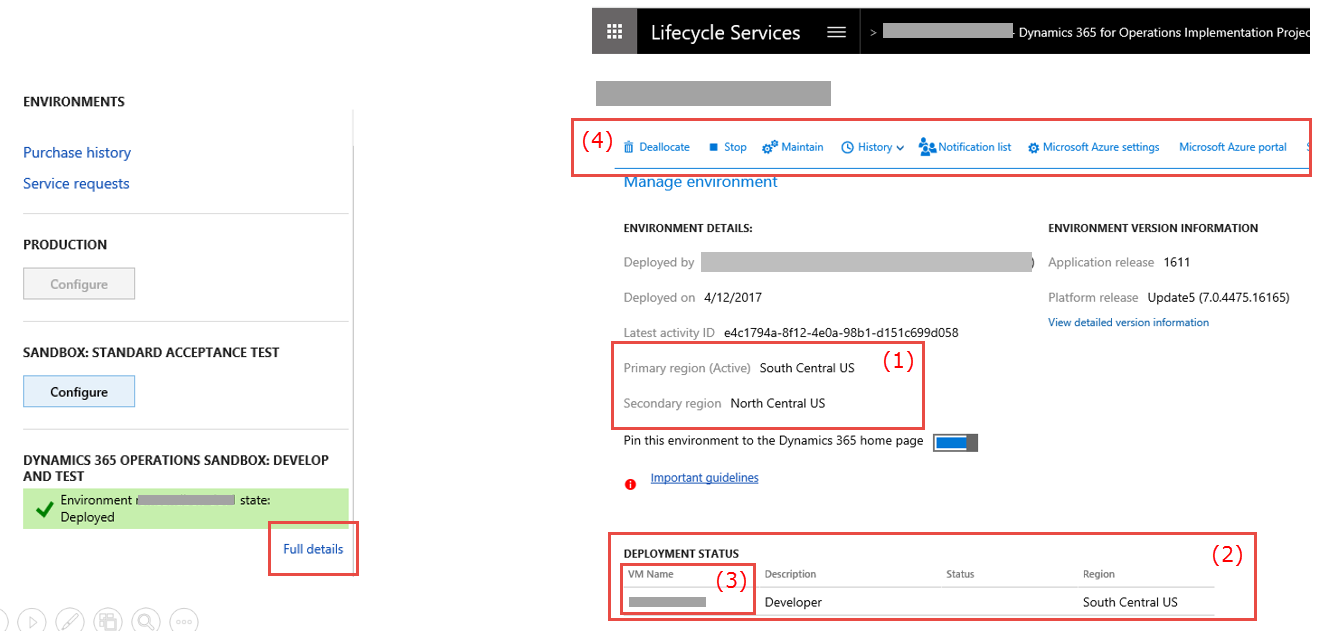
- Azure region the environment was deployed in.
- The current status of the deployment.
- Links to access each virtual machine (also known as a VM) with the Remote desktop client.
- Provides options:
- De-allocation of the Virtual machine.
- Stop Virtual machine in order to save processing time.
- Maintaining the environment allows.
- Updates to be applied from the asset library.
- Send messages to online users.
- Perform a full re-deployment of the environment to the latest major version.
- Provide options to include a list of users to be notified in the event of a system notification.
- Access or change the linkage between the LCS project and Microsoft Azure.
- Directly access the Azure portal.
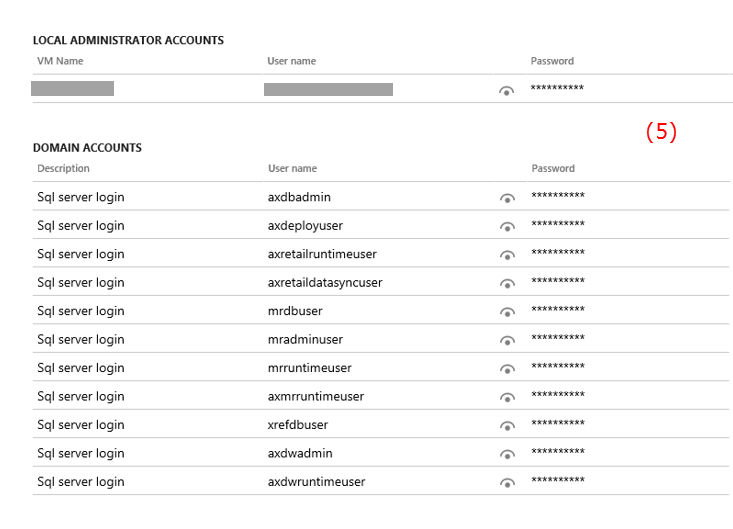
- Scrolling down offers access to all of the administrative passwords with the environment.
For more details you can go through Microsoft documentation Lifecycle Services (LCS) for Finance and Operations
*This post is locked for comments