


Display inventory dimensions dynamically in D365
Views (3671)
In this blog I will discuss how you can add inventory dimensions in your custom forms. Please see step by step instructions.
Step: 1
First drag and drop the EDT (InventDimId) and create relation with InventDim.
Step: 2
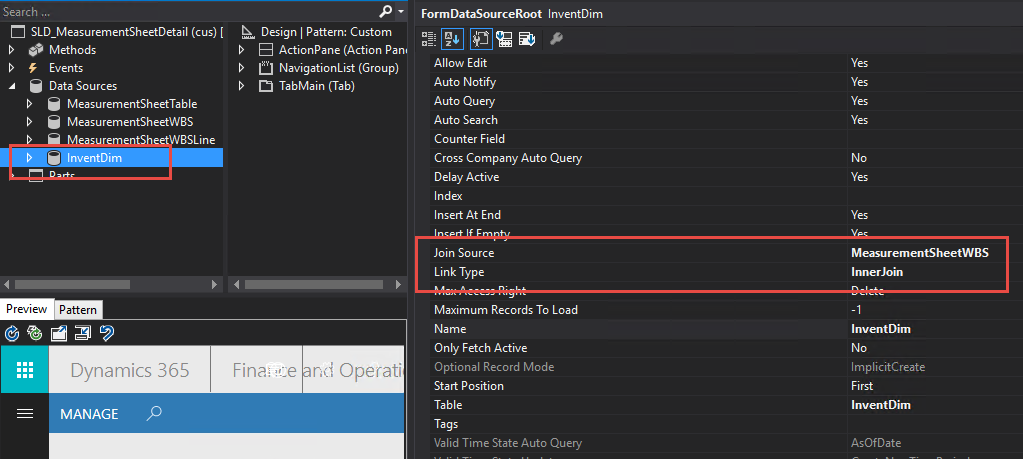
Add InventDim datasource in form and join (Inner Join) it with datasource which contains your item id.
Step: 3
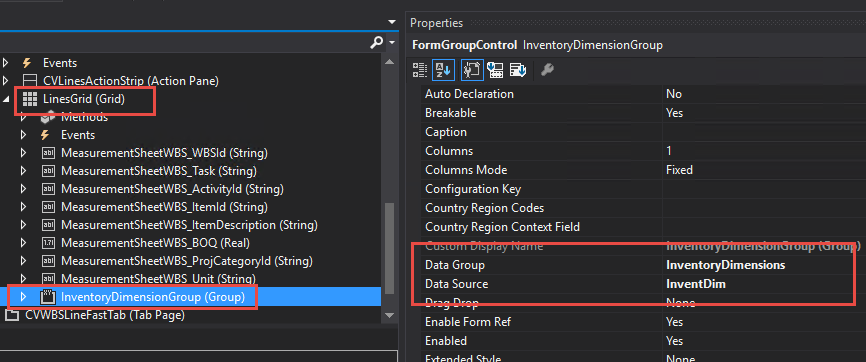
Create a new group under your gird. Set its datasource property to InventDim and Data group property to InventoryDimesions.
Step: 4
Now write some code as shown in below images.
4.1 Add code in class declaration also on form init method add below highlighted code.
4.2 Add inventory dimension class method in form.
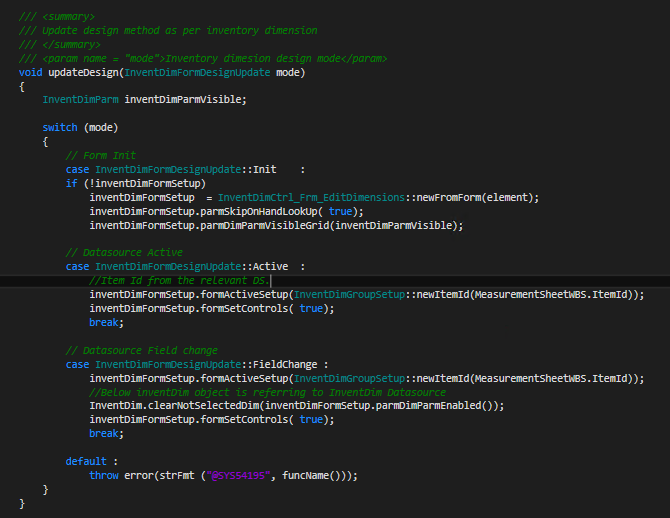
4.3 Add Update design method. Make sure that you use your Datasource Item Id also please read comments on code.
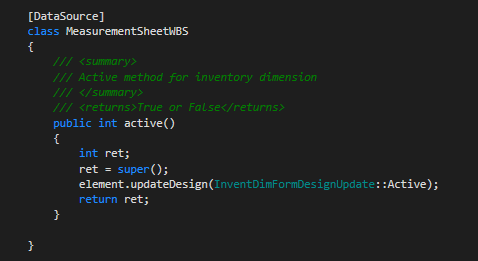
4.4 Override your Item Id Datasource active method and add below code.
Step: 5
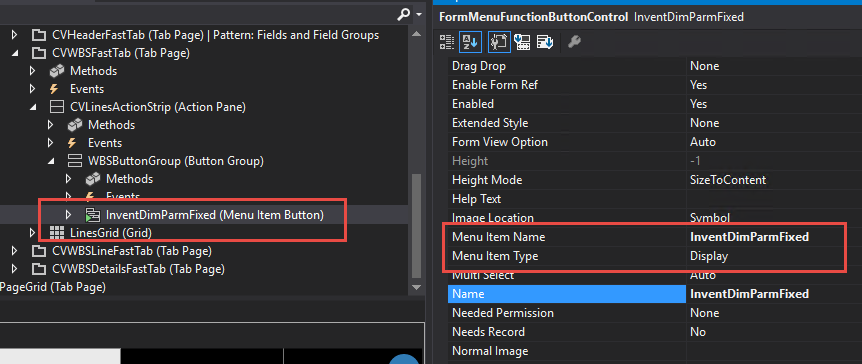
Add InventDimParmFixed Display menu item to your action pane menu.
Result:
That is all you need to do.
You can also refer this link: How to: Dynamically display inventory dimension
Step: 1
First drag and drop the EDT (InventDimId) and create relation with InventDim.
Step: 2
Add InventDim datasource in form and join (Inner Join) it with datasource which contains your item id.
Step: 3
Create a new group under your gird. Set its datasource property to InventDim and Data group property to InventoryDimesions.
Step: 4
Now write some code as shown in below images.
4.1 Add code in class declaration also on form init method add below highlighted code.
4.2 Add inventory dimension class method in form.
4.3 Add Update design method. Make sure that you use your Datasource Item Id also please read comments on code.
4.4 Override your Item Id Datasource active method and add below code.
Step: 5
Add InventDimParmFixed Display menu item to your action pane menu.
Result:
That is all you need to do.
You can also refer this link: How to: Dynamically display inventory dimension
This was originally posted here.

Like
Report


*This post is locked for comments