




 10,796
 Like
Like Share
Share
 Report
Sales order GST:
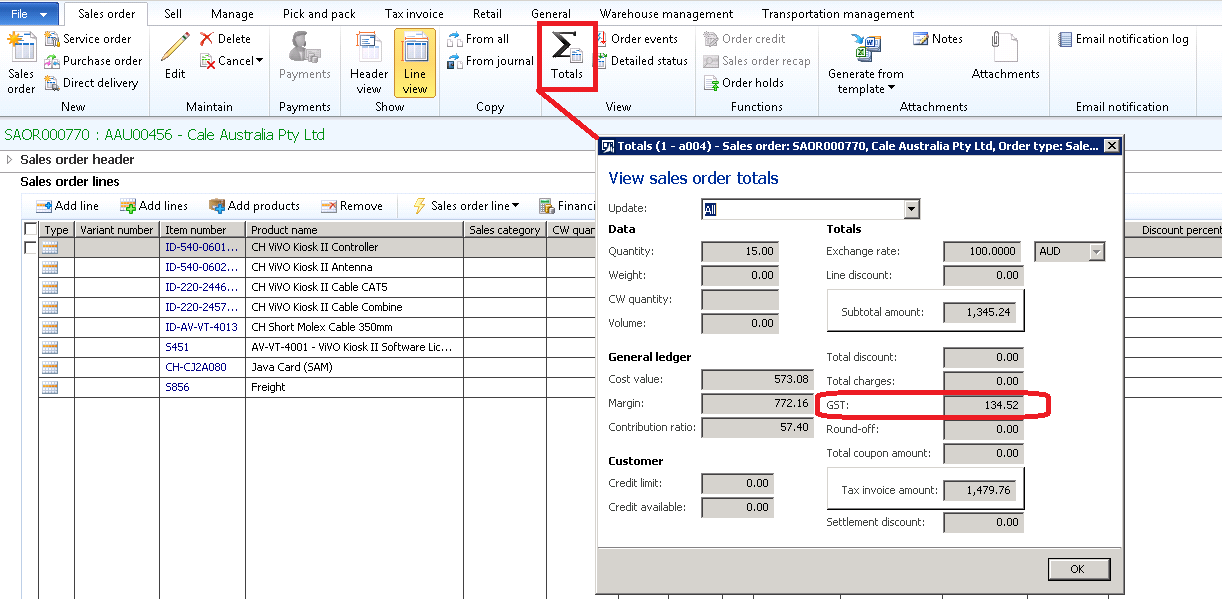
X++ code to achieve this;
static void SalesTax_Per_SalesOrder(Args _args)

{

    TaxTmpWorkTransForm     taxTmpWorkTransForm;

    SalesTotals             salesTotals;

    TaxSales                taxSales;

    SalesLine               salesLine;

    container               cont;

    salesTotals = SalesTotals::construct(SalesTable::find("SAOR000770"));

    salesTotals.calc();

    cont         = salesTotals.displayFieldsCurrency(salesTotals.currencyCode());

    info(strFmt("Sales order total GST: %1", conpeek(cont, TradeTotals::posTaxTotal())));

}
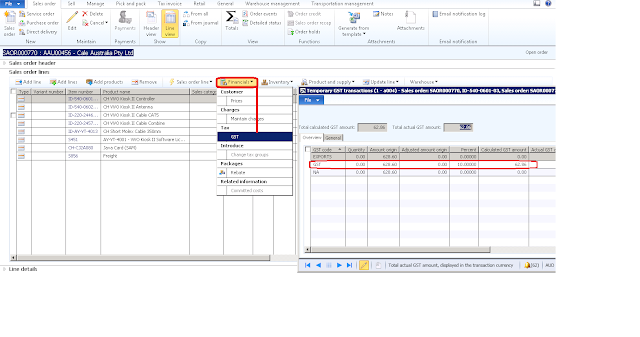
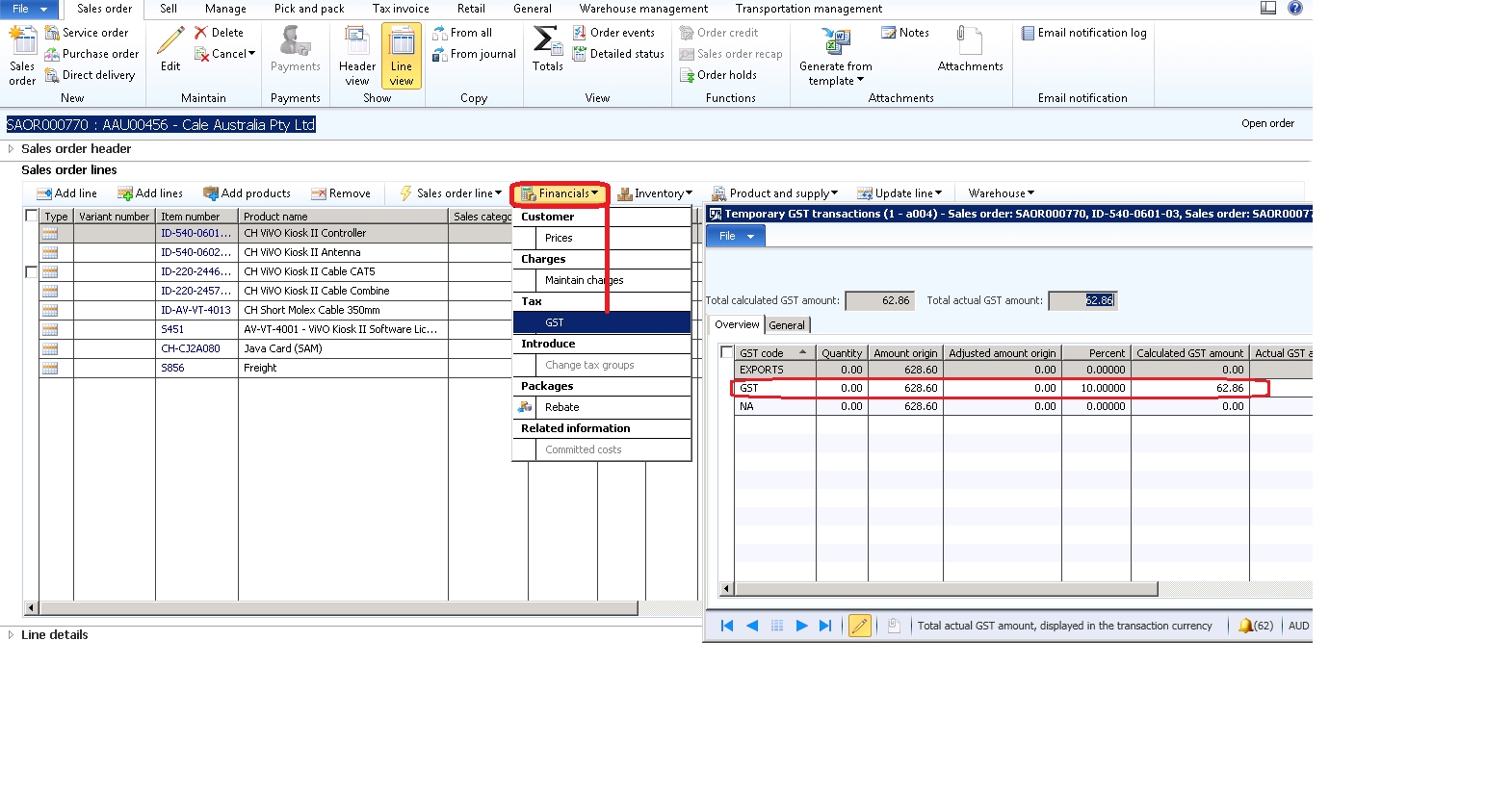
X++ code to achieve this;
This code will print GST against each sales line for selected/passed sales order
This code will print GST against each sales line for selected/passed sales order
static void SalesTax_Per_SalesLine(Args _args)

{

    TaxTmpWorkTransForm     taxTmpWorkTransForm;

    SalesTotals             salesTotals;

    TaxSales                taxSales;

    SalesLine               salesLine;

    salesTotals = SalesTotals::construct(SalesTable::find("SAOR000770"));

    salesTotals.calc();

    taxSales = salesTotals.tax();


    taxTmpWorkTransForm = TaxTmpWorkTransForm::construct();

    taxTmpWorkTransForm.parmTaxObject(taxSales);

    While select SalesLine where salesLine.SalesId == 'SAOR000770'

    {

        taxTmpWorkTransForm.updateTaxShowTaxesSourceSingleLine(tableNum(SalesLine), salesLine.RecId, true);

        info(strFmt('%1',taxTmpWorkTransForm.parmTaxAmountCurTotal()));

    }

}
*This post is locked for comments