




 Like
Like Share
Share
 Report
Problem Definition:
When working with ‘Edit In Excel’ functionality in Business Central, there was an error( https://github.com/Microsoft/AL/issues/4060 ) when the page fields were modified using extensions.
Introduction:
Excel Buffer is one of the feature that is widely used to Import & Export data to and from Excel Sheets. With NAV evolving to Business Central, few of the existing functions are deprecated and cannot be used in AL Extensions.
Pre-requisites:
Microsoft Dynamics 365 Business Central
Demonstration:
1. Excel Buffer Import:
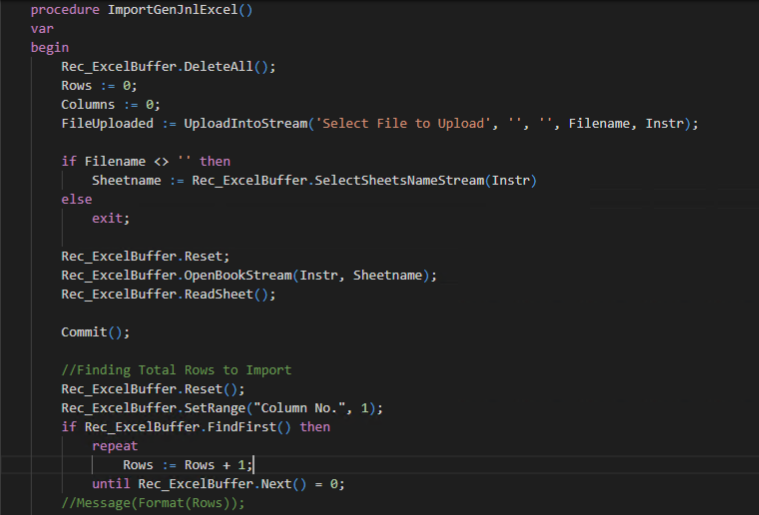
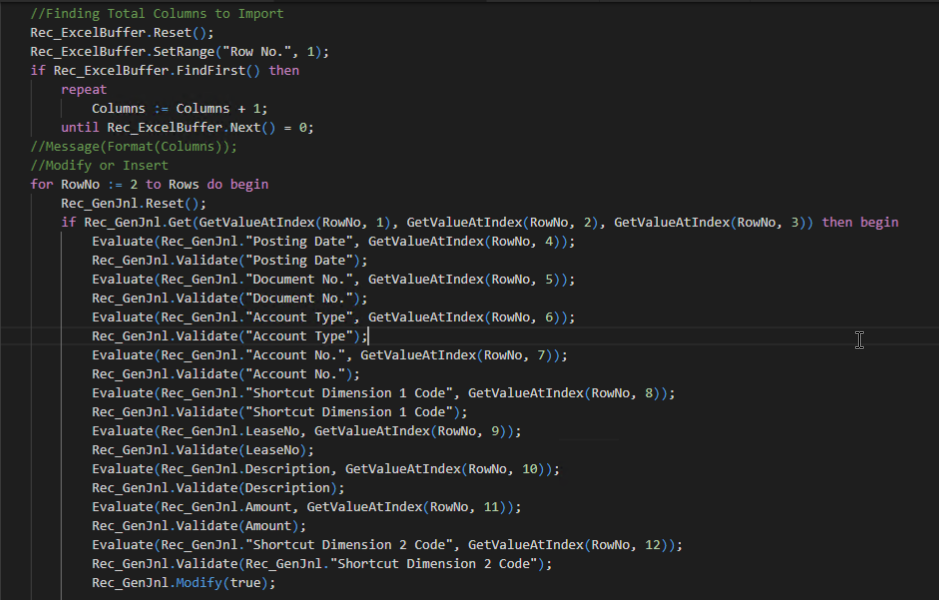
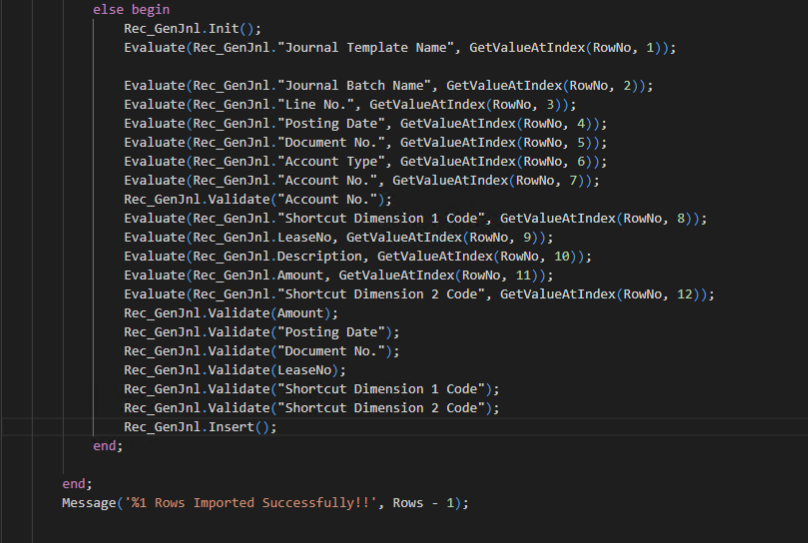
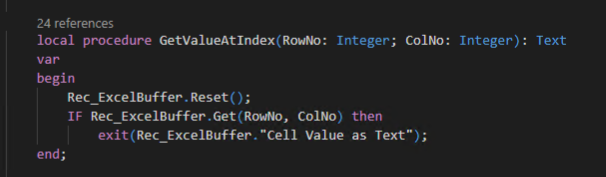
In this code, total rows and columns to be imported is found, then each field is stored as ‘CellValue’ in new records in Excel Buffer. Thus, I’ve used GetValueAtIndex(Row,Column) function to get the exact ‘CellValue’.
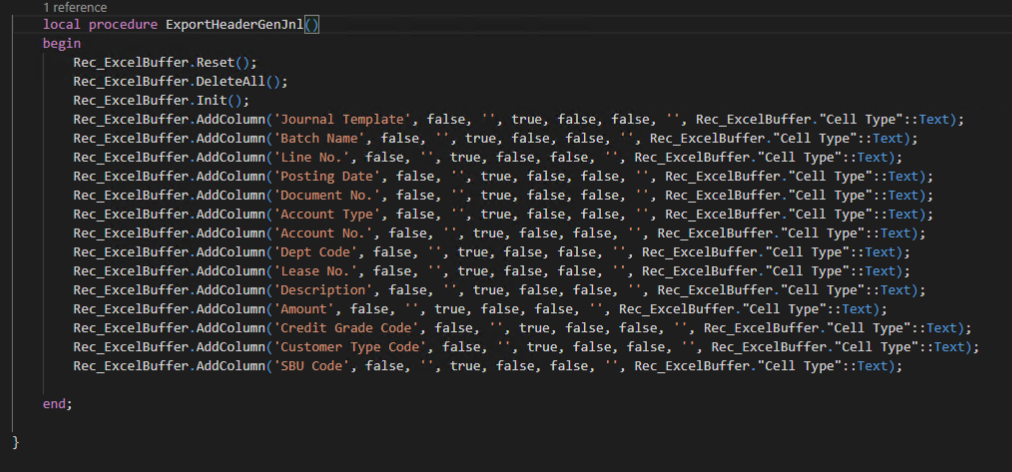
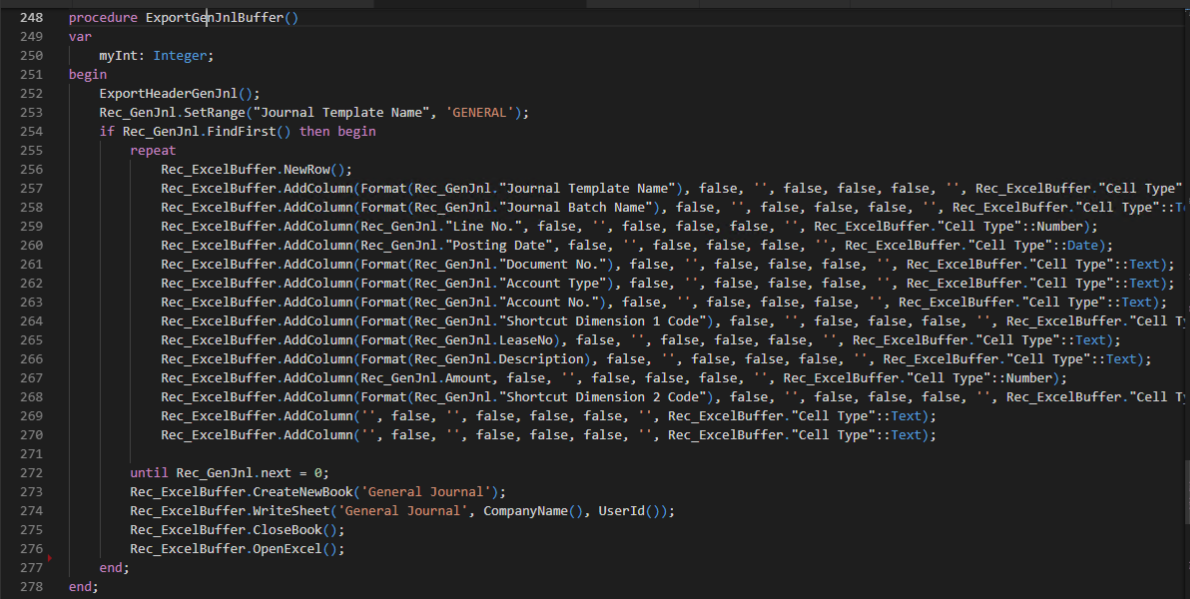
2. Excel Buffer Export:
Conclusion:
In this blog, I’ve demonstrated how to use Excel Buffer for Import/Excel of Excel from a table using AL Extensions.
NOTE: Code is located( https://github.com/olisterr/ExcelBufferImportExportforBC )
The post Workaround to ‘Edit in Excel’ functionality with Import/Export using Excel Buffer in Business Central appeared first on CloudFronts - Microsoft Dynamics 365 | Power BI | Azure.
*This post is locked for comments