







D365 Finance: AI, Power Apps, Power Automate Mix!!
Views (360)
 Vishal Tiwari
 393
393
 Like
Like Share
Share
 Report
Hello folks, Today I am going to showcase how I have used AI builder via PowerApps to create the record in D365 Finance.
I just scanned a simple report (Based on your scenario) and built the model under PowerApps > AI builder and trained it. Below is the screenshot:
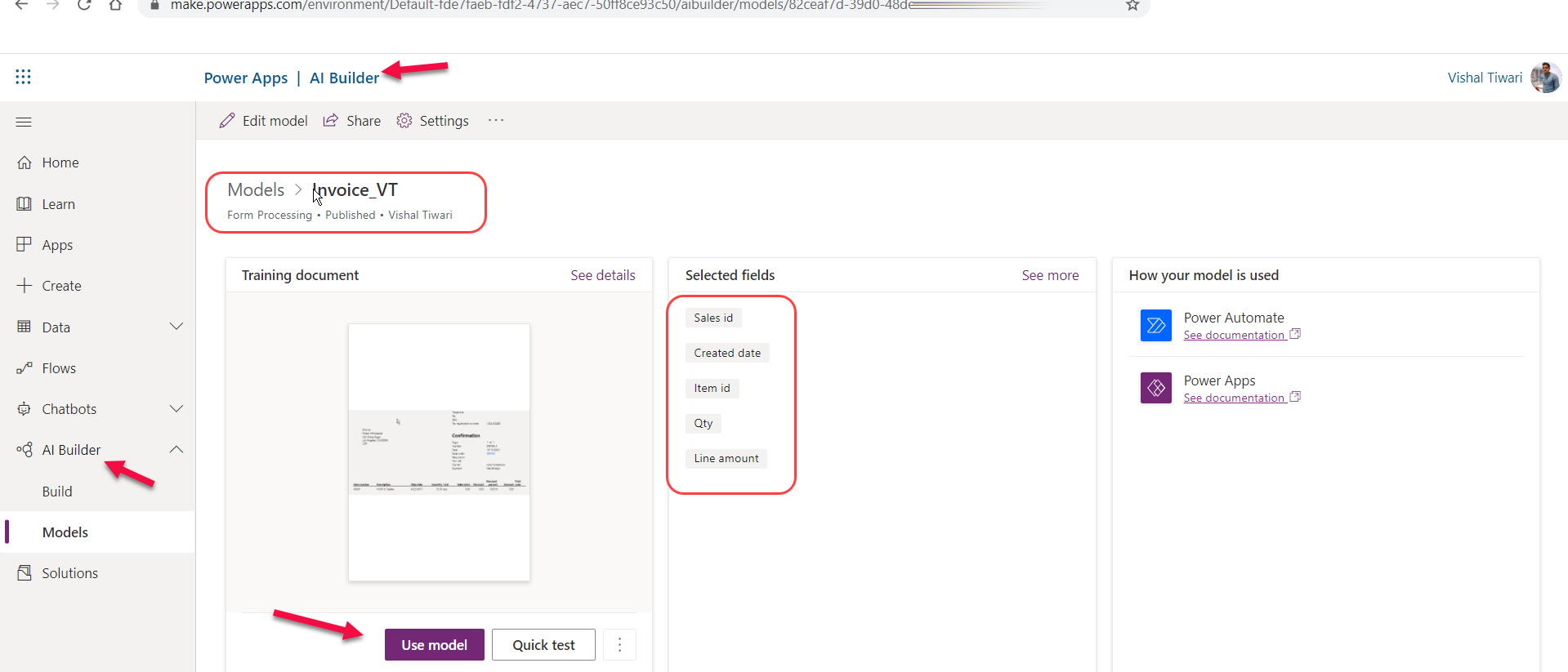
To understand more about building and training the models under AI – Read the article.
Once that’s been developed, created a very simple canvas app including AI – Form processor, shown below:

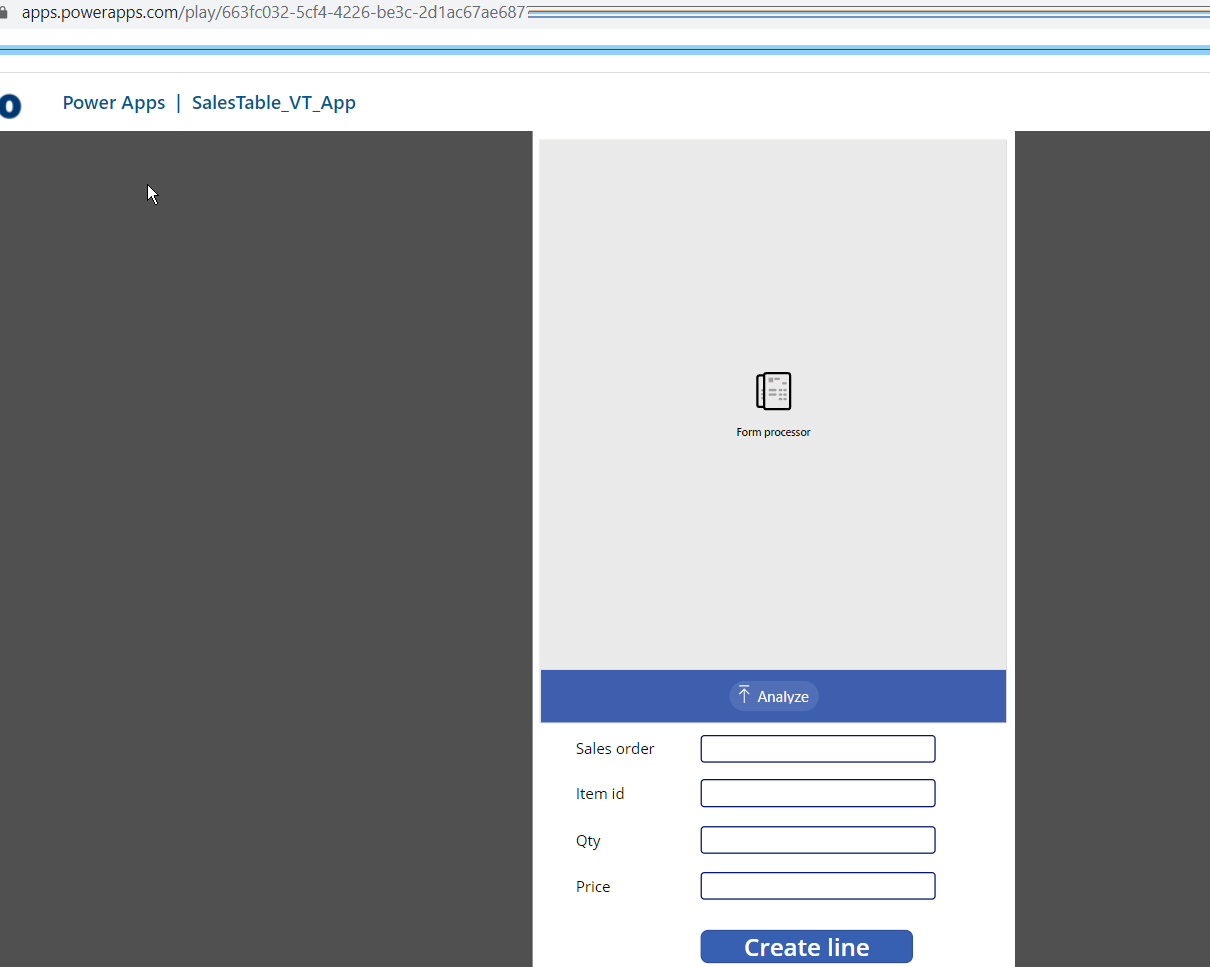
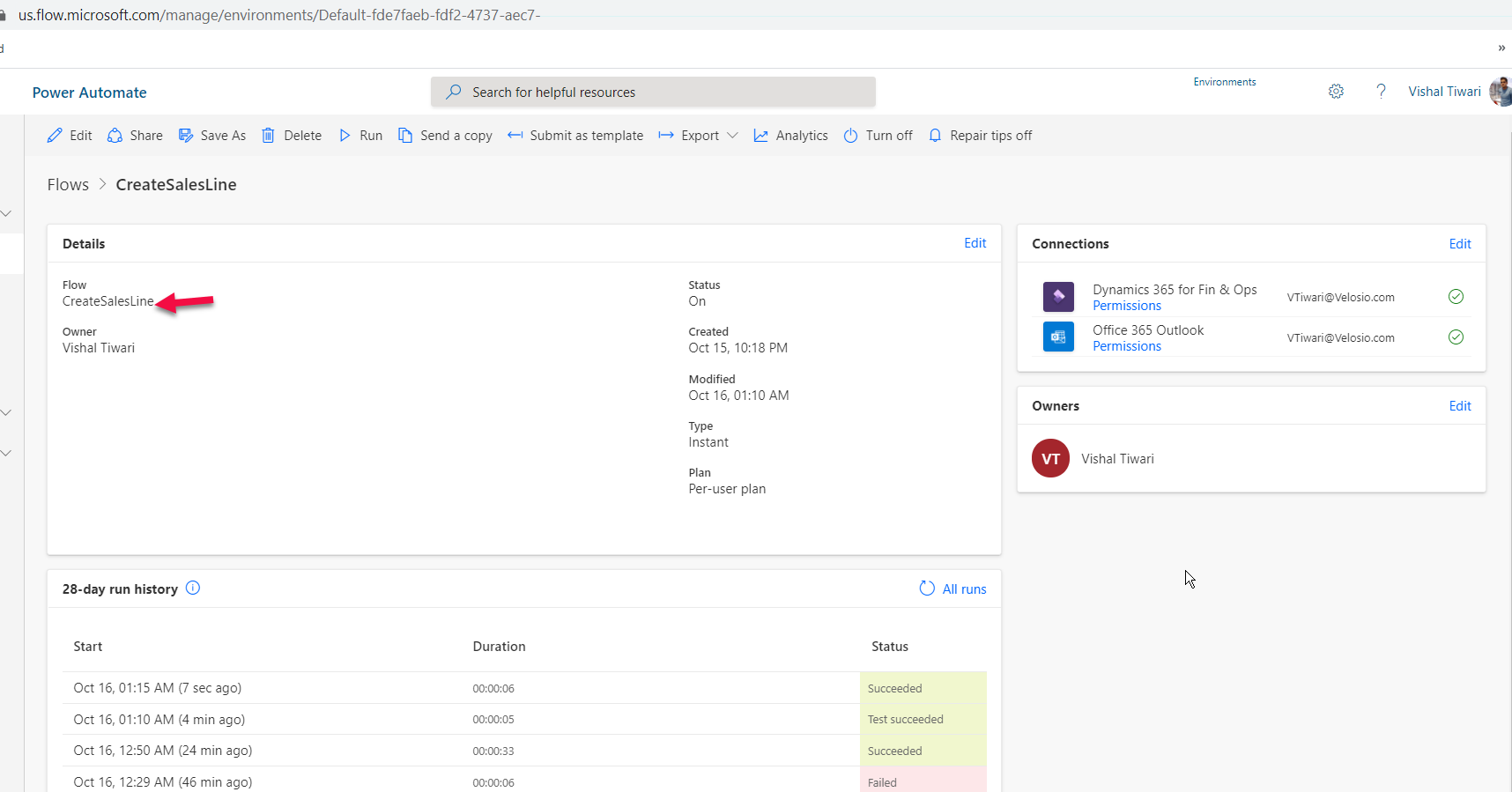


Crux – Once you click on Analyzebutton and select the file – AI uses the intelligence to recognize the text’s in the document and fill in the required text boxes in the PowerApps. Thereafter, Power automate would read those variables/texts to process the data entities as per the scenario.
Here, I tried creating a record (Sales Line) in F&O using the Power Apps, and AI Builder by capturing the text from the scanned object (document).
Thank you!
This was originally posted here.
*This post is locked for comments