




 Like
Like Share
Share
 Report
This is one field i’m not sure if I get what they are asking about, because you have your skills in “My information”, team skills assessment and skill gap analysis in the manager page. So I
I started with the manager page, where you can see “Team skills assessment” and “Skill gap analysis”.

Team skills assessment
This is where you can see the skills of your employees and at what level they are on.
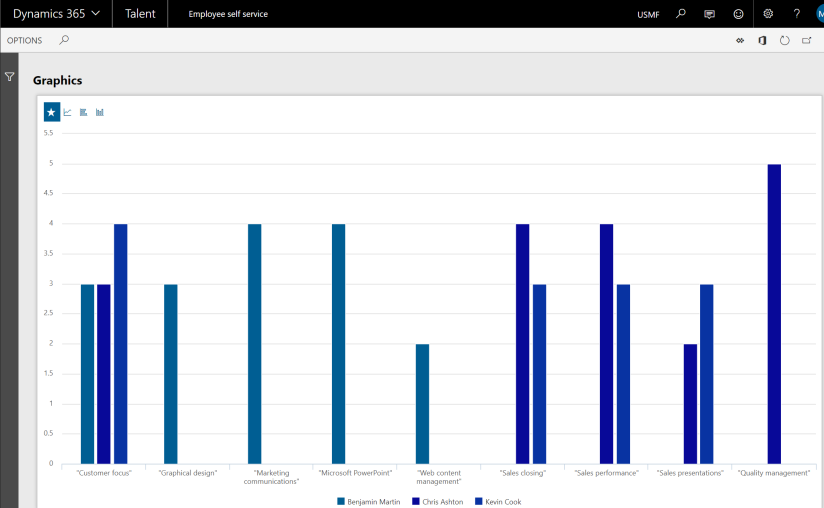
Skill Gap Analysis
With the Skill gap analysis, you can see how a person’s skill is against a job. First you choose one of your team members. If you choose to not show Jobs related to reference, you can see all jobs in the system.

If you choose to se jobs related to reference you will only be able to se the job the employee already has got. When you click update you will se the level and skills the employee has, up against the job selected.

From your page in the self-service page you can see how many skills you have registered, and when they were last updated.

If you click the number of skills you can see all registered skills, level and at what date you got the skill. If you click the name of the skill you can edit the skill.

If you click “add skill”, a panel on the left opens, and you can add new skills.

*This post is locked for comments