







How to store queries in URL as favorite in Dynamics 365?
Views (1095)
 Mahmoud Hakim
 17,887
 Like
Like Share
Share
 Report
In this post here , we talked about "How to save filters as a fast inquires in Dynamics 365?
Today, we talk about how to store queries in URL and save this URL as a Fast query in the browser
Users need to create queries in forms and save it in URL favorites,
Dynamics 365 support this functionality and controlled by the user
activate automatically update query parameter
Go to system administration/users /users

select the user and go to user option tab

click preferences tab and enable automatically update query parameter in URL manipulation

Scenario
the user need to filter on vendor group 40 and save the query as local vendors
go to accounts payables /vendors / all vendors
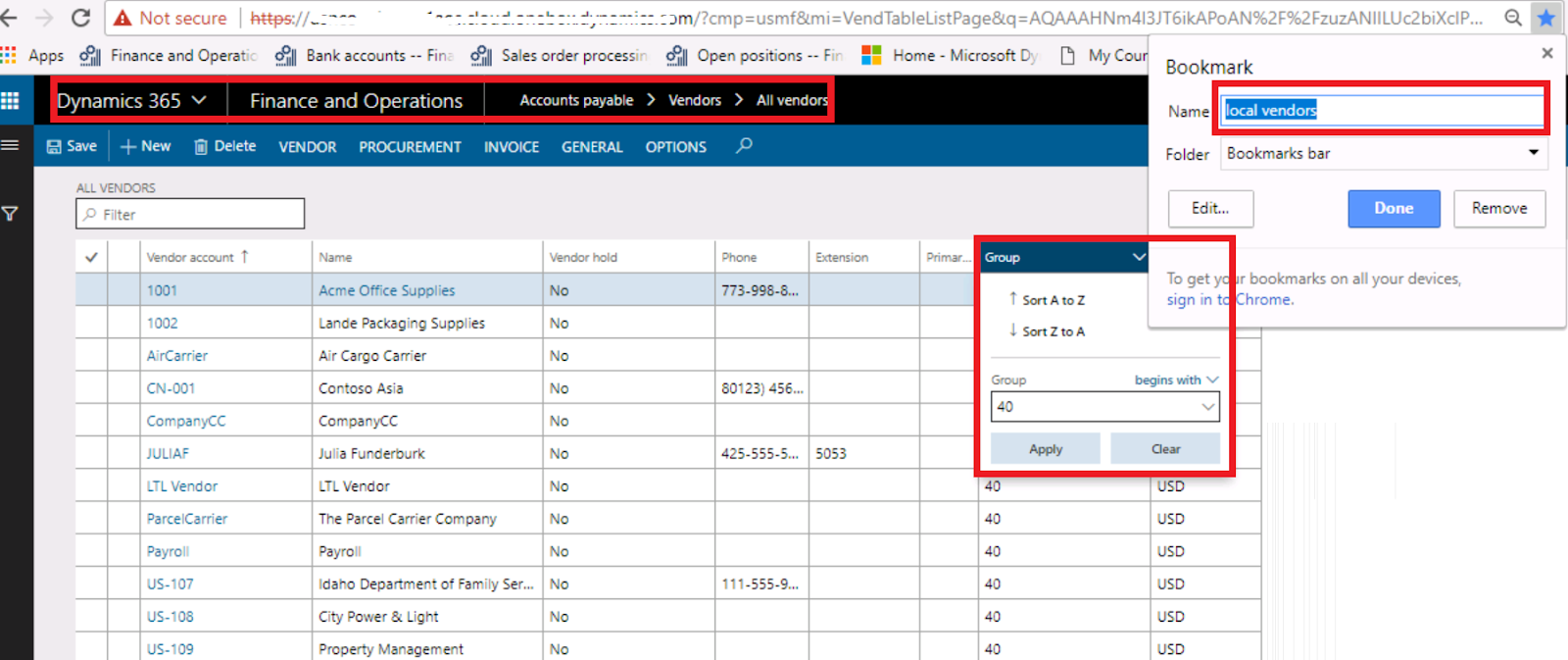
just filter grid by vendor group 40 and click apply
add this URL to favorites and open this page in another tab
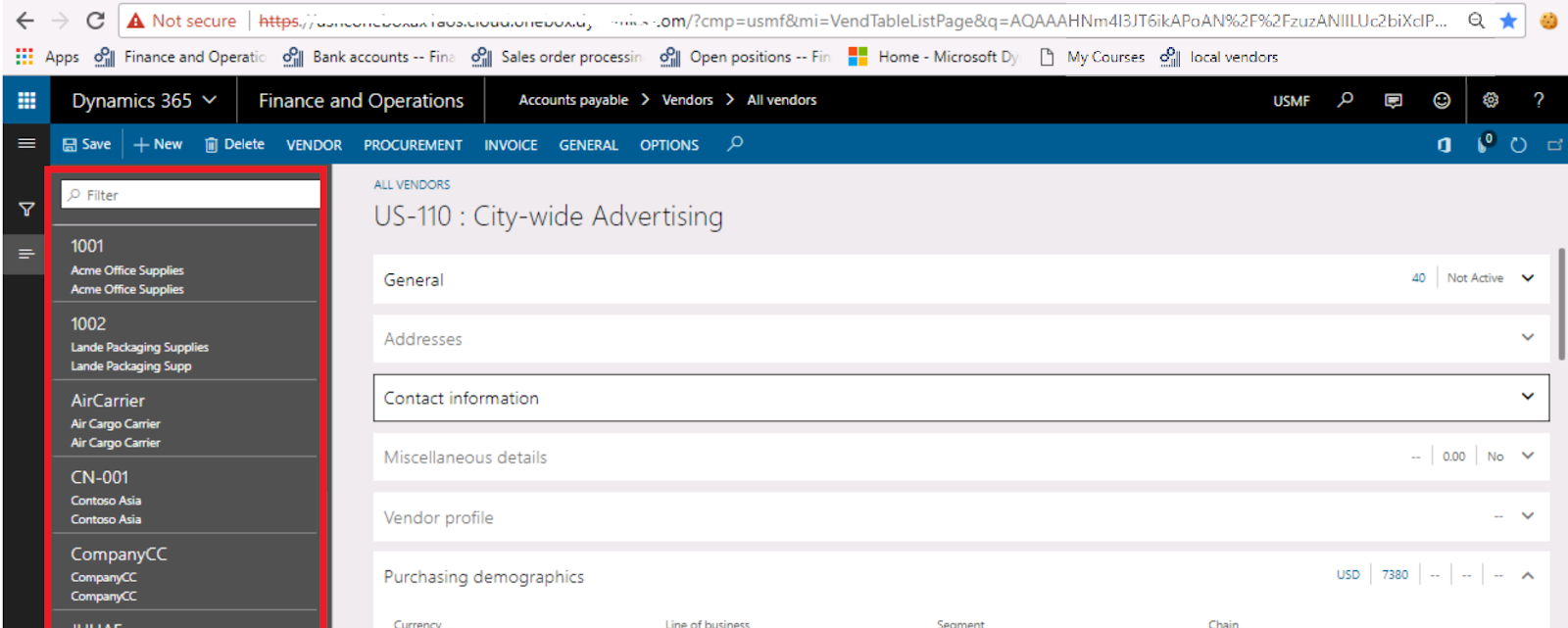
when you open, the page opens in details level by the same query.
This was originally posted here.
*This post is locked for comments