




 3,407
3,407 Like
Like Share
Share
 Report
This is the sample formula that I used
ClearCollect(ContactCollection, ShowColumns(Contacts, "fullname", "createdby"))
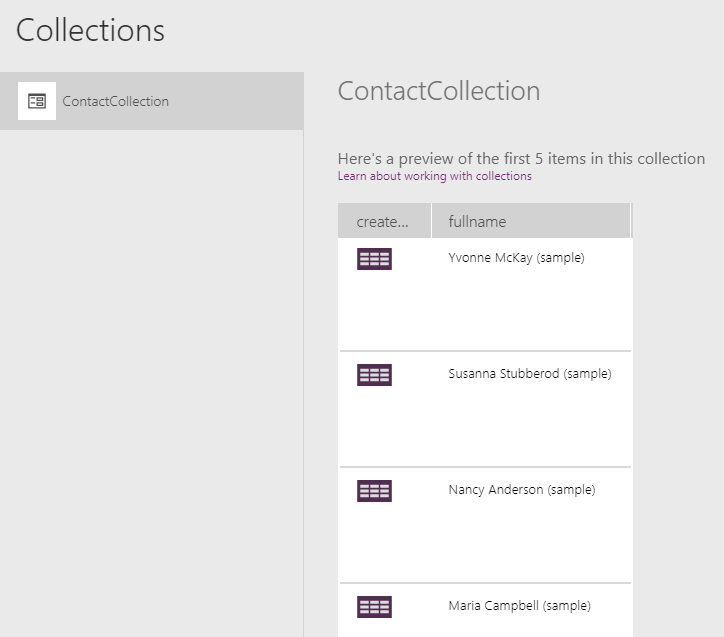
And this is the output collection without any data in the lookup column.

https://powerusers.microsoft.com/t5/Building-PowerApps-Formerly/Common-Data-Service-Returns-no-data-from-a-Lookup-column/td-p/272581
When I looked through how to resolve this issue, I finally found the forum thread above and the workaround solution suggested by one of the users is to use the AddColumns() and DropColumns() function to force the lookup field to be pulled.
You can also see the explanation of the workaround solution in the reply post the user mfco in that forum thread. Basically, what we are trying to achieve is to add a column from the data source of the lookup entity (e.g. User entity in this case for "createdby" column) in order to force the app to pull the lookup field data.
But in my case, adding the "Users" or "First(Users).User" as the column did not resolve the issue. So what I did was just adding the same createdby column of the first Contact record as a new column " First(Contacts).'Created By' "
Dropping a column is optional and you can keep it in the collection if it is not going to confuse the other makers.
This is the final formula after adding workaround solution and once it is added, the collection is populated with the values in the lookup column.
 ClearCollect(ContactCollection,
   DropColumns(
     AddColumns(
       ShowColumns(Contacts, "fullname", "createdby"),
       "tempColumn",
       First(Contacts).'Created By'
     ),
     "tempColumn"
   )
 )
Hope this helps others who are having the same issue until the issue is fixed.
If you have any information about the permanent fix or a better workaround solution, please leave a comment below.
*This post is locked for comments