




 26,225
 Like
Like Share
Share
 Report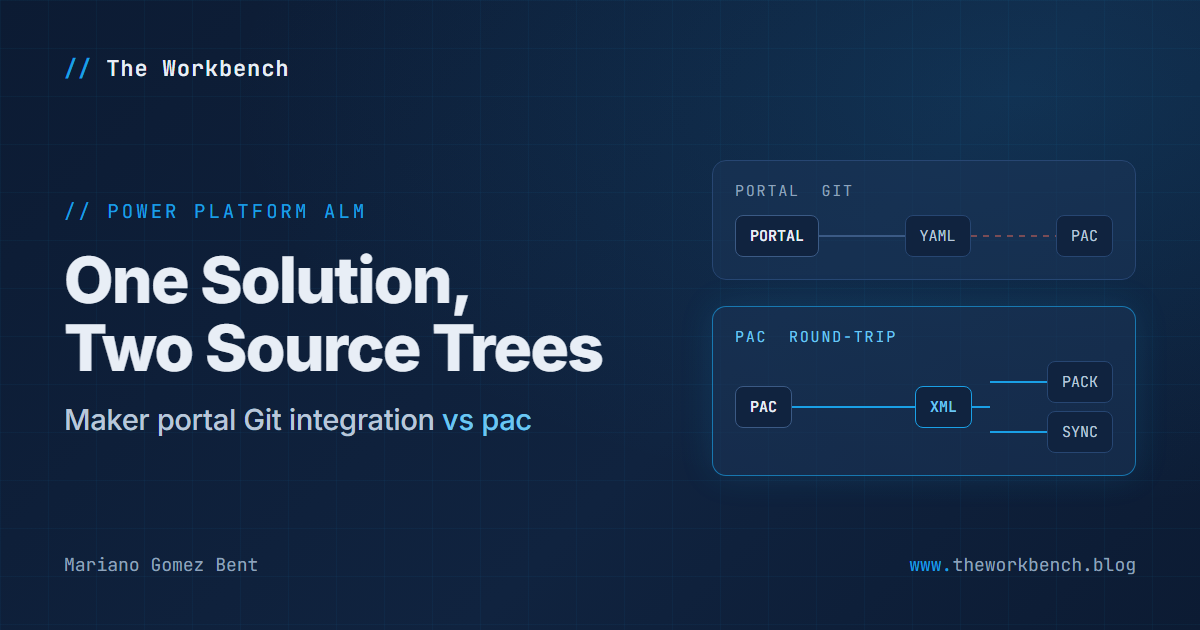
Early in our Business Central to Dynamics 365 CE billing integration, the same project I wrote about in my FlowAgent article, we ran into a lesson that Microsoft's own documentation only caught up to this spring, and that I have not seen written up from the trenches: there are now two official ways to put a Power Platform solution under source control, and they do not mix. At all! We learned this the day we put the solution source pac had cloned next to the solution source the maker portal's Git integration had committed, and found two completely different structures staring back at us.
So, in this article I will walk through the two formats, how the collision showed up in our project, and why we picked the CLI side, with a couple of smaller git-versus-pac frictions at the end that you will want to know about before you start.
Two formats, one solution
The classic XML format is what pac solution clone, pac solution sync, and the traditional SolutionPackager workflow produce. The solution's identity lives in Other\Solution.xml and Other\Customizations.xml, and the component files (workflow JSON, environment variable definitions, connection references) sit in a folder hierarchy alongside them. Keep in mind this is the format that pairs with the round-trip commands: pac solution pack builds an importable zip from the folder, pac solution import pushes it to the environment, and pac solution sync pulls the environment's current state back down.

The YAML source control format is what the maker portal's native Git integration writes. When you connect an environment or a solution to Azure DevOps from within Power Apps, every commit lands as a
solutions\<name>\solution.yml manifest with component folders at the repository root. I will be the first to tell you it is a genuinely nicer format to read: compact YAML, small focused diffs, and support for canvas apps and modern flows that the XML layout never handled. It is also, and this is the entire point of this article, a different representation that the classic tooling chain does not interoperate with.

Now, here is the part that will save you an afternoon of head scratching. The packager tools decide which format they are looking at by folder shape. A
solutions\ subdirectory containing solution.yml files means YAML; no solutions\ subdirectory means classic XML, in which case the tool goes looking for Other\Solution.xml. There is no flag that says "this repo contains both, figure it out."
NOTE: a folder that mixes the two layouts, or that has YAML files in the wrong place, produces the format war's signature error: a complaint about a missing Customizations.xml from a tool that has silently fallen back to the XML code path while staring at YAML files. If you have ever seen that error and thought "but this is not an XML solution," congratulations, you have met the auto-detection rules! And as of this spring, Microsoft's SolutionPackager documentation carries a troubleshooting entry for exactly this case, describing the silent fallback and calling the error misleading in so many words. It is good to see it written down; it would have been better to read it before we found it.
What happened to us
Our source control story started deliberately. On the first day, we ran pac solution clone against the inherited invoice flow's solution, dropped the XML source tree into a folder, and began a discipline we have kept ever since: the cloud flow is the working copy, the local tree is the versioned mirror, and after every applied change we run pac solution sync, write a changelog entry, and commit. That loop was not an accident. Our whole development approach, an AI coding agent editing flow definitions, packing them, and importing them, depends on having the real definition JSON locally and being able to round-trip it through pac solution pack and pac solution import.
Then the maker portal's Git integration entered the picture, the way it enters most pictures: it is right there in the portal, connecting a solution to a repo takes a few clicks, and it feels like the officially blessed path. And it is a blessed path! It is just a different one, and it wants to own the repository in its own format.
Now, the moment the incompatibility became real for us was not an error message; it was a side-by-side comparison. We put the tree pac had cloned next to the repository the portal's Git integration had committed, expecting two views of the same solution, and found two structures with almost nothing in common: different file names, different nesting, different serialization, and no file on one side corresponding one-to-one with a file on the other. This was not two dialects that a diff tool could reconcile. There was nothing to diff. Nothing! Keep in mind, that comparison is worth doing deliberately if you are facing the same choice, because it settles the question faster than any documentation will.
And once you have seen it, the operational hazard is obvious: had both stayed connected, every portal commit and every pac solution sync would have written its own divergent truth into the same repo, with the packager's auto-detection deciding which one it believed based on which folders it noticed first. Nothing about that fails loudly at the moment you set it up. It fails later, confusingly, in tooling errors that point at the wrong cause. A repository is going to hold one format or the other, and somebody has to choose.
So we chose, and wrote it down: this solution is versioned in the classic XML format maintained by pac, the maker portal's Git integration was deliberately disconnected, and the README carries a standing instruction, in bold, that says do not reconnect it. That last part matters more than it looks. The portal integration is a checkbox any admin can re-enable in a moment of tidiness, and the person who re-enables it will genuinely believe they are improving your source control posture. Suffice to say, that one bolded line in the README is the cheapest insurance we bought all week.
Why we picked the pac side
You may be asking, "so is the YAML format bad?" Not at all. On a fresh project with canvas apps in the mix, the YAML format and the portal integration are very likely the right choice, and Microsoft's direction of travel is clearly toward it. We picked the XML side for three reasons specific to how we work:
1) The round-trip commands are our development loop, not just our backup. Large flow edits in our project go through the solution route: edit the definition JSON locally, then pac solution pack, pac solution import, and publish. The clone and sync commands our loop depends on produce the classic XML format, and as I write this they still do not emit the YAML layout, whatever the documentation implies (there is an open issue on exactly that). Choosing the portal's format would have meant choosing away the loop.
2) Commit cadence and commit meaning. The portal integration commits when a maker clicks commit, at whatever granularity the portal batches. Our discipline is one commit per applied change, pushed immediately, with a changelog entry stating what changed, why, where it was applied, and how it was verified. In turn, that kind of history only happens when the same actor making the change also makes the commit, which in our case is the agent completing its edit-sync-log-commit ritual. The repository is not a backup of the solution; it is the audit trail of the project.
3) One writer per repository. Even if the formats had been compatible, two independent processes committing to the same branch on their own schedules is a merge conflict generator. A source control setup where you cannot predict who writes next is worse than either setup alone. It just doesn't work!
Two frictions that come with the pac side
Choosing pac did not end the git-versus-pac story. Two smaller frictions followed, both consequences of letting a CLI own the source tree, and both are worth knowing before you start.
Line endings. Git on Windows helpfully converts line endings unless told otherwise, and pac-generated source trees do not want the help. Every pac solution sync after a fresh clone produced walls of CRLF warnings and threatened noisy whitespace-only diffs. The fix was repo-local: set core.autocrlf=input in the repository config, and add a .gitattributes marking the pac-generated source trees as -text so git stops converting them entirely. The solution source is machine-generated and machine-consumed; git should store it byte for byte and stay out of the way.
Byte order marks. A later sync quietly restored UTF-8 byte order marks on files where our editing had stripped them, which showed up as mysterious whole-file diffs on files nobody had meaningfully changed. We widened the .gitattributes coverage and learned the larger lesson: treat the pac tree as pac's territory. Our edits happen there when the loop requires it, but the formatting conventions are the tool's, and fighting them costs more than accepting them. Fence the pac tree off from git's text handling with .gitattributes the day you create it, not the day the warnings annoy you.
What I would tell you to do
Whichever side you land on, two practices carry over to any project:
- Pick one format before the first commit, and never let both write to the same repository. If your workflow lives in the CLI round-trip commands, take the classic XML format. If you are starting fresh, especially with canvas apps or a team of makers committing from the portal, take the YAML format and let the portal integration own the repo. Either way, if someone has already connected the other one, disconnect it before it writes a single commit. Divergence is silent, and cleanup is manual.
- Write the decision down where the next admin will trip over it. A bolded "do not reconnect the Git integration for this solution" in the README, with one sentence of why, will save a future colleague from an afternoon of
Customizations.xmlerrors on a repository full of YAML.
The two-format situation is a snapshot of a platform mid-transition, and it should resolve as the newer format's tooling support fills in. Until it does, keep in mind the failure mode is not that either path is broken. Both paths work, both look official, and nothing warns you that they cannot coexist in the same repository. Consider yourself warned!
If you have hit the two-format collision yourself, or found a cleaner way through it, please drop a note in the comments describing your experience; this corner of Power Platform ALM has very little written about it, and the community learns fastest when we compare scars.
Until next post!
MG.-
Mariano Gomez Bent
Former Microsoft BizApps MVP
*This post is locked for comments