







Multiple Input Values - Input Box - Navision 2013 and Above
Views (281)
 Suraj M Patel
 332
332
 Like
Like Share
Share
 Report
Hello Everyone,
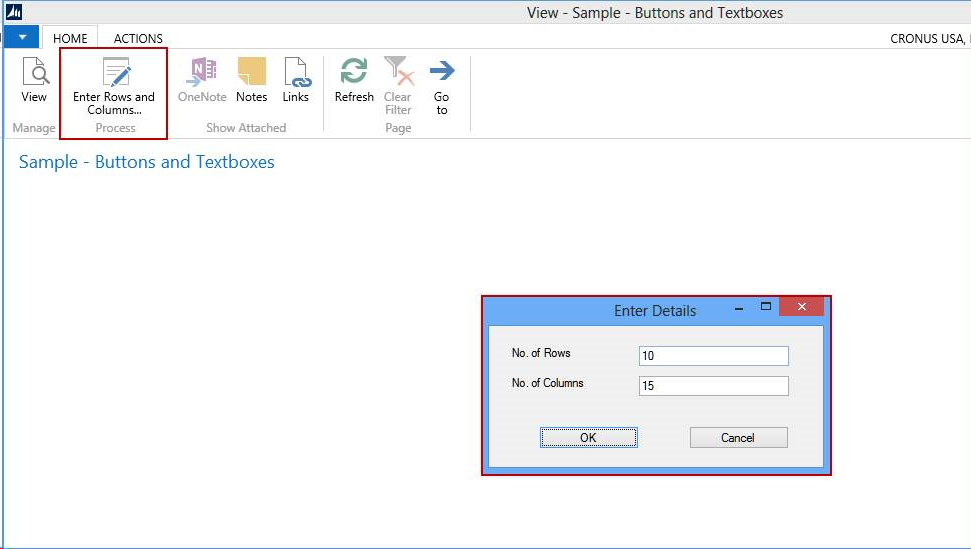
Sometimes client have a requirement of inputting one or more values at runtime and based on that result perform some actions. So I have implemented an input box that takes multiple values as input at runtime.
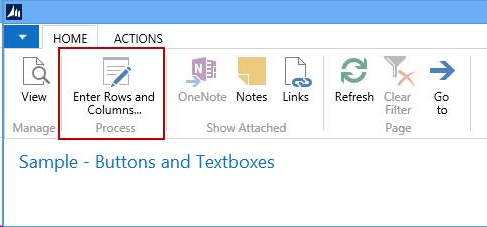
Kindly see below snapshots for details.
2 – Multiple values Input Box
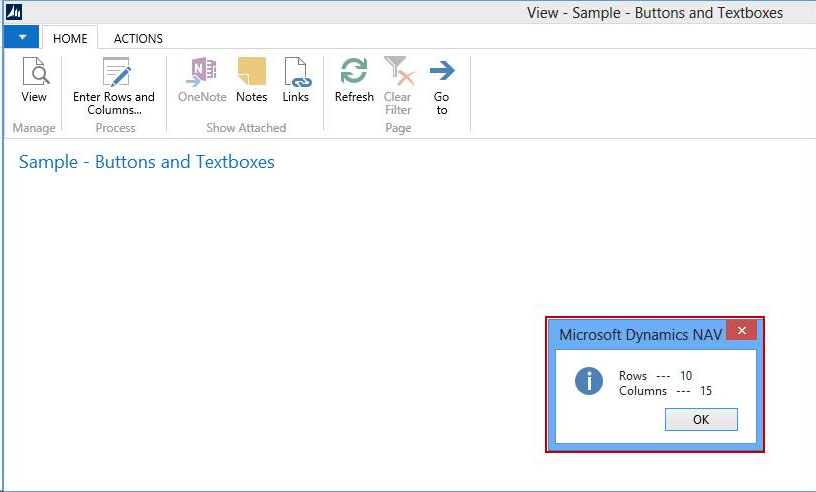
3 - Result
Code
Name | DataType | Subtype |
Prompt | DotNet | System.Windows.Forms.Form.'System.Windows.Forms, Version=4.0.0.0, Culture=neutral, PublicKeyToken=b77a5c561934e089' |
FormBorderStyle | DotNet | System.Windows.Forms.FormBorderStyle.'System.Windows.Forms, Version=4.0.0.0, Culture=neutral, PublicKeyToken=b77a5c561934e089' |
FormStartPosition | DotNet | System.Windows.Forms.FormStartPosition.'System.Windows.Forms, Version=4.0.0.0, Culture=neutral, PublicKeyToken=b77a5c561934e089' |
LblRows | DotNet | System.Windows.Forms.Label.'System.Windows.Forms, Version=4.0.0.0, Culture=neutral, PublicKeyToken=b77a5c561934e089' |
LblColumns | DotNet | System.Windows.Forms.Label.'System.Windows.Forms, Version=4.0.0.0, Culture=neutral, PublicKeyToken=b77a5c561934e089' |
TxtRows | DotNet | System.Windows.Forms.TextBox.'System.Windows.Forms, Version=4.0.0.0, Culture=neutral, PublicKeyToken=b77a5c561934e089' |
TxtColumns | DotNet | System.Windows.Forms.TextBox.'System.Windows.Forms, Version=4.0.0.0, Culture=neutral, PublicKeyToken=b77a5c561934e089' |
ButtonOk | DotNet | System.Windows.Forms.Button.'System.Windows.Forms, Version=4.0.0.0, Culture=neutral, PublicKeyToken=b77a5c561934e089' |
ButtonCancel | DotNet | System.Windows.Forms.Button.'System.Windows.Forms, Version=4.0.0.0, Culture=neutral, PublicKeyToken=b77a5c561934e089' |
DialogResult | DotNet | System.Windows.Forms.DialogResult.'System.Windows.Forms, Version=4.0.0.0, Culture=neutral, PublicKeyToken=b77a5c561934e089' |
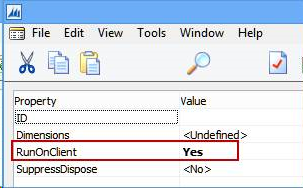
For all this variables “RunOnCilent” property must be set.
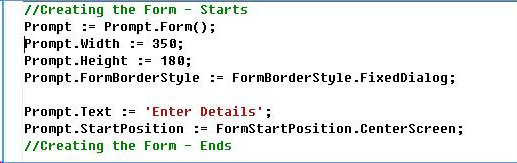
1 – Create Input Box as Form
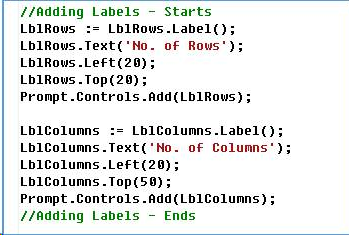
2 – Add Labels
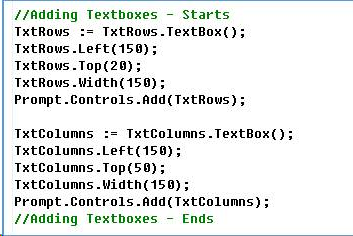
3 – Add Text boxes
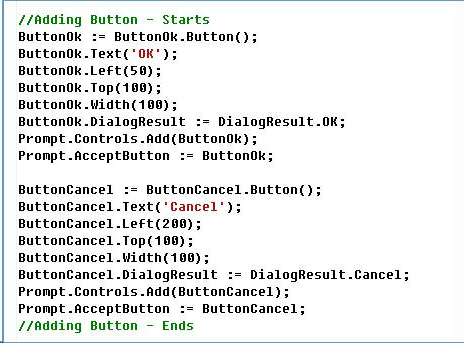
4 – Add Buttons
5 – Get Results

And its done.
This can help in unnecessary use of objects.
Your valuable comments and feedback are appreciated.
This was originally posted here.
*This post is locked for comments