







Remove Microsoft Account From PC
Views (1)
 Ian Grieve
 22,784
 Like
Like Share
Share
 Report
 As mentioned in a recent post, I changed jobs recently and needed to remove various accounts from the work laptop before handing it back.
While Microsoft OneDrive was quick and easy to do, I had to lookup how to remove a Microsoft Account; it turned out to be easy to do too.
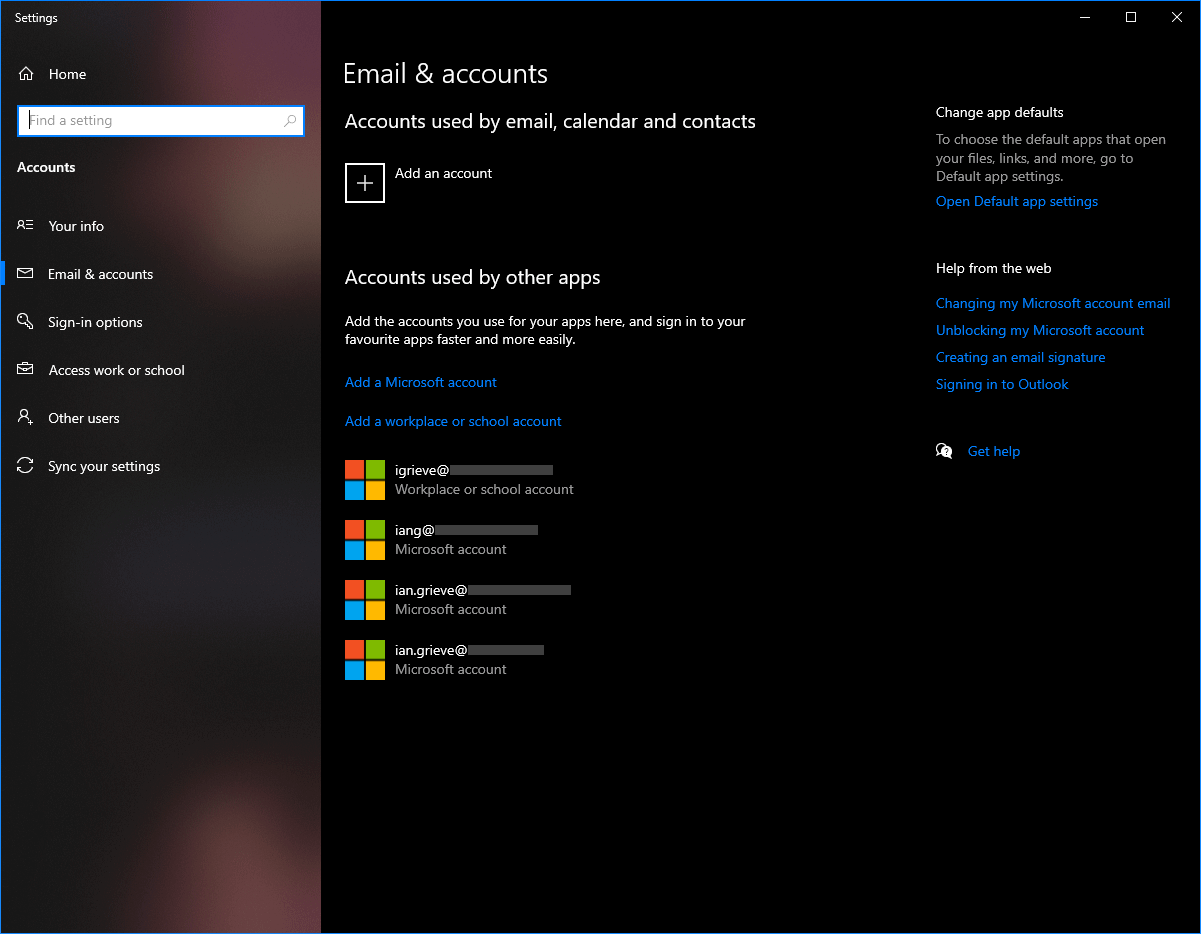
Open the Email & accounts settings applet, either through the control panel or using the ms-settings:emailandaccounts settings uri; the connected Microsoft acounts will be listed at the bottom of the page:
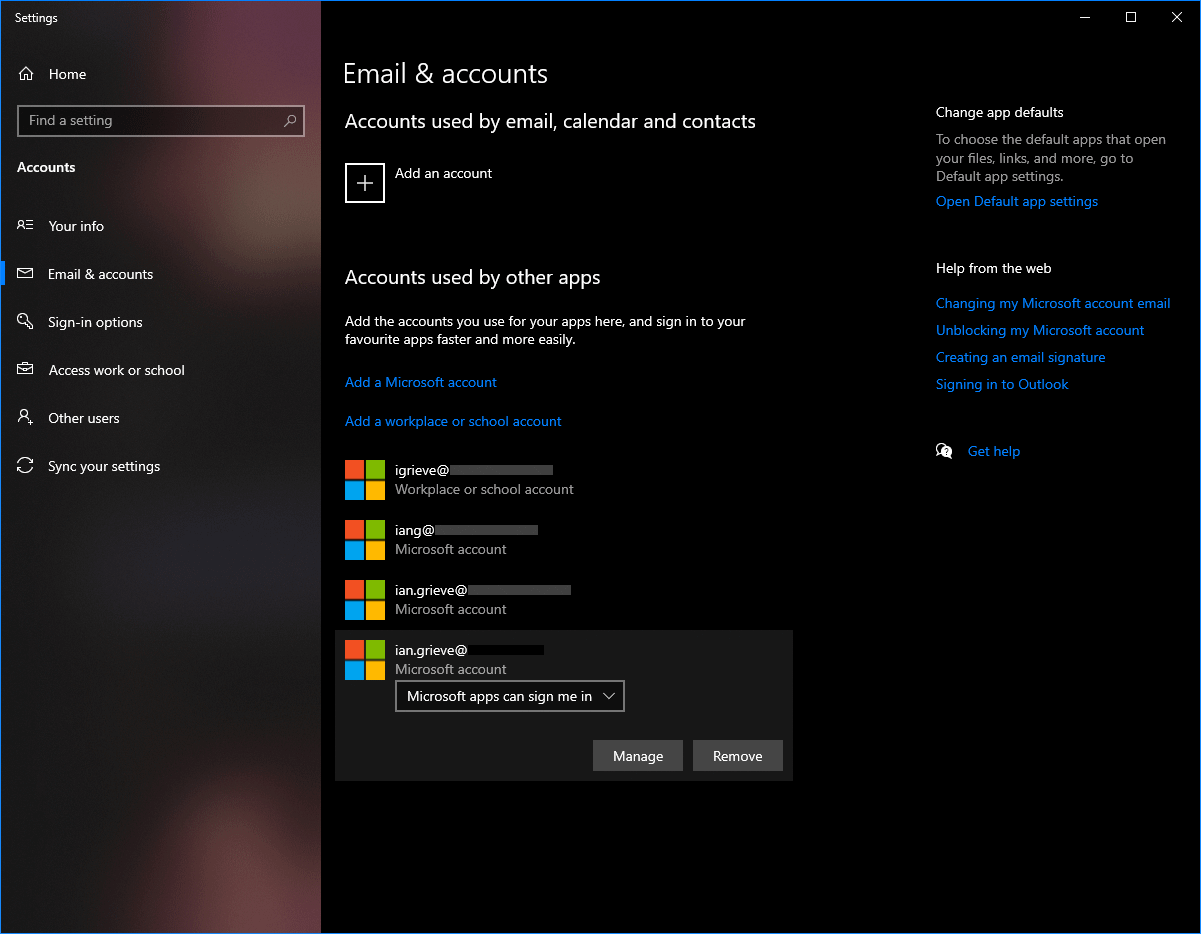
To remove an account, click on the account and then click the Remove button:
When prompted, click Yes to confirm the removal of the account:
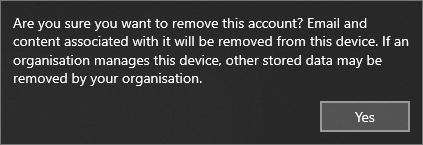
The account will then be removed from the PC.
Read original post Remove Microsoft Account From PC at azurecurve|Ramblings of an IT Professional
This was originally posted here.
*This post is locked for comments