




 Like
Like Share
Share
 Report
Introduction
You must have written script on form using javascript and apply various logic like enable/disable or setting value of another field on change of another field. After introduction of editable grid script which is applied on form is not applicable on editable grid. We can apply same logic, but we need to write on different structure.
Description:
Yes, we can apply the same logic on the editable grid as applied on the form. As you can see in the below screen shot two fields are locked and cannot be edited on the grid.
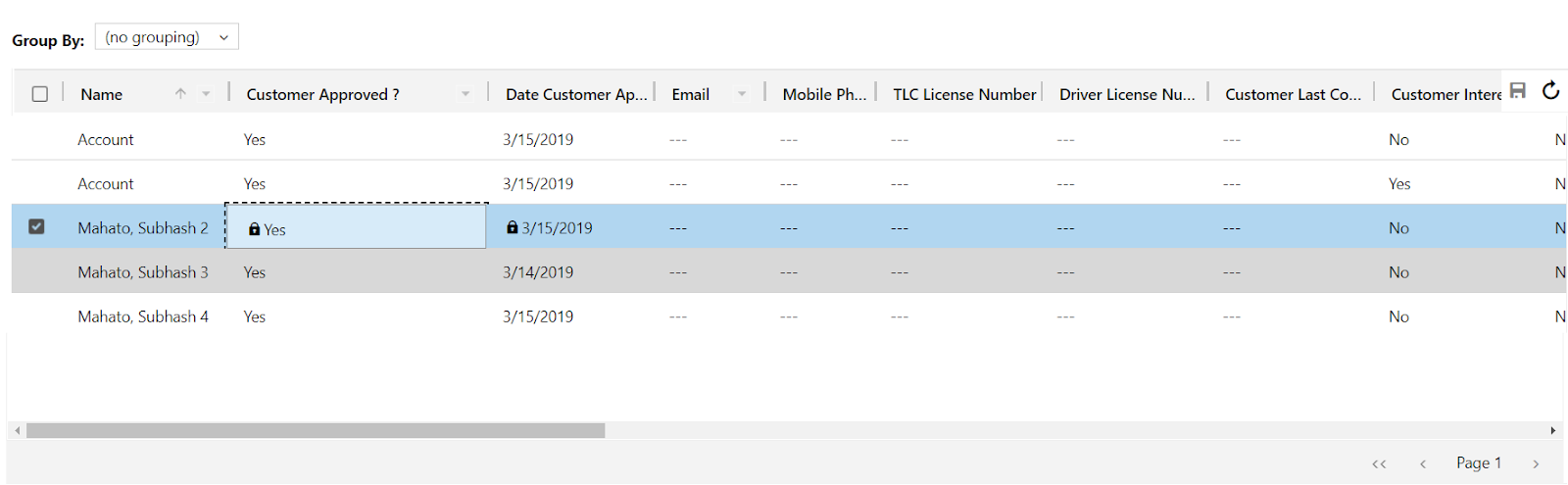
Also, if you have proper security permission than user can edit the date approved and it will set automatically.
You need to write script on the editable grid on the entity and not on the form as you can see in the below:
- You need to go the entity solution and add the script on change of record as you can see below
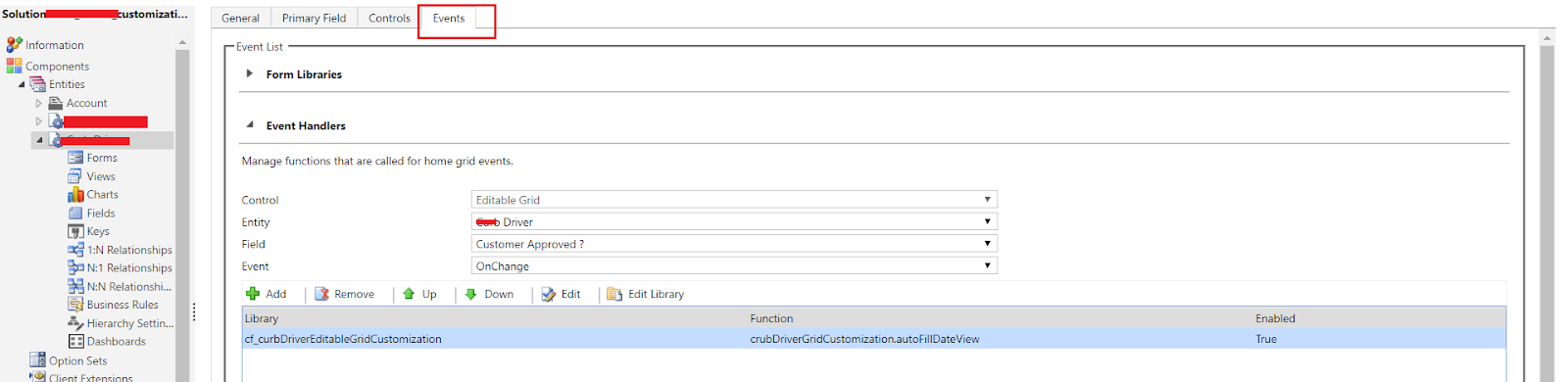
2. You need to write this script little different than the existing style
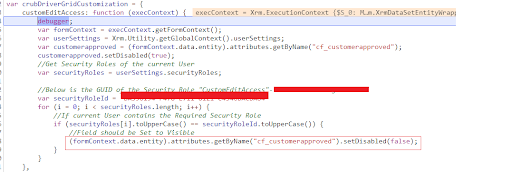
3. As you can see in the above screen shot attribute is not access using the getAttribute() method but here we get using getByName().

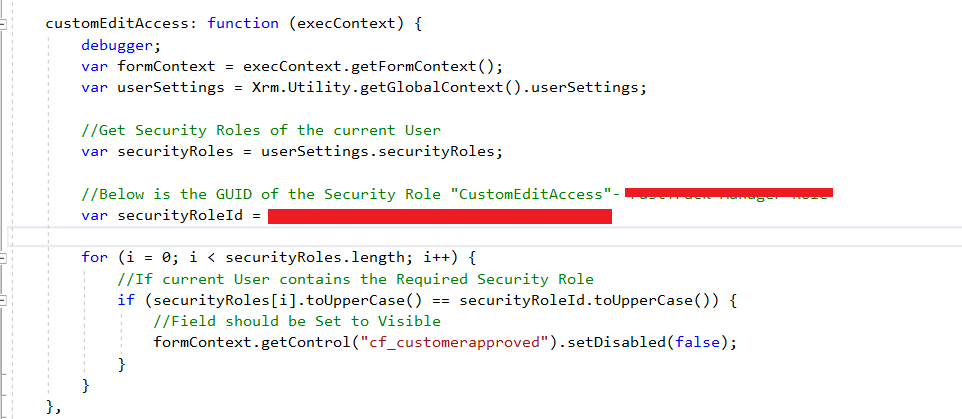
4. Set value on form script using java script normal style.
Conclusion
Hope this help you write the script on the grid as well as on the form.
The post Script in editable grid V 9.1 (EditableGrid_script_V9.0) appeared first on CloudFronts - Microsoft Dynamics 365 | Power BI | Azure.
*This post is locked for comments