







Change ‘Lookup For’ in Party list Using JavaScript
Views (77)

 Like
Like Share
Share
 Report
Introduction: Party list like “TO” usually contain record of type Accounts, Contacts, Knowledge Articles, Leads, Users
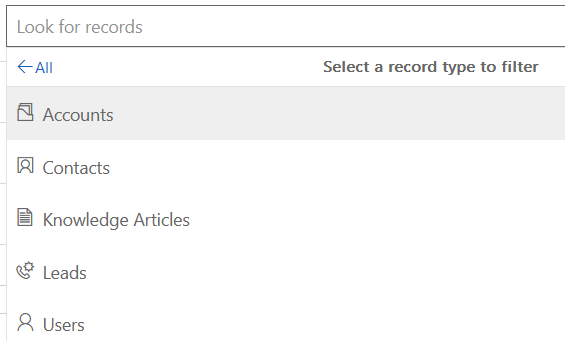
If you want to restrict the Lookup values, write the below script on load on the form and also on change of the partly list
var lookup = {
    dropdown: function (execContext) {
        var formContext = execContext.getFormContext();
        if (formContext.getAttribute("dropdown").getValue() != null) {
            dropdown = formContext.getAttribute("dropdown").getValue();
            var LookUpFor = ['account'];
            var fieldlist = ['to','cc','bcc'];
 fieldlist.forEach(
        function (item, index) {
            formContext.getAttribute(item).setValue(null);
            formContext.getControl(item).setEntityTypes(LookUpFor);
        });
        }
    }}
Here for each value in fieldlist, the lookup for will be set to account. This is not applicable to “FROM” as it has OOB restrictions.
The post Change ‘Lookup For’ in Party list Using JavaScript appeared first on Cloudfronts - Microsoft Dynamics 365 | Power BI | Azure.
*This post is locked for comments