







How to Set Lookup Fields with Null Value from Dynamic Content in Microsoft Dataverse Connector
Views (70)
 Linn Zaw Win
 3,407
3,407
 Like
Like Share
Share
 Report
 In one of my previous blog posts, I wrote about How to Set Lookup Field Value in Microsoft Dataverse Flow Connector. In that blog post, I mentioned that I was not sure how to set a lookup as null either directly or from another record’s lookup field as the output of the step (which can potentially be null). Recently, I discovered a way to do that and I would like to share that with you all in this post.
Problem statement
What is a Nullable value in this situation? Nullable value is any field that is blank or has no value. The field could be empty/null because the field was not mandatory and/or the user may not have entered any value for it when filling up the form. When a nullable filled is used in flows to get data from, we need to consider the scenarios where the field value is empty, how to check if it’s null from a previous step (trigger, Get a record, List records) before using that field in the subsequent step of the flow.
What is the problem with Nullable lookup value in Microsoft Dataverse connector?
Because of the way the lookup value has to be set in Microsoft Dataverse connector <<EntitySetName>>(<<RecordGUID>>), the flow throws an error "The supplied reference link -- systemusers() -- is invalid." if the <<RecordGUID>> of the reference field is empty.
Scenario
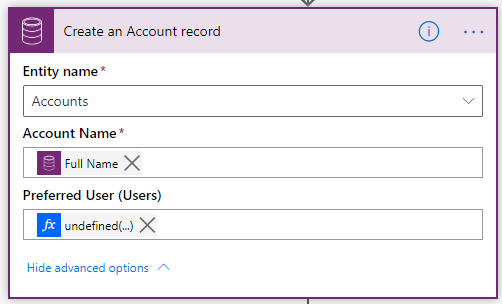
For simplicity’s sake, let’s consider a scenario where the system must create a new Account record if a Contact record is created and if the Company Name field of the Contact is empty. One of the requirements is to populate the Contact’s Full Name into the Name of the Account and the Preferred User of the Contact into the Preferred User of the new Account. In this scenario, the Preferred User field of the Contact entity is optional and the value can be empty for some of the Contact records.
Solution
I posted in the Power Automate Ideas to allow setting null value to the lookup field in Microsoft Dataverse connector. I got a response from one of the Microsoft employees that the workaround solution is to conditionally check the value using empty() and set null or empty string '' to the lookup field.

This is the flow expression that you can use to set the lookup field with nullable value in Create a new record action.
if(
    empty(triggerOutputs()?['body/_preferredsystemuserid_value']),
    '',
    concat(
        'systemusers(',
        triggerOutputs()?['body/_preferredsystemuserid_value'],
        ')'
    )
)
Setting the null or empty string '' to the lookup field works for Add a new row action as well as Update a row action.
To set the lookup column with Null value, you can either set the null value directly, or
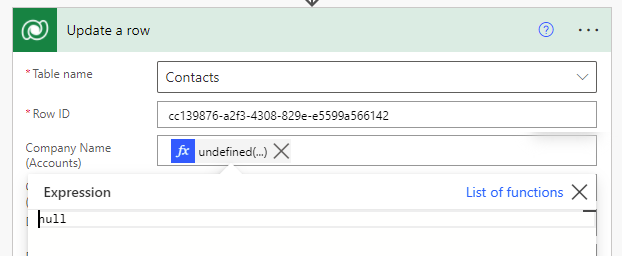
set the null value in the expression.
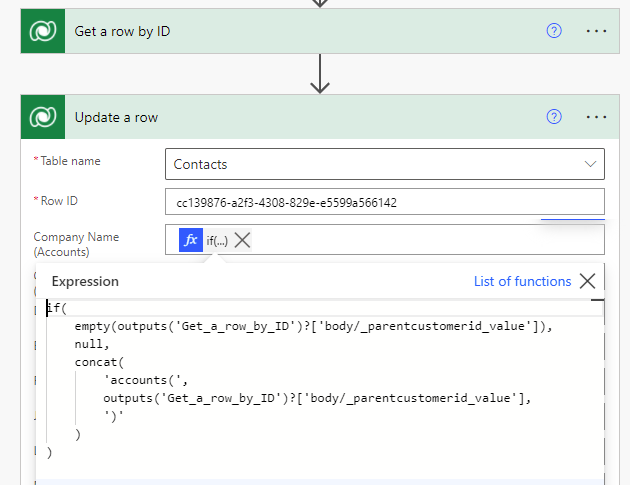
if(
    empty(outputs('Get_a_row_by_ID')?['body/_parentcustomerid_value']),
    null,
    concat(
        'accounts(',
        outputs('Get_a_row_by_ID')?['body/_parentcustomerid_value'],
        ')'
    )
)]The supplied reference link -- -- is invalid. Expecting a reference link of the form /entityset(key).
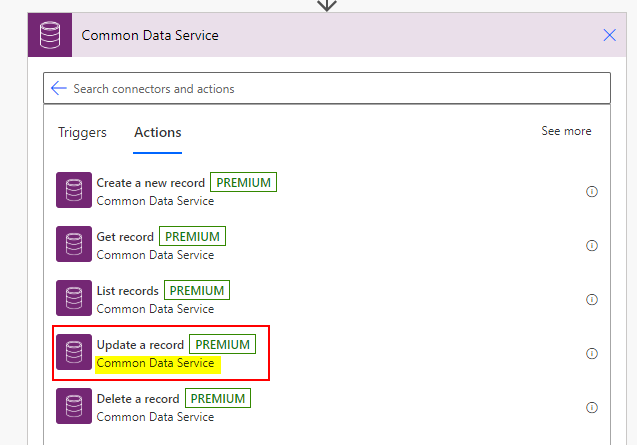
If you are looking for an option to set the nullable value to the lookup field in the update action, you can now set the null value. there are 3 workaround solutions
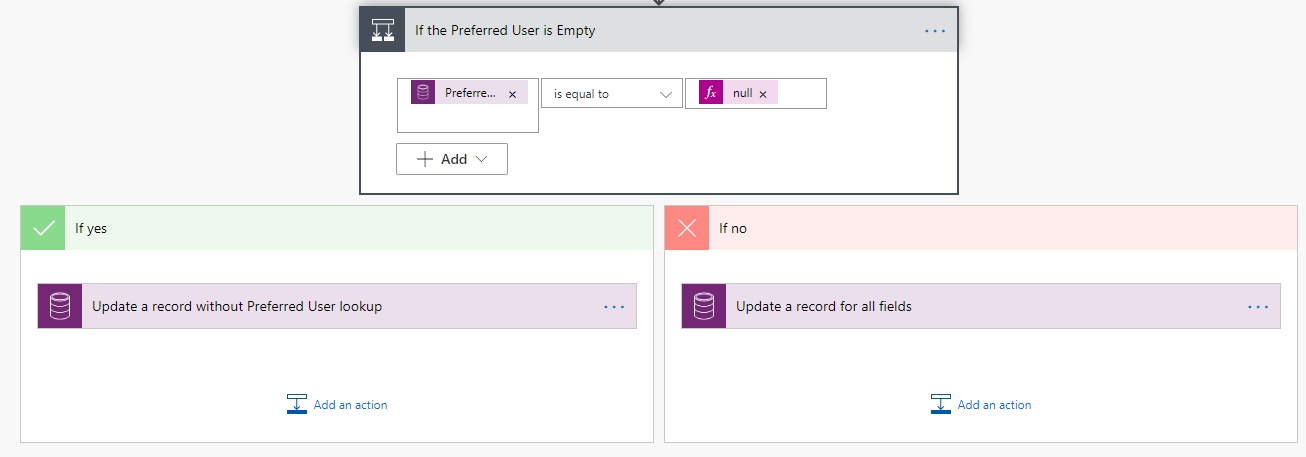

This is just the simplified version of the scenario but I encountered a similar situation in most of the flows that I built for the project work. One of those is for creating the Case Stage custom entity on the status change of the Case entity and certain lookup fields of the Case Stage entity was populated with the nullable values from the Case and Contact (customer in the Case) entities. Another one is for creating the Attendance entity based on the Attendee field of the Appointment and as usual, some of the lookup dynamic values from other entities are nullable.
Other Scenarios
This can also be applied in other scenarios such as conditionally setting the value of the polymorphic lookup.
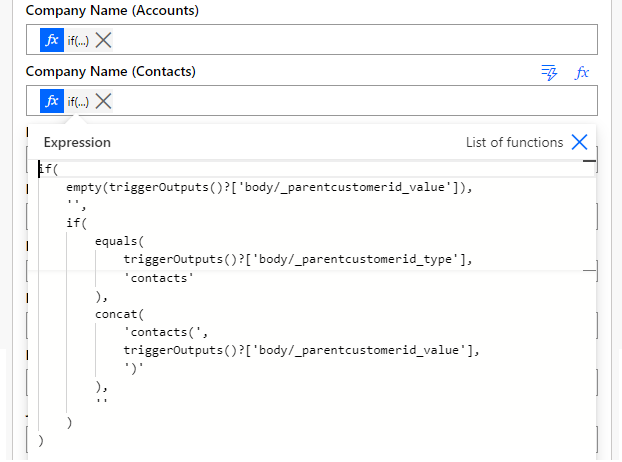
In the example above, the duplicate Contact is created from the Contact from the trigger step. The Company Name is the Customer Lookup field which can either be populated with Account or Contact. The following expressions can be used to populate the Company Name lookup based on the entity type of the Company Name value.
For Company Name (Accounts)
if(
    empty(triggerOutputs()?['body/_parentcustomerid_value']),
    '',
    if(
        equals(
            triggerOutputs()?['body/_parentcustomerid_type'],
            'accounts'
        ),
        concat(
            'accounts(',
            triggerOutputs()?['body/_parentcustomerid_value'],
            ')'
        ),
        ''
    )
)
For Company Name (Contacts)
if(
    empty(triggerOutputs()?['body/_parentcustomerid_value']),
    '',
    if(
        equals(
            triggerOutputs()?['body/_parentcustomerid_type'],
            'contacts'
        ),
        concat(
            'contacts(',
            triggerOutputs()?['body/_parentcustomerid_value'],
            ')'
        ),
        ''
    )
)
Summary
In the Create a new record action of the Microsoft Dataverse connector, we can use the null or empty string '' to set the lookup field with an empty value.
This was originally posted here.
*This post is locked for comments