







{How to } Install Power Platform Environment Settings App on Power Platform Admin Center
Views (13)

 Like
Like Share
Share
 Report
Hello Everyone,

Today I am going to show how to manage feature settings on Power Platform Admin Center.

Let's get's started.
Login into www.admin.powerplatform.microsoft.com
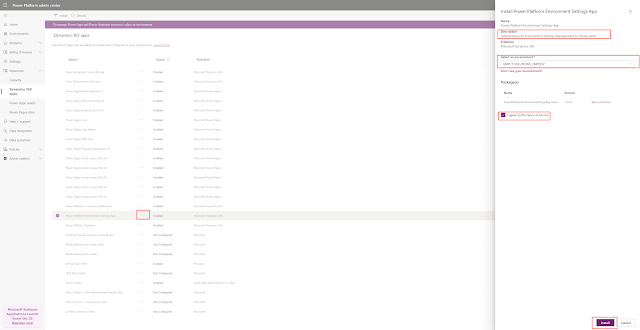
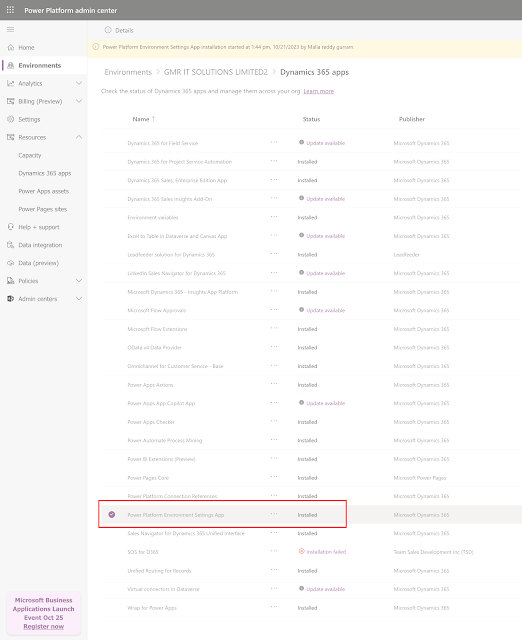
Expand Resources > Dynamics 365 App and look for Power Platform Environment Settings App.
Click on "..." and install

Choose the environment you want these settings effect and accept terms and conditions.

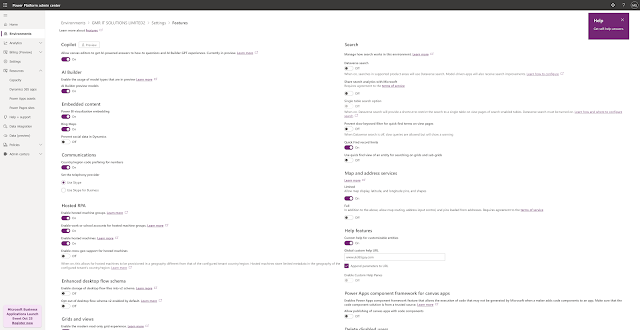
Now you can check the Settings > Features > All settings will be here.

That's it for today.
I hope this helps.
Malla Reddy Gurram(@UK365GUY)
#365BlogPostsin365Days
This was originally posted here.
*This post is locked for comments