




 34,477
 Like
Like Share
Share
 Report
When registering on the portal, users are, normally, redirected to the profile page by default. It seems, though, this is not, really, configurable, through the portal settings, so is there a workaround?
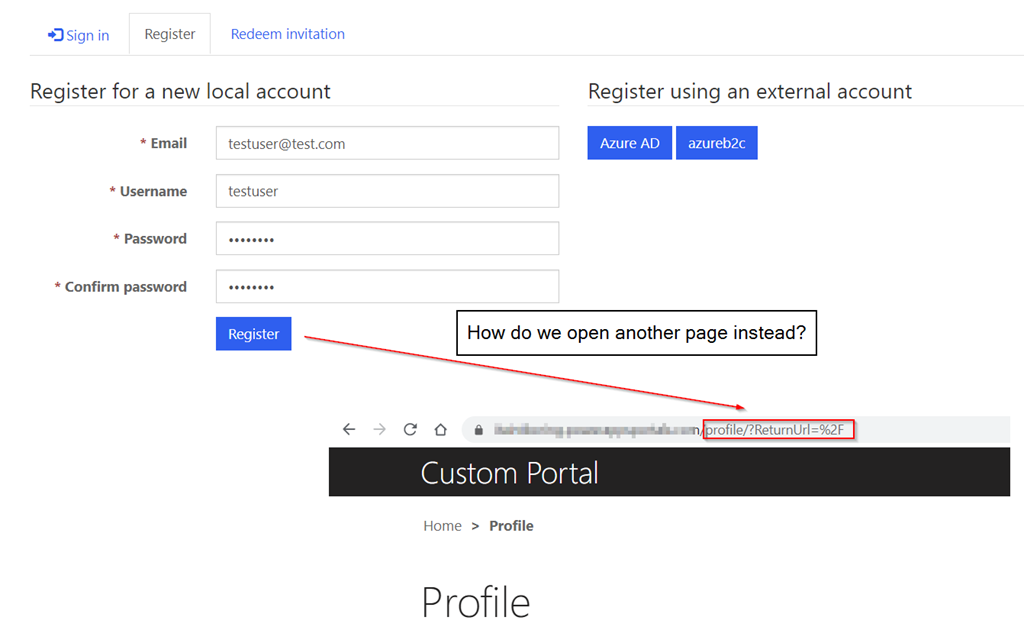
It seems this should be doable, but, first, let’s look at another screenshot here:
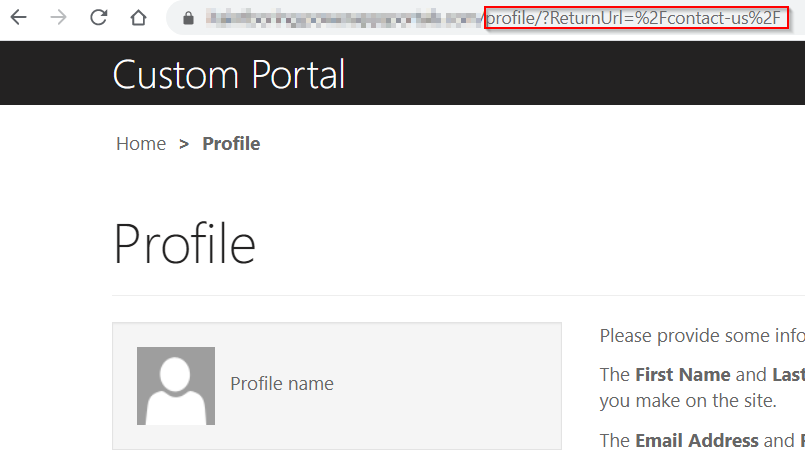
What this means is that, once a user is registered, they’ll be redirected to the profile page, but returnUrl part of the query is not always the same. What stays the same is “profile/?ReturnUrl”, though, so let’s just add a redirect?
But not this redirect:
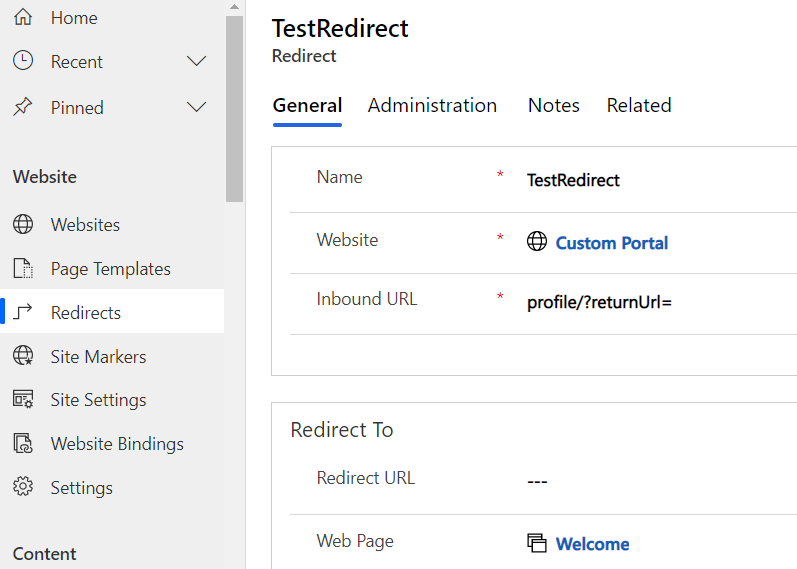
Because, as a number of folks have pointed out before me, a redirect will only work when that path does not exist. As in… if it were profile_PAGE_NOT_EXISTS for the Inbound URL, it would work. But, since there is a profile page, the redirect won’t kick in at all.
Instead, we can add a bit of code to the site header like this (I’ve highlighted the added part):
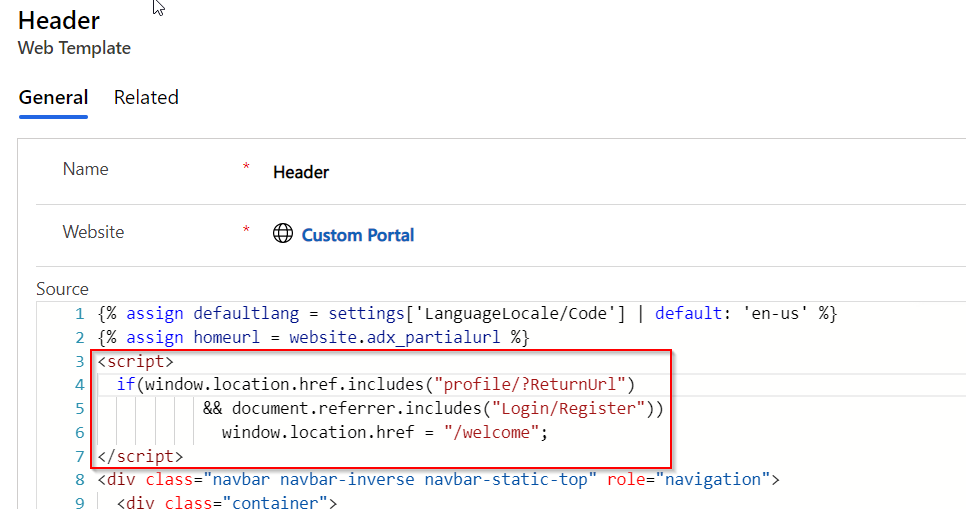
And voila – it’s working now:
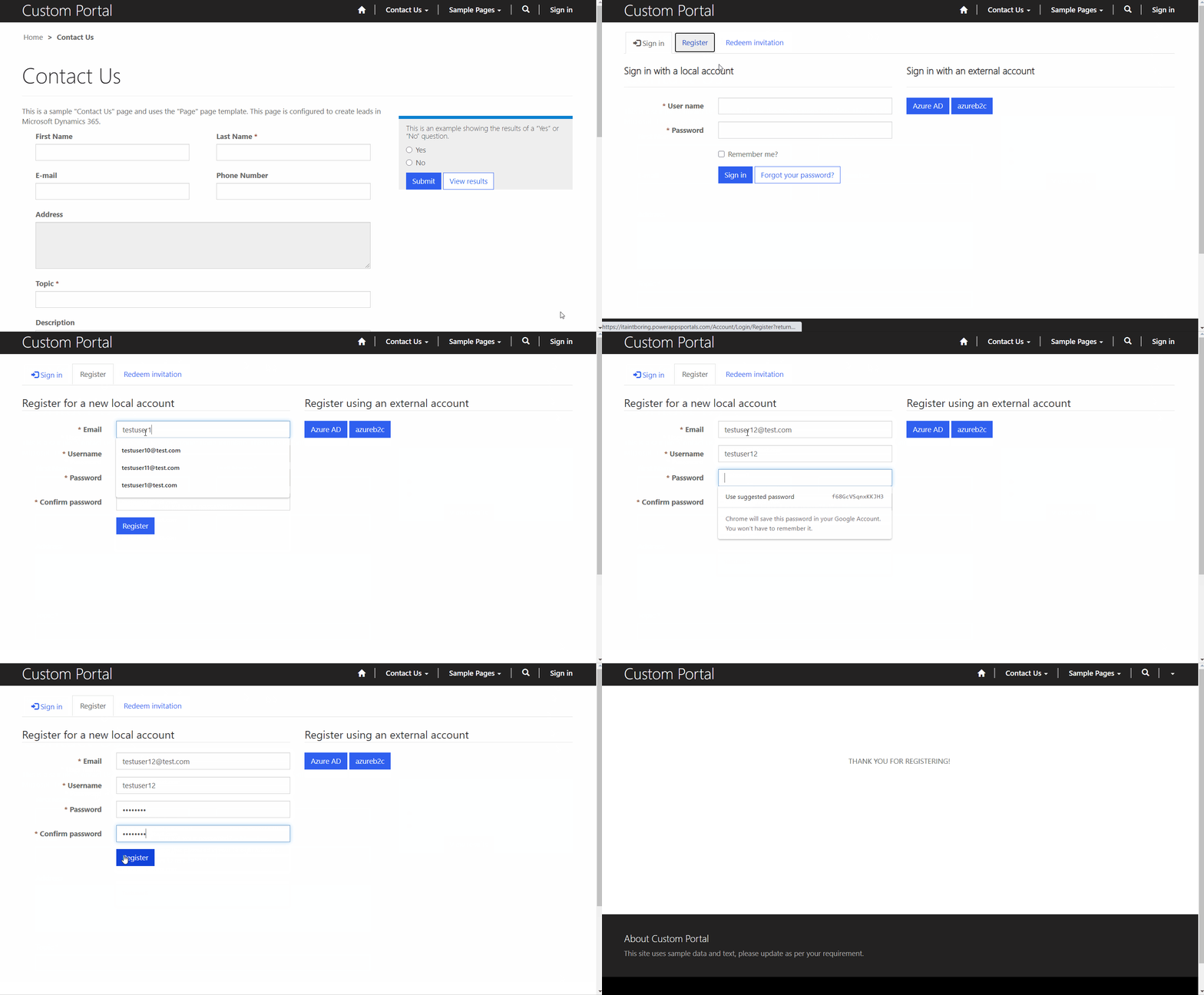
So, why using javascript and not Liquid? I could try something like this instead:
{% if request.url contains ‘profile/?ReturnUrl’ and page.title startswith ‘Profile’ %}
<script>if(window.location.href = “/welcome”;</script>
{% endif %}
Somehow, neither the “request” nor the “page” objects get updated when there is a client-side redirect through window.location, so that’s the only reason for using a purely javascript-based approach.
Well, don’t get bored – have fun!
*This post is locked for comments