




 107
107 Like
Like Share
Share
 Report
Virtual Entity made easy on Dataverse/Dynamics 365 CE.
Connecting to External Data has a new look in Dataverse, this feature simplifies the cretion of Table for External Data (Virtual Entity).
In the following blog I will walk you though on how to create Table on External Data
Navigate to you solution
New → Table

Select Table from external data. for this example we are going to connect to SharePoint

Enter your SharePoint url and click Next, this is going to pull all the List available on your SharePoint site
Select the Appropriate List and Click Next

Here you have the ability to change the column(field) name on your virtual Entity Click Next
Before finalizing you can review or change to a different List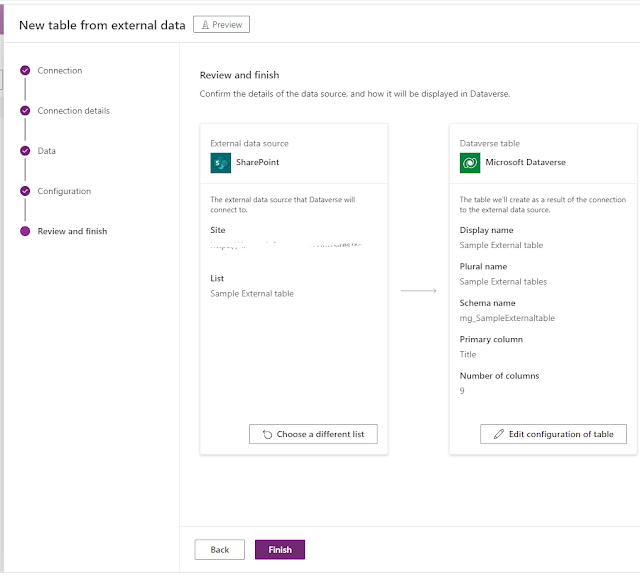
Click Finish


Enter your SharePoint url and click Next, this is going to pull all the List available on your SharePoint site

Select the Appropriate List and Click Next

Here you have the ability to change the column(field) name on your virtual Entity Click Next
Before finalizing you can review or change to a different List

Click Finish

Here you have your External Data Table (Virtual Entity).
Thank you for reading.
*This post is locked for comments